
For troubleshooting, Adobe Campaign stores data in server logs (workflow runs, deliveries, web requests), and reading them is the fastest way to understand how a script behaved.
Review these JavaScript functions to debug at increasing severity, and where each message lands - a file, the database, or both - depends on the environment the code runs in.
Logs location
In Adobe Campaign, logs are stored on the server itself, as .log files. They are called by the JavaScript functions:
Depending on the OS, the log files are located in:
- On Windows:
C:\Program Files\Adobe\Adobe Campaign Classic v7\var\instance1\log\ - On Linux:
/usr/local/neolane/nl6/var/instance1/log/
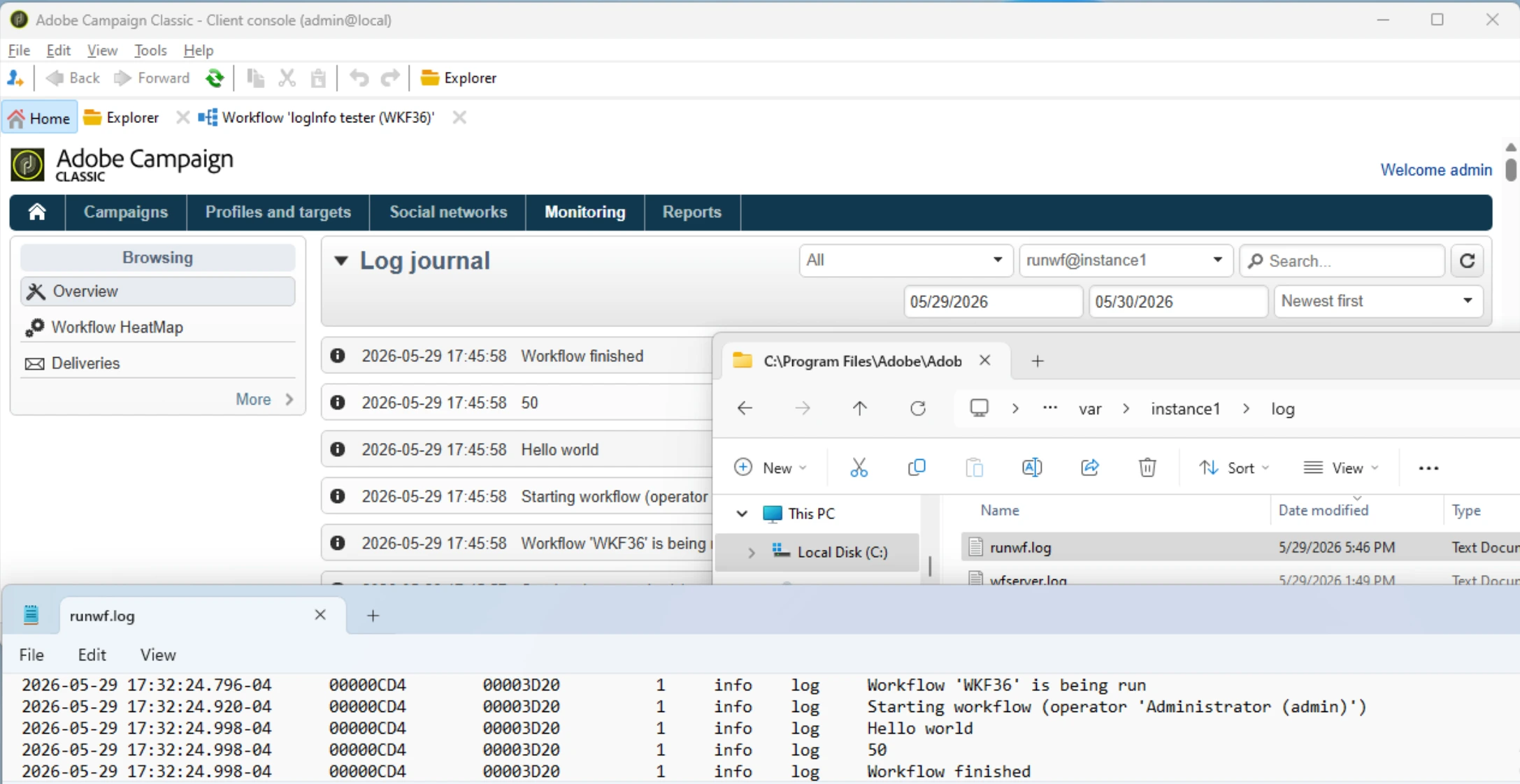
They can be viewed in the Console, from Home > Monitoring > Overview > Processes list > Open the log journal:
| File | Component |
|---|---|
runwf.log |
Workflow execution (the process running the workflow) |
wfserver.log |
Workflow server (scheduling and supervision) |
mta.log |
Message Transfer Agent (delivery sending) |
web.log |
Web / Apache module (JSSP, web apps) |
nlserver.log |
Main server process |
Replace
instance1with your instance name. The console reads from these files, but parses and filters on dates. For any advanced need, read the file directly.
Logs levels
The function you call sets the severity column, from least to most severe:
-
logVerbose(message):
verbose -
logInfo(message):
info -
logWarning(message):
warning -
logError(message):
error
A run using several of them produces one line each, distinguished only by that column:
2026-05-29 17:45:58.176-04  00001DE4  00002600   1  verbose  log  Data received
2026-05-29 17:45:58.176-04  00001DE4  00002600   1  info     log  Workflow finished
2026-05-29 17:45:58.176-04  00001DE4  00002600   1  warning  log  Data is empty
2026-05-29 17:45:58.176-04  00001DE4  00002600   1  error    log  Count cannot be less than 1
Verbose
logVerbose messages are written only if the module was started with the -verbose flag:
nlserver start <MODULE>@<INSTANCE> -verbose
Error
In a workflow, logError does more than log, it throws an exception and stops execution:
- the current activity fails
- the workflow is marked in error (
Status (@state) = Failed,Failed (@failed) = yes) - and an alert is sent to the supervisors defined in the workflow properties.
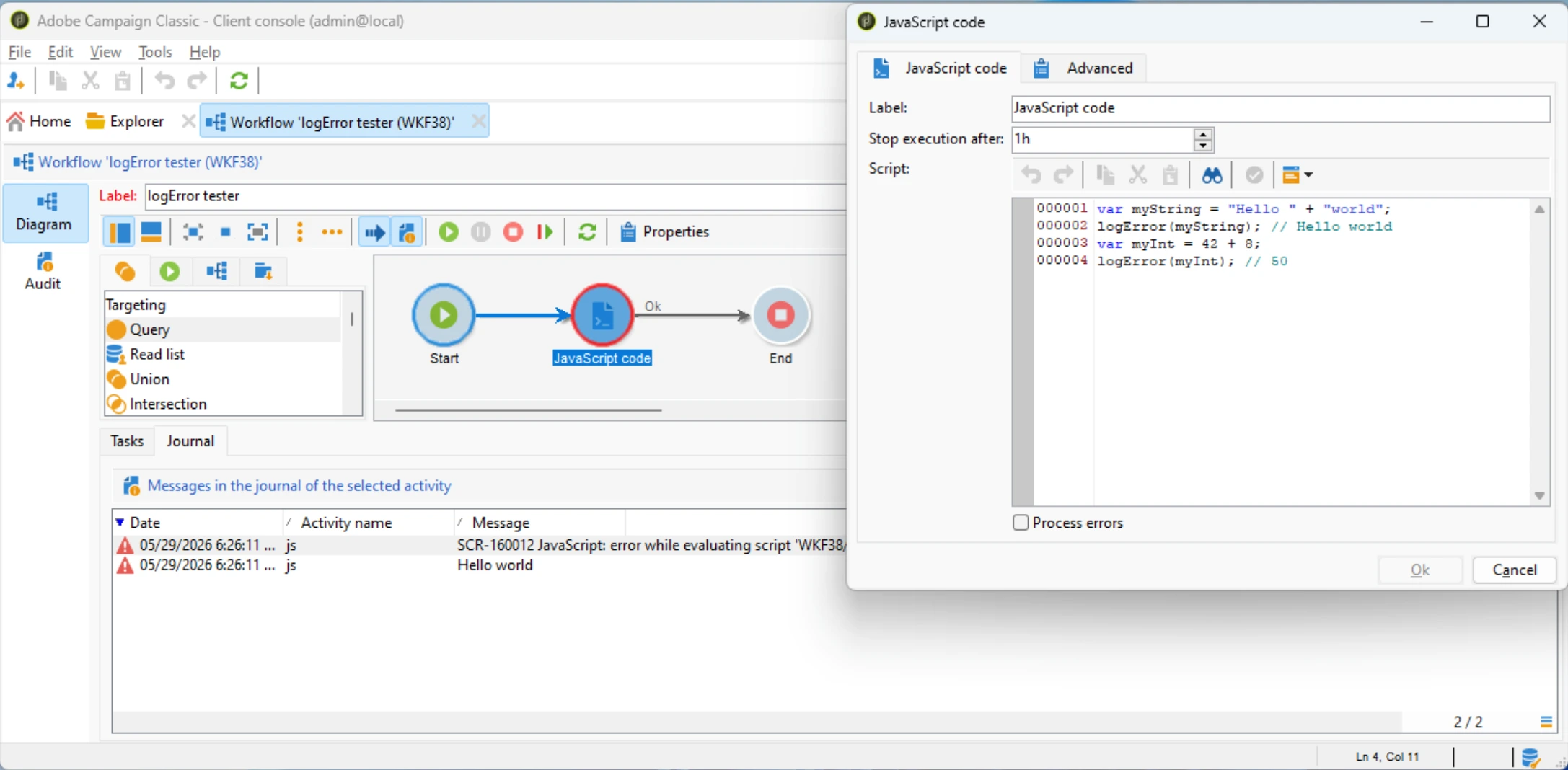
Use it only when you intend to abort the run. For a non-fatal problem, use logWarning.
Workflows logs in the database
On top of the file, a workflow stores each log call in the xtk:workflowLog table. This table (not the files!) is what the console shows in the workflow audit.
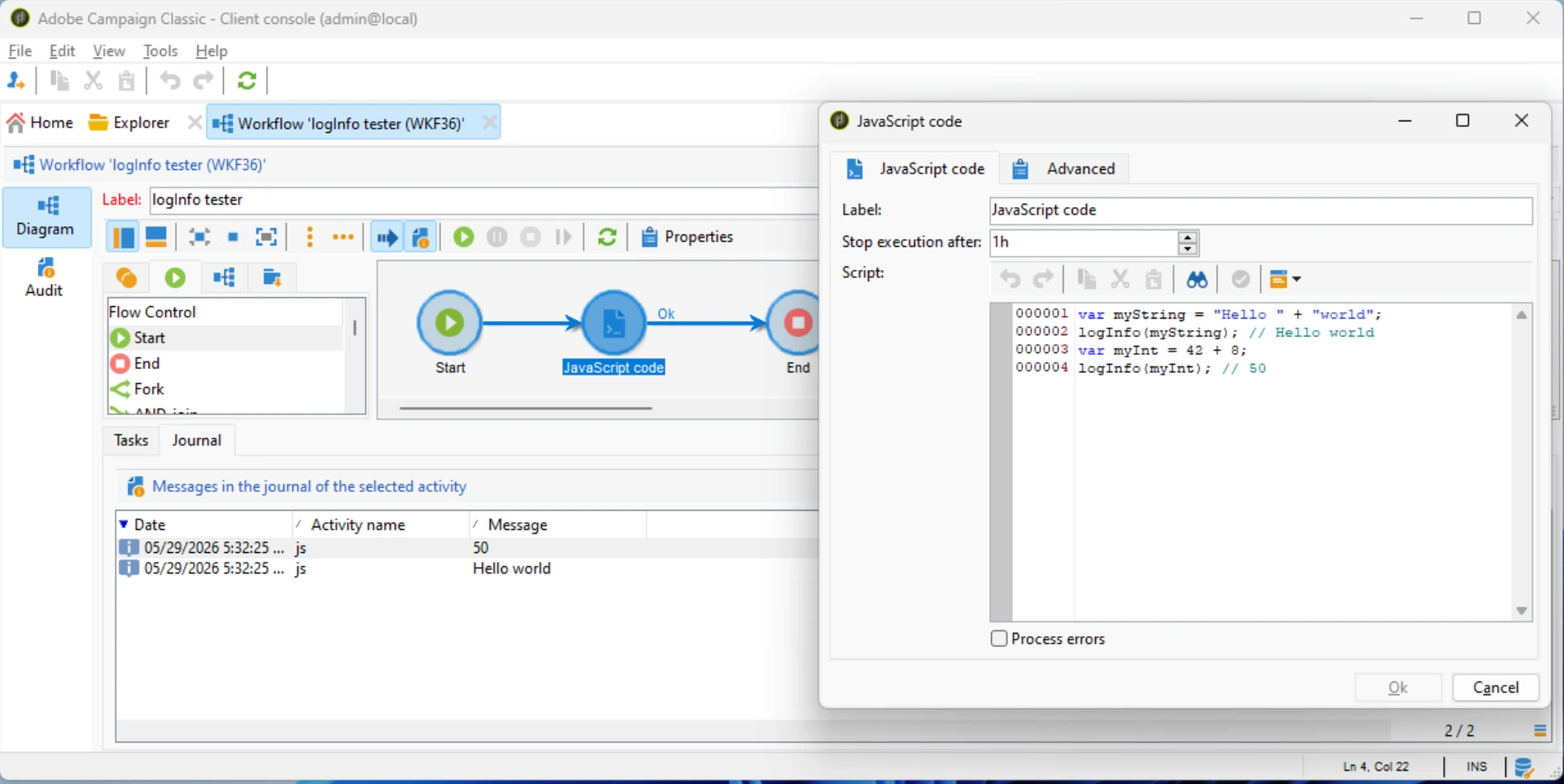
Other environments have no workflow context: a JSSP page, a web app or a typology rule writes to the file only. If you logged from a web app and the audit is empty, that is why - look in web.log instead.
Globals and NL.log
The global logInfo/logWarning/logError are native functions that write straight to the server logs, so a test has no way to intercept what a script logged. When you write JS code you intend to unit-test, log through the NL.log namespace instead: NL.log.info(), NL.log.warn() and NL.log.error() cover the same severities but go through a proxy that a test can replace. The test-only hook NL._hookLogger(fake) swaps NL.log for a fake that records each call, and NL._hookLogger(null) restores the real logger afterwards. On the server the behaviour is otherwise identical to calling the native functions directly.