
Prestashop has developed a great admin interface: data table, filters, edit/create form, etc. But you know what? You can re-use this UI for your own SQL tables. This tutorial will walk through it.
Objective
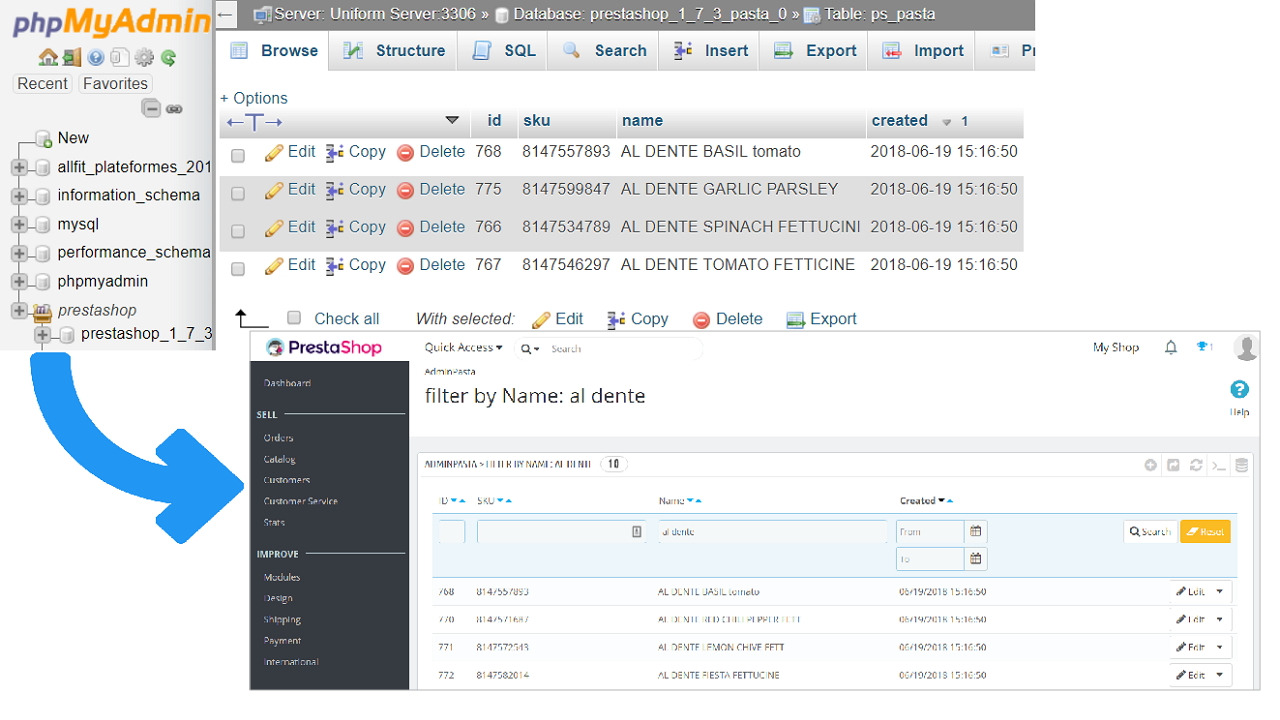
We are going to be able to create, read, update and delete a customized SQL table. Let’s take some pasta as an example.
We will be using this SQL Dataset setup.sql (taken from https://www.dunnhumby.com/sourcefiles).
Let’s use the pasta database:
CREATE TABLE pasta (
  `id` INT NOT NULL AUTO_INCREMENT,
  `sku` VARCHAR(255) NOT NULL,
  `name` VARCHAR(255) NOT NULL,
  `description` TEXT,
  `id_pasta_category` INT NOT NULL,
  `created` DATETIME NOT NULL DEFAULT CURRENT_TIMESTAMP,
  PRIMARY KEY (`id`)
) ENGINE = InnoDB;

insert into pasta (sku,name,description,id_pasta_category) values ('111112360', 'VINCENT S ORIG MARINARA S','ac facilisis facilisis, magna tellus',2);
insert into pasta (sku,name,description,id_pasta_category) values ('566300023', 'PINE MOUNTAIN SYRUP','at pede. Cras vulputate velit eu',4);
-- [...]
-- find all the SQL setup in https://github.com/myrosblog/blog/blob/master/assets/prestashop/pasta_setup.sql
Walkthrough
Model
Create the ObjectModel class /override/classes/fc_pasta/Pasta.php:
class Pasta extends ObjectModel
{
  public $id; // fields are mandatory for create/update
  public $sku;
  public $name;
  public $created;
  public $category;
  public $id_pasta_category;
  public static $definition = [
    "table" => "pasta",
    "primary" => "id",
    "fields" => [
      "sku" => ["type" => self::TYPE_STRING, "validate" => "isAnything", "required" => true],
      "name" => ["type" => self::TYPE_STRING, "validate" => "isAnything", "required" => true],
      "description" => ["type" => self::TYPE_HTML, "validate" => "isAnything"],
      "created" => ["type" => self::TYPE_DATE, "validate" => "isDateFormat"],
      "id_pasta_category" => [
        "type" => self::TYPE_INT,
        "validate" => "isUnsignedInt",
        "required" => true,
      ],
    ],
  ];
}
In details, folder does not matter, all properties must be public, class extends ObjectModel, and use public static $definition to define your SQL fields.
Admin Controller
Create the module /modules/fc_pasta/fc_pasta.php:
if (!defined("_PS_VERSION_")) {
  exit();
}
class Fc_Pasta extends Module
{
  public function __construct()
  {
    $this->name = "fc_pasta"; // must match folder & file name
    $this->tab = "administration";
    $this->version = "1.0.0";
    $this->author = "Myros";
    $this->bootstrap = true; // use Bootstrap CSS
    parent::__construct();
    $this->displayName = $this->l("PrestaShop Module by FC");
    $this->description = $this->l("Improve your store by [...]");
    $this->ps_versions_compliancy = ["min" => "1.7", "max" => _PS_VERSION_];
    // install Tab to register AdminController in the database
    $tab = new Tab();
    $tab->class_name = "AdminPasta";
    $tab->module = $this->name;
    $tab->id_parent = (int) Tab::getIdFromClassName("DEFAULT");
    $tab->icon = "settings_applications";
    $languages = Language::getLanguages();
    foreach ($languages as $lang) {
      $tab->name[$lang["id_lang"]] = $this->l("FC Pasta Admin controller");
    }
    $tab->save();
  }
}
Activate it through the PrestShop Backoffice by looking for pasta:
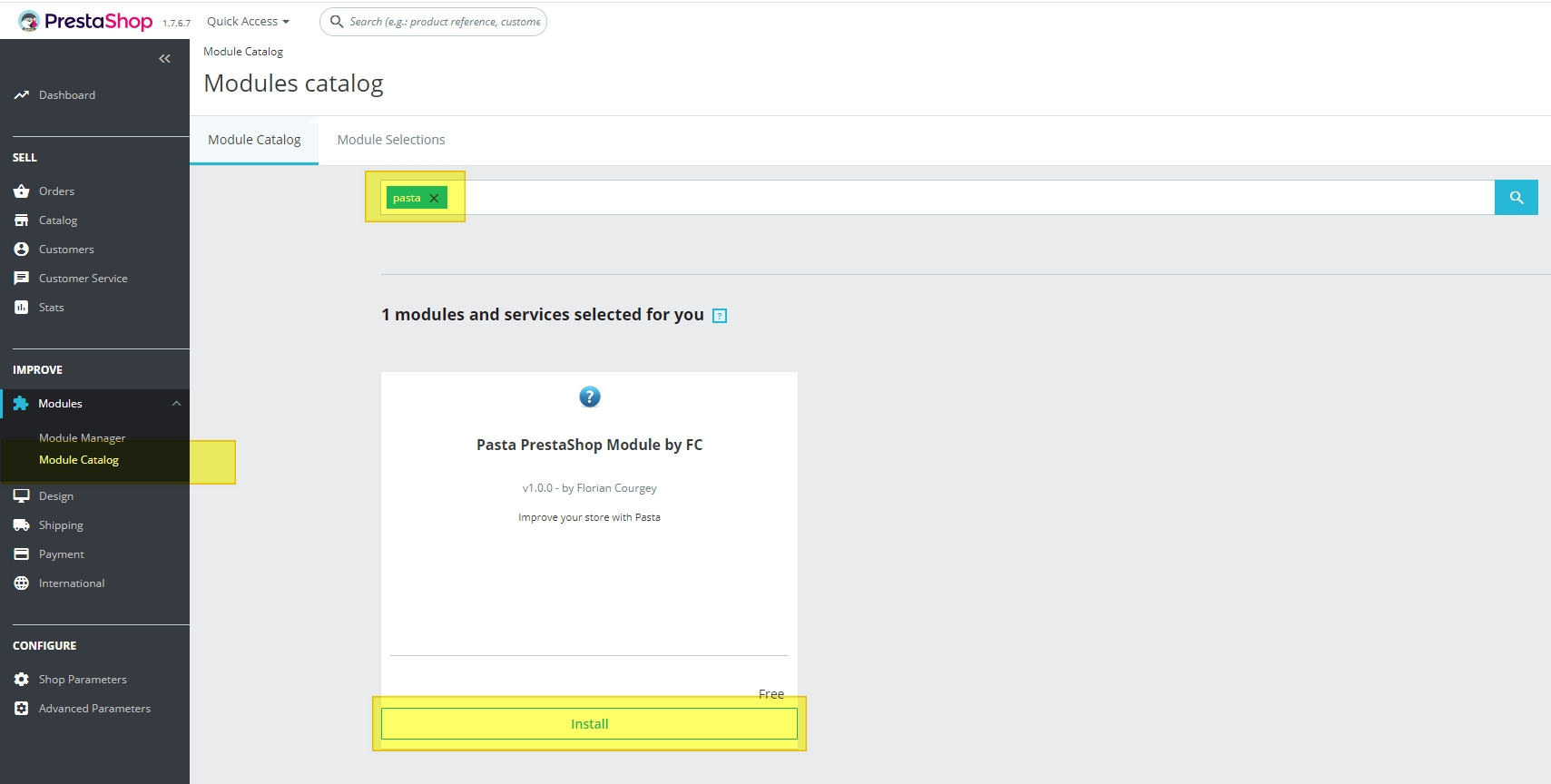
and then Create the Admincontroller in modules/fc_pasta/controllers/admin/AdminPastaController.php, which extends ModuleAdminController:
require_once _PS_ROOT_DIR_ . "/override/classes/my_dir/Pasta.php";

class AdminPastaController extends ModuleAdminController
{
  public function __construct()
  {
    parent::__construct();
    // Base
    $this->bootstrap = true; // use Bootstrap CSS
    $this->table = "pasta"; // SQL table name, will be prefixed with _DB_PREFIX_
    $this->identifier = "id"; // SQL column to be used as primary key
    $this->className = "Pasta"; // PHP class name
    $this->allow_export = true; // allow export in CSV, XLS..
  }
}
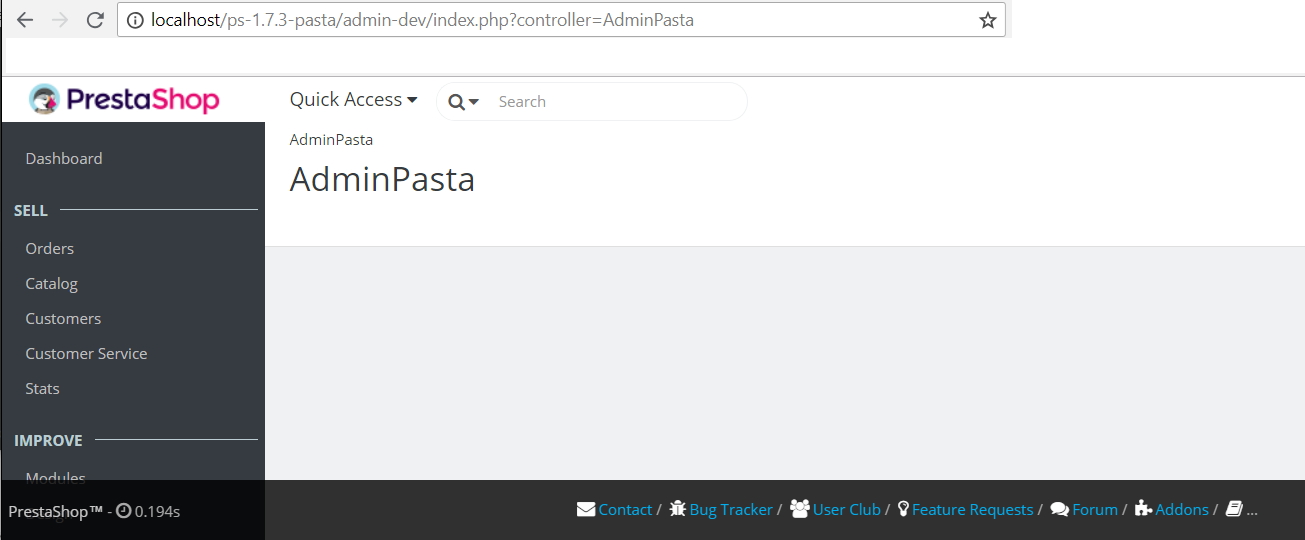
Head to http://localhost/admin-dev/index.php?controller=AdminPasta and you should now have an empty AdminController:
If you get the error message Page not found - The controller AdminPasta is missing or invalid., make sure the tab is installed in ps_tab with:
SELECT * FROM `ps_tab` WHERE class_name = 'AdminPasta'
Extend the Admin Controller
Now all the customization will be executed in the AdminController only. Let’s start by adding the list with $this->fields_list:
require_once _PS_ROOT_DIR_.'/override/classes/my_dir/Pasta.php';

class AdminPastaController extends ModuleAdminController {
  public function __construct(){
    parent::__construct();
    [...]
    // List records
    $this->_defaultOrderBy = 'a.sku'; // the table alias is always `a`
    $this->_defaultOrderWay = 'ASC';
    $this->_select = 'a.name as `pastaName`, cl.name as `categoryName`';
    $this->_join = '
      LEFT JOIN `'._DB_PREFIX_.'category` cat ON (cat.id_category=a.id_pasta_category)
      LEFT JOIN `'._DB_PREFIX_.'category_lang` cl ON (cat.id_category=cl.id_category and cat.id_shop_default=cl.id_shop)
    ';
    $this->fields_list = [
      'id' => ['title' => 'ID','class' => 'fixed-width-xs'],
      'sku' => ['title' => 'SKU'],
      'pastaName' => ['title' => 'Name', 'filter_key'=>'a!name'], // filter_key mandatory because "name" is ambiguous for SQL
      'categoryName' => ['title' => 'Category', 'filter_key'=>'cl!name'], // filter_key mandatory because JOIN
      'created' => ['title' => 'Created','type'=>'datetime'],
    ];
  }

  // As our SQL table doesn't use the _DB_PREFIX_, we have to remove it from the WHERE clause
  protected function getFromClause() {
      return str_replace(_DB_PREFIX_, '', parent::getFromClause());
  }
}
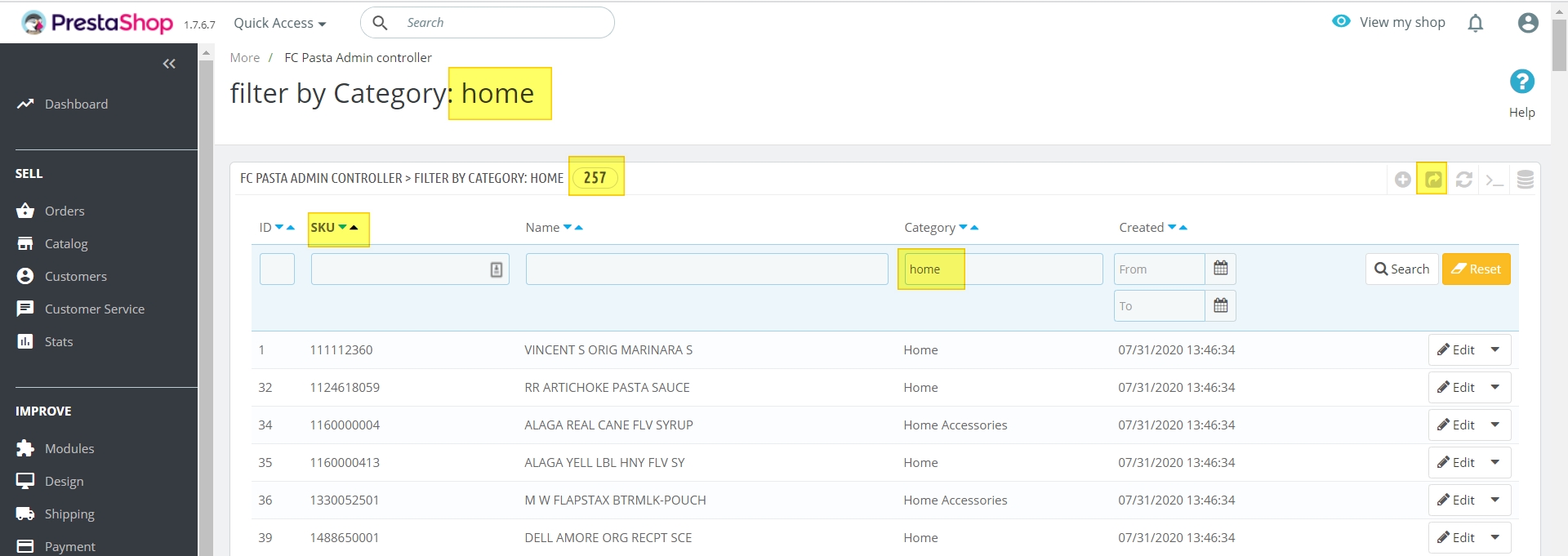
This gives us a wonderful table with export, filters, orders and pagination:
Create, edit and delete your Custom Object
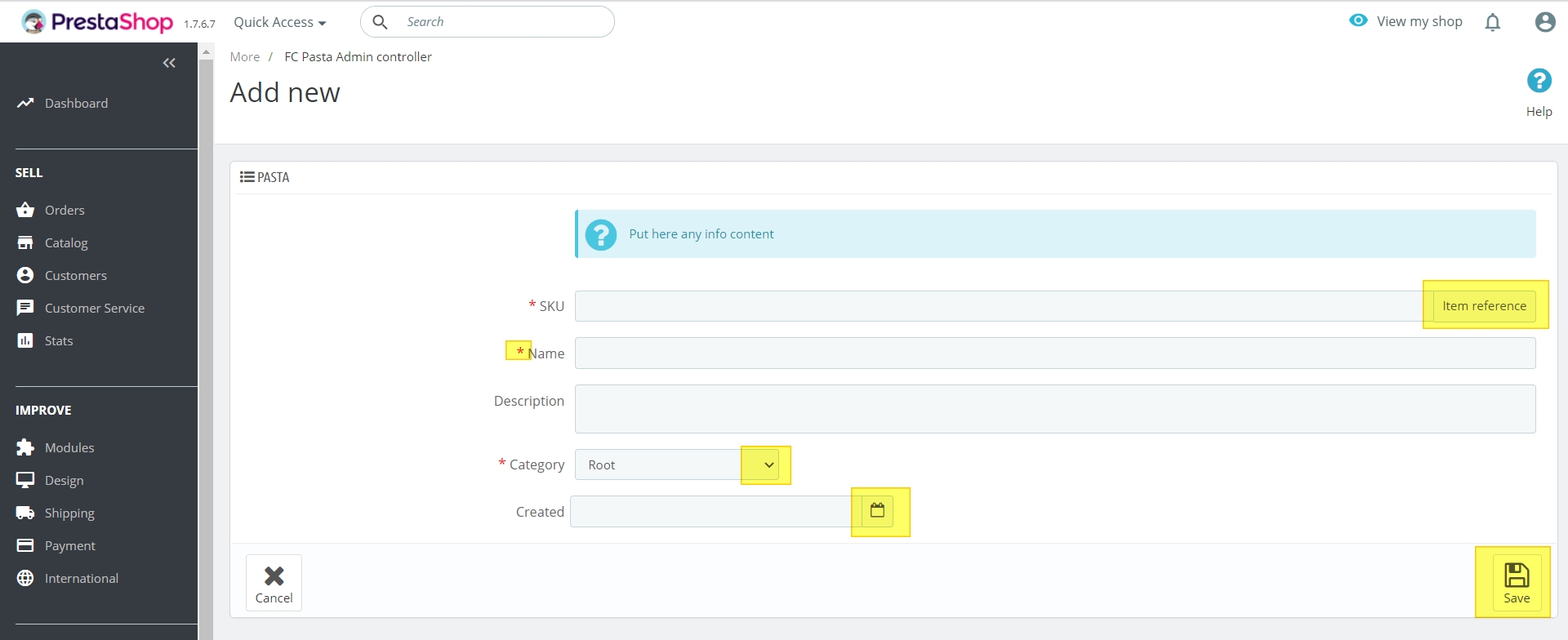
But we still cannot create or edit our object. We have to add a new part in our controller with $this->fields_form:
require_once _PS_ROOT_DIR_.'/override/classes/my_dir/Pasta.php';

class AdminPastaController extends ModuleAdminController {
  public function __construct(){
    parent::__construct();
    [...]
    // Read & update record
    $this->addRowAction('details');
    $this->addRowAction('edit');
    $categories = Category::getCategories($this->context->language->id, $active=true, $order=false); // [0=>[id_category=>X,name=>Y]..]
    $this->fields_form = [
      'legend' => [
        'title' => 'Pasta',
        'icon' => 'icon-list-ul'
      ],
      'input' => [
        ['type'=>'html','html_content'=>'<div class="alert alert-info">Put here any info content</div>'],
        ['name'=>'sku','type'=>'text','label'=>'SKU','required'=>true,'suffix'=>'Item reference',],
        ['name'=>'name','type'=>'text','label'=>'Name','required'=>true],
        ['name'=>'description','type'=>'textarea','label'=>'Description',],
        ['name'=>'created','type'=>'datetime','label'=>'Created',],
        ['name'=>'id_pasta_category','label'=>'Category','type'=>'select','required'=>true,'class'=>'select2',
          'options'=>[ 'query'=>$categories,
            'id'=>'id_category', // use the key "id_category" as the <option> value
            'name'=> 'name', // use the key "name" as the <option> title
        ]],
      ],
      'submit' => [
        'title' => $this->trans('Save', [], 'Admin.Actions'),
      ]
    ];
  }

  // As our database doesn't use the _DB_PREFIX_, we have to remove it
  protected function getFromClause() {
      return str_replace(_DB_PREFIX_, '', parent::getFromClause());
  }
}
So we now have a nice form when we click on Create:
But it doesn’t work! You can also try to click on edit or on details, you’ll have an error:
http://localhost/admin-dev/index.php?controller=AdminPasta&id=768&updatepasta
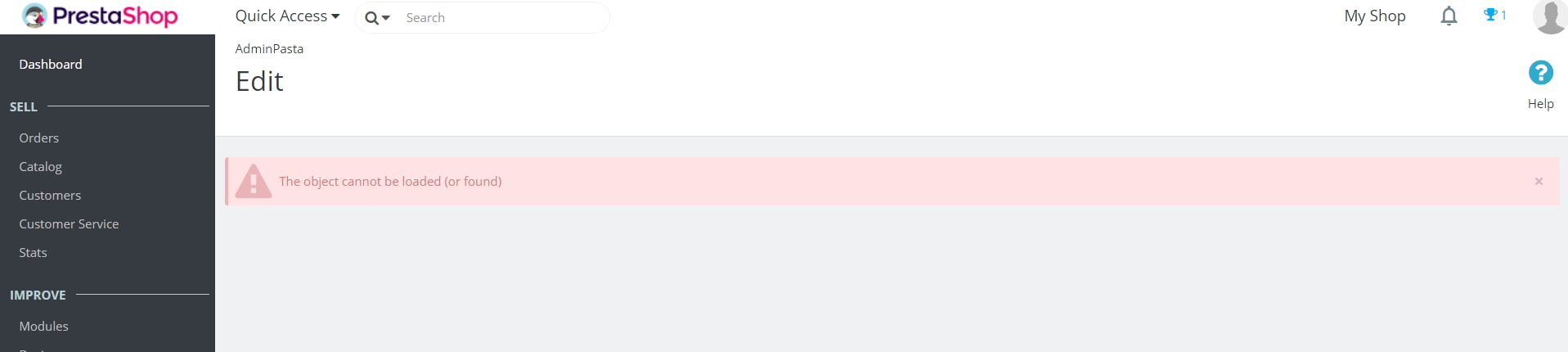
This is the error thrown here https://github.com/PrestaShop/PrestaShop/blob/1.7.3.x/classes/controller/AdminController.php#L1655
This is a limitation of PrestaShop: if you want to edit/create/delete an object, its SQL table MUST use the _DB_PREFIX_.
So you have to rename your pasta table:
RENAME TABLE prestashop_pasta.pasta TO prestashop_pasta.ps_pasta; # adjust with your own _DB_PREFIX_
And remove the whole function getFromClause:
// protected function getFromClause() {
//     return str_replace(_DB_PREFIX_, '', parent::getFromClause());
// }
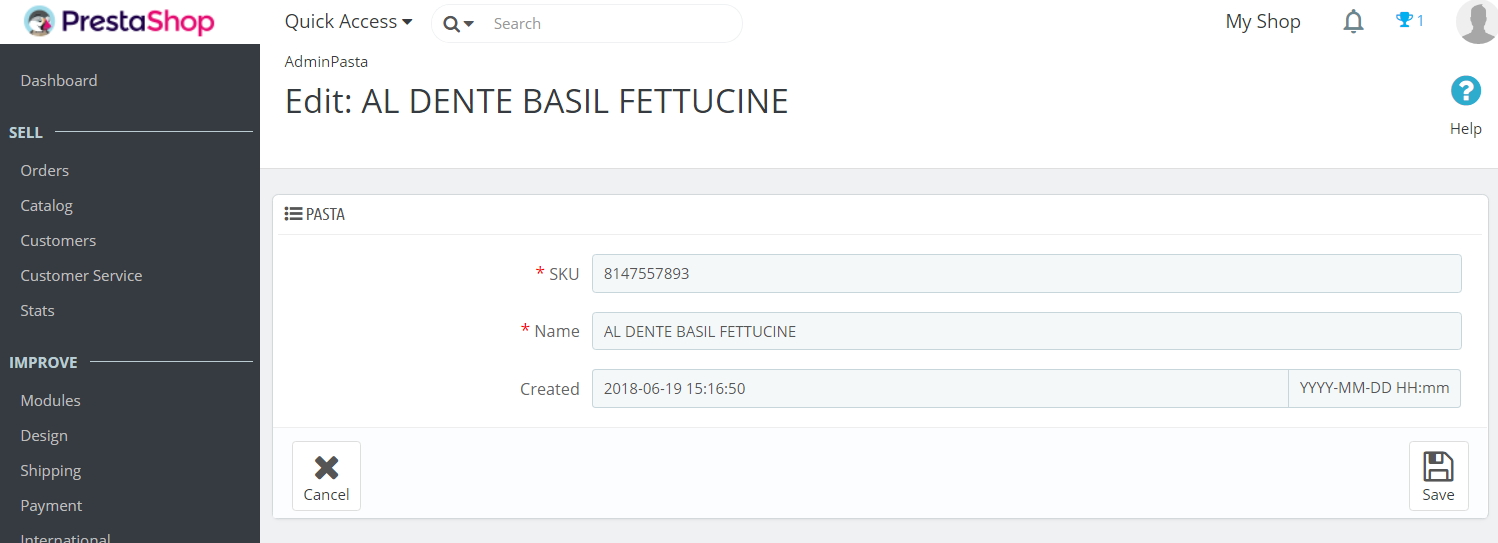
Refresh your page and you now have a fully working Form with a Custom Object:
Here we are!! There’s still much to do, as adding new fields in the Edit Form (tuto coming soon) and display those pasta in a nice Front Controller for the customers to be able to see them, you can head over here for the tutorial 2 about creating the Front Controller.