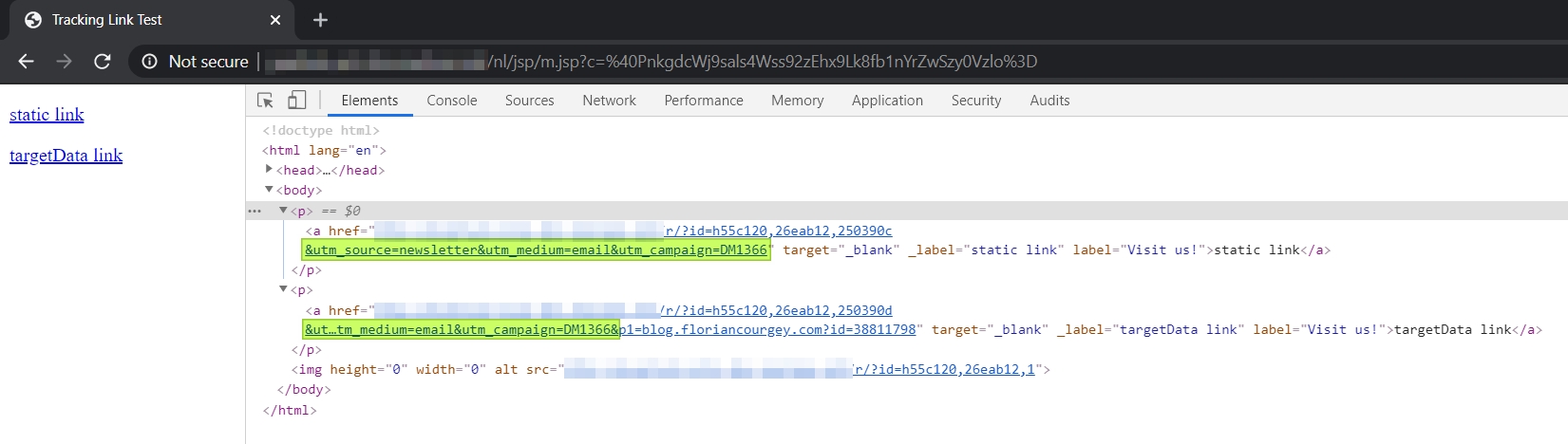
How to track your HTML links in an Adobe Campaign delivery when they are generated from upstream data targetData?
🔗🔎☁️
Step 0: Prerequisites
- Campaign with a Query, an Enrichment with
customUrlfield and an Email delivery:- With a static link
<a href="https://blog..."> - With a targetData link
<a href="<%= targetData.customUrl %>"> - “Display URLs” checked
- With a static link
ACC only recognizes the static link:
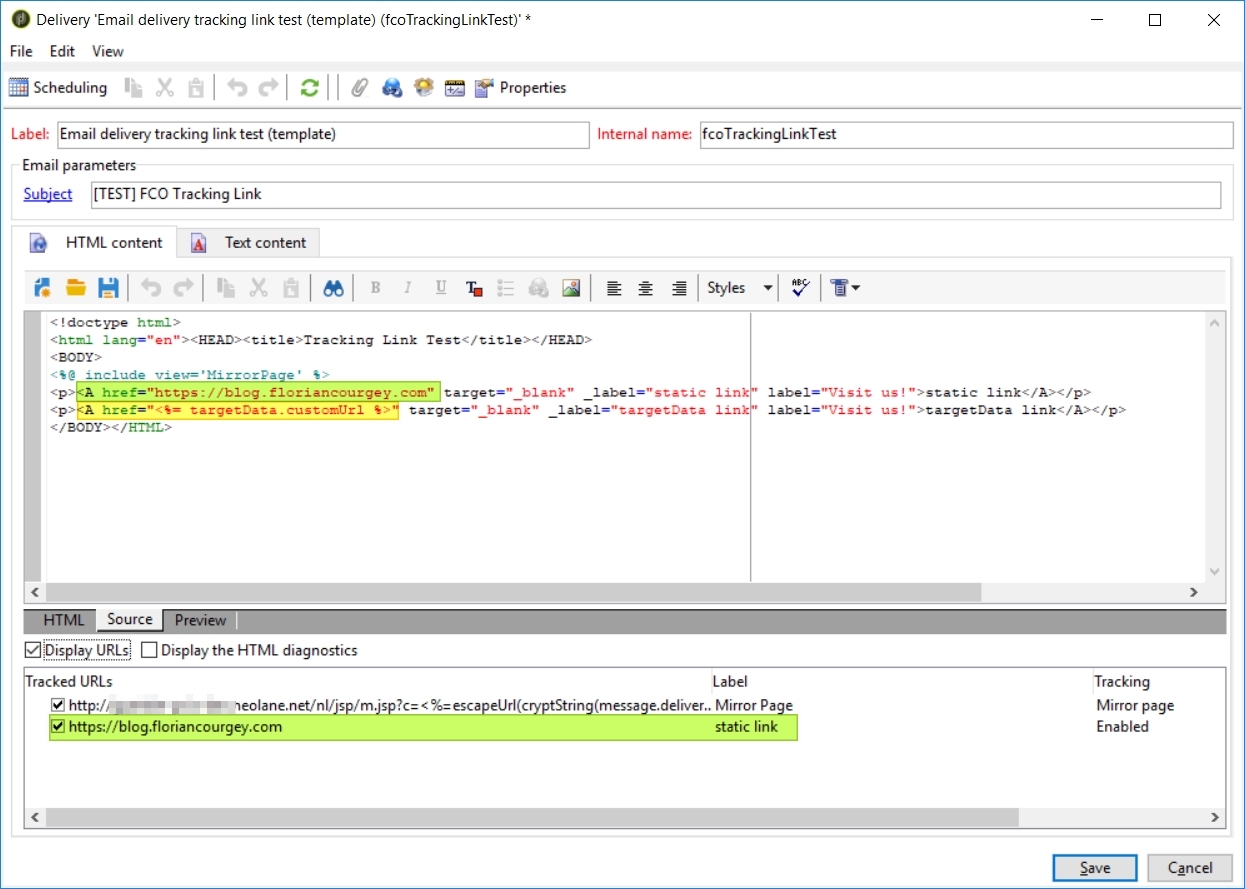
Let’s fix it!
Step 1/2: href must start with https://
- Prefix
<%= targetDatawithhttps:// - Remove https:// (or http://) in the
targetData.linkwith the regex.replace(/^https?:\/\//, '')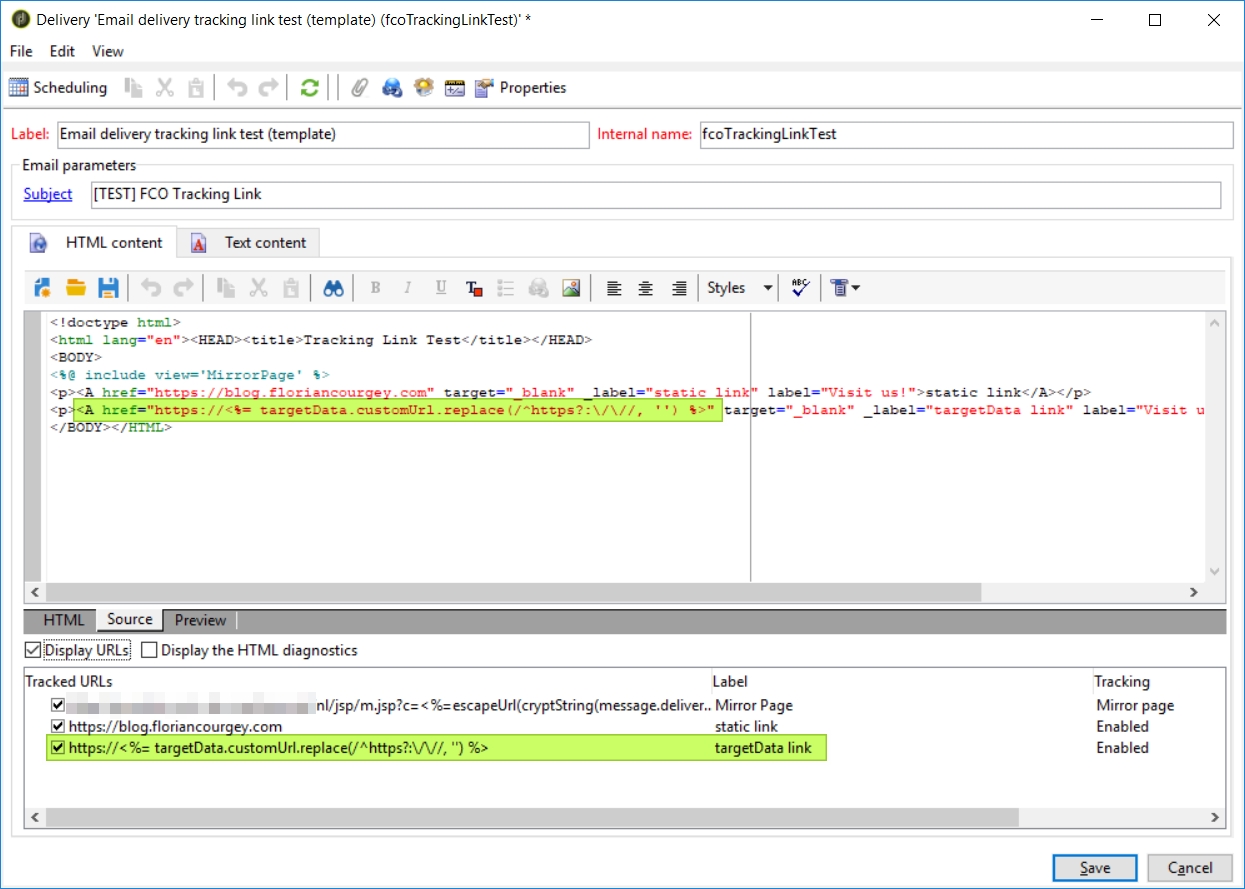
Step 2/2: Tracking formula for UTM codes
-
The tracking link formula doesn’t work with targetData:
-
This is because by default the formula has a condition on
$(urlstring):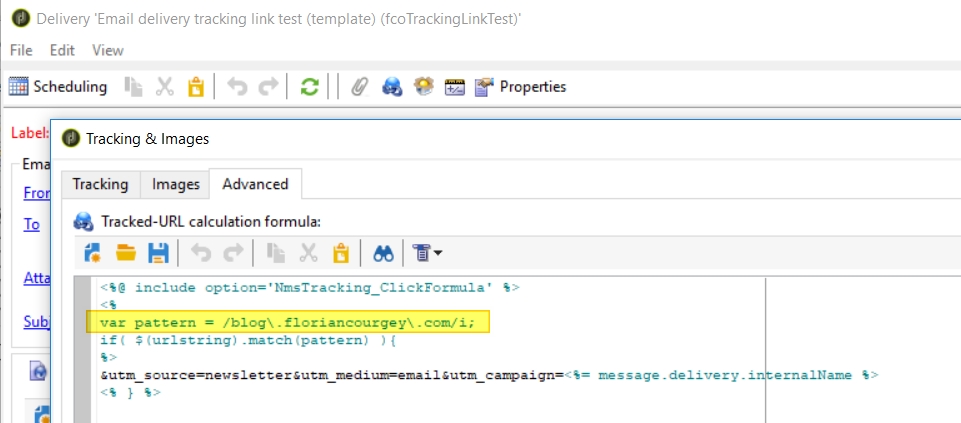
- And the formula is executed BEFORE targetData is replaced by its content!
- The condition regex must contain a
OR targetData:
<%@ include option='NmsTracking_ClickFormula' %>
<%
var pattern = /(blog\.myrosblog\.com|targetData)/i;
if( $(urlstring).match(pattern) ){
%>
&utm_source=newsletter&utm_medium=email&utm_campaign=<%= message.delivery.internalName %>
<% } %>
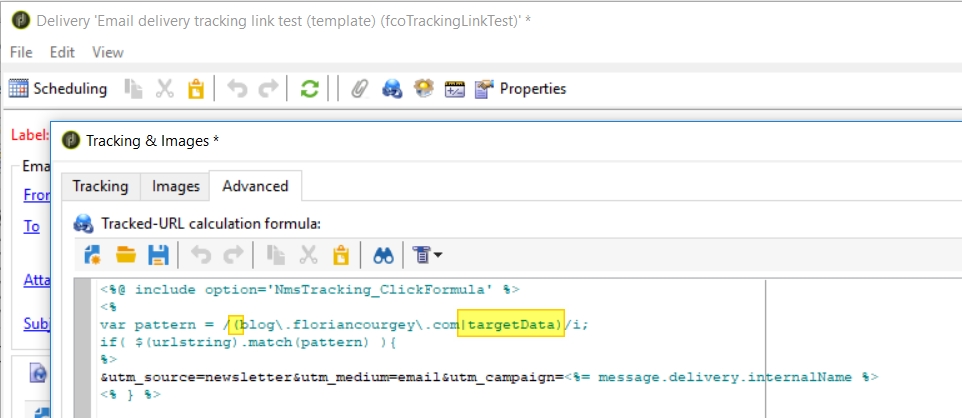
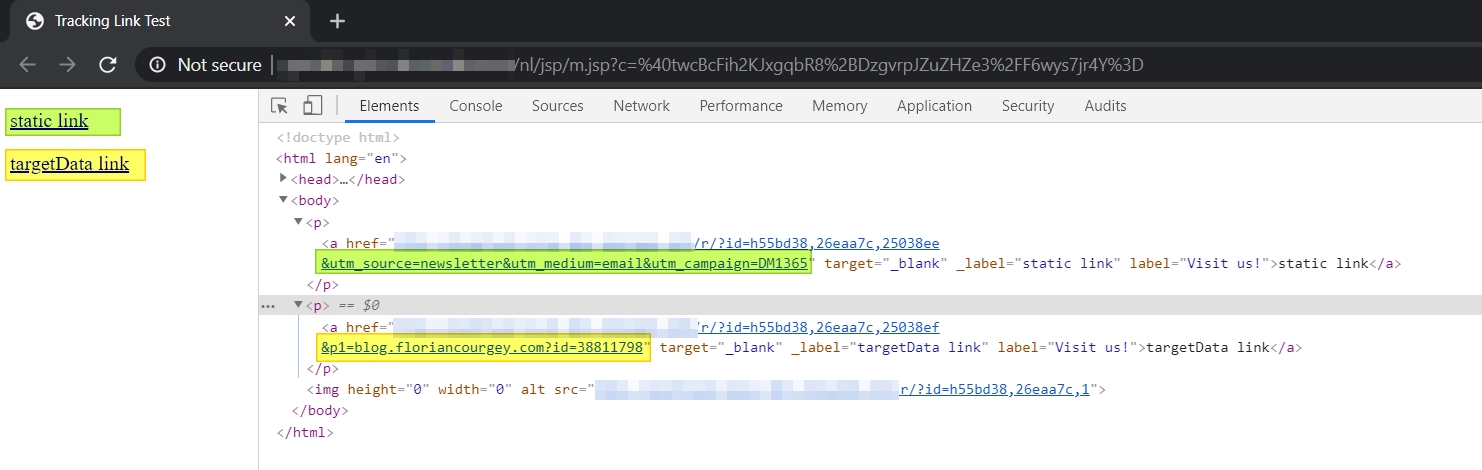
- Which results in a targetData link tracked with UTM via the delivery formula: