
Send personalized emails with unique barcodes or QR codes to each recipient in Adobe Campaign — for example, to distribute discount coupons, event tickets, or membership cards that can be scanned at point of sale.
Use recipient customization fields to store individual codes, then reference them in delivery HTML using the built-in barcode generation URLs.
Preparation
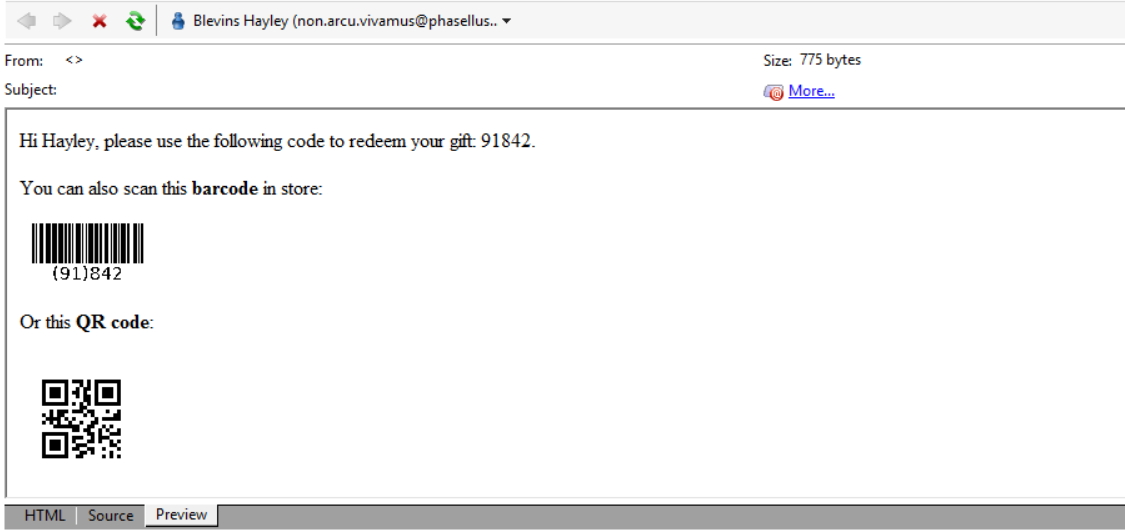
Each recipient receives a personalized email with a unique code displayed as plain text, EAN-128 barcode, or QR code:
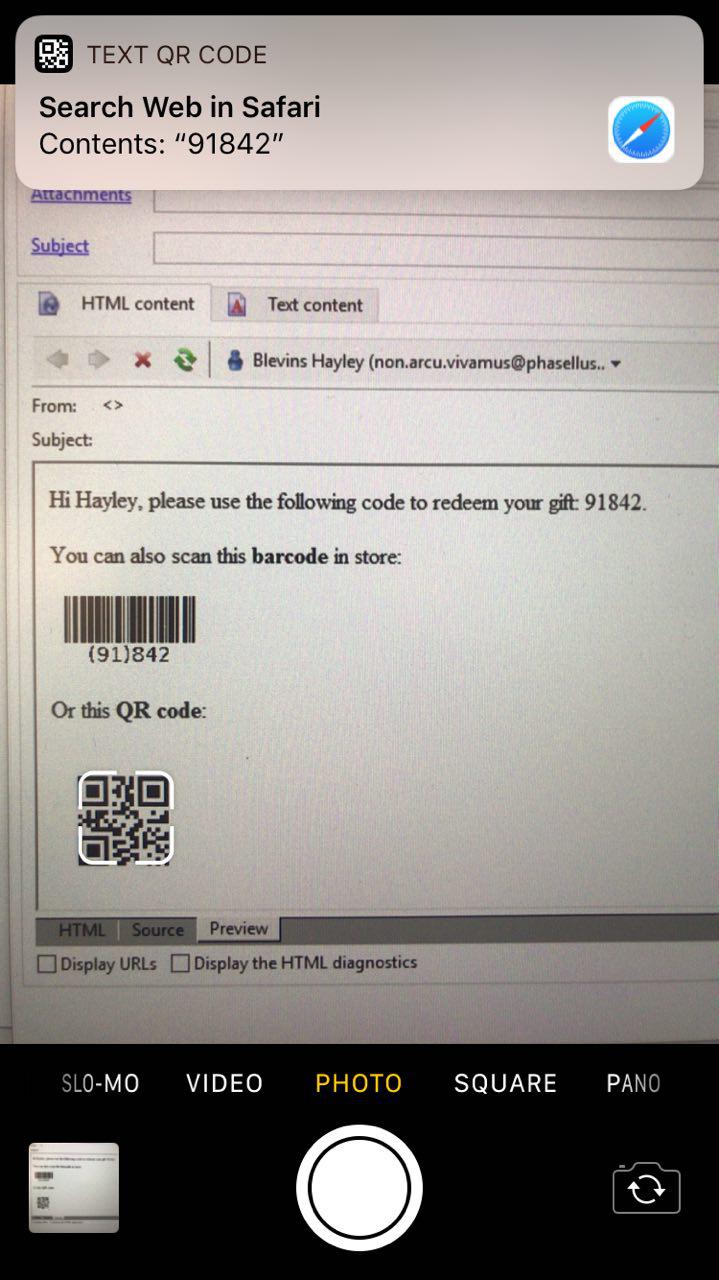
Codes can be scanned by any device, including iPhones using the default Camera app:
Extend recipient schema
Add a field to store the coupon code:
<srcSchema _cs="Recipients (fco)" entitySchema="xtk:srcSchema"
  extendedSchema="nms:recipient" name="recipient" namespace="fco" xtkschema="xtk:srcSchema">
  <element name="recipient">
    <attribute label="Coupon Code" name="couponCode" type="string"/>
  </element>
</srcSchema>
Walkthrough
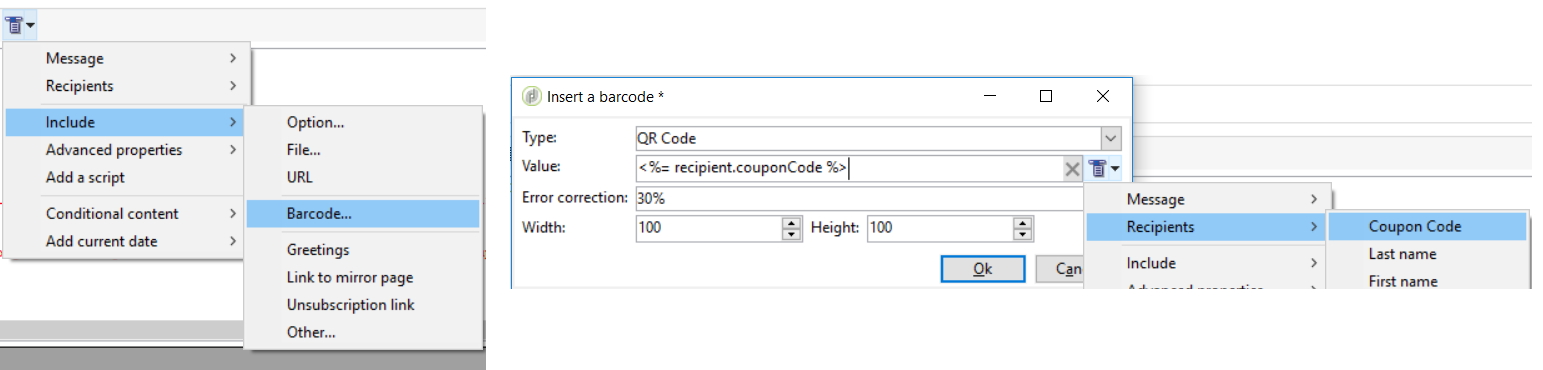
In the email delivery designer, use the Include tool to insert barcodes:
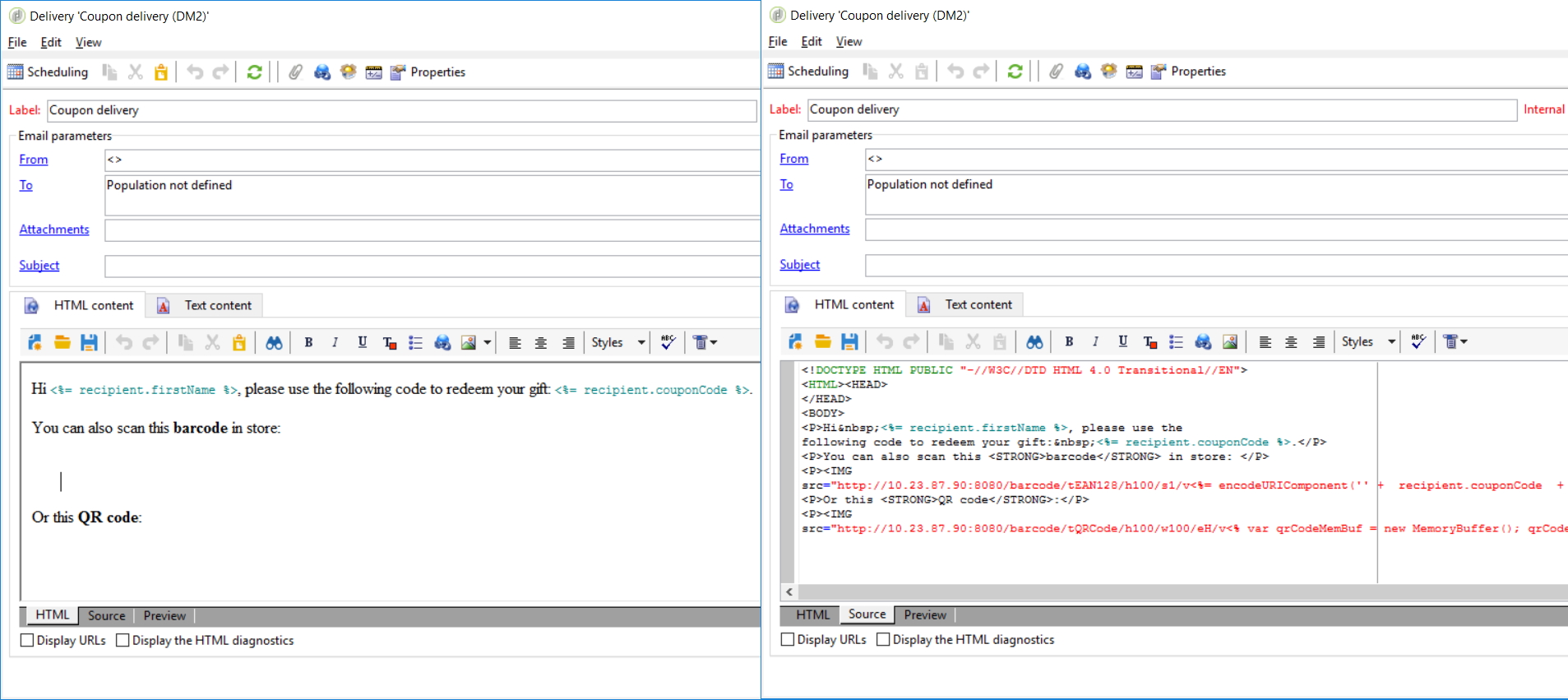
Adobe Campaign generates barcode images on the server using these URL patterns:
- Barcode
- Generic: http://instance.com/barcode/tEAN128/h
height/sscale/vcouponCode/barcode.gif - Example: http://10.23.87.90:8080/barcode/tEAN128/h100/s1/v91842/barcode.gif
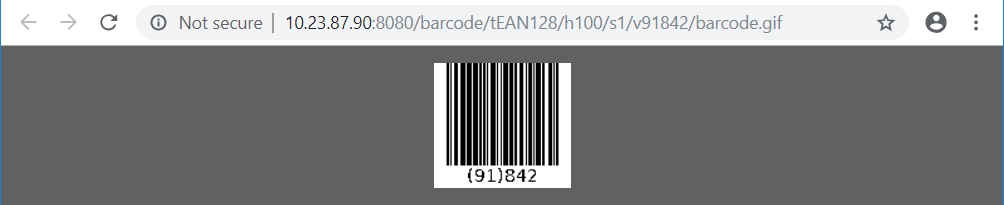
- In JS:
http://10.23.87.90:8080/barcode/tEAN128/h100/s1/v<%=
encodeURIComponent(recipient.couponCode).replace(/%2F/gi,'/')%>/barcode.gif">
- Generic: http://instance.com/barcode/tEAN128/h
- QR Code
- Generic: http://instance.com/barcode/tQRCode/h
height/wwidth/eH/vcouponCodeInBase64/barcode.gif - Example: http://10.23.87.90:8080/barcode/tQRCode/h100/w100/eH/vOTE4NDI=/barcode.gif, where
OTE4NDI=is the base 64 value of91842 
- In JS:
<% var qrCodeMemBuf = new MemoryBuffer(); qrCodeMemBuf.fromString(recipient.couponCode); %>
http://10.23.87.90:8080/barcode/tQRCode/h100/w100/eH/v<%= qrCodeMemBuf.toBase64() %>/barcode.gif
- Generic: http://instance.com/barcode/tQRCode/h


Reference: https://docs.campaign.adobe.com/doc/AC/en/DLV_Sending_emails_Inserting_a_barcode_in_an_email.html
Validation & troubleshooting
Test barcode scanning with actual devices before sending. QR codes require the coupon code value to be base64-encoded.
Going further
Generate coupon codes
Coupon codes can come from any source. One approach uses https://www.generatedata.com with fields for email and random numbers.
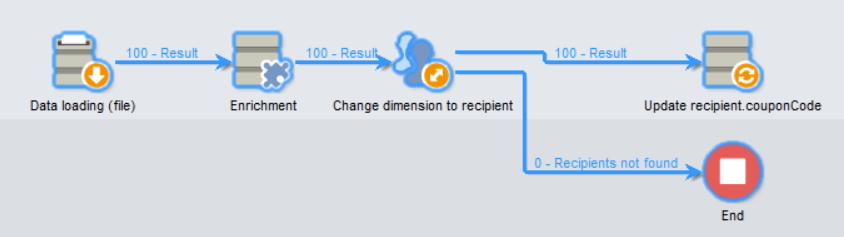
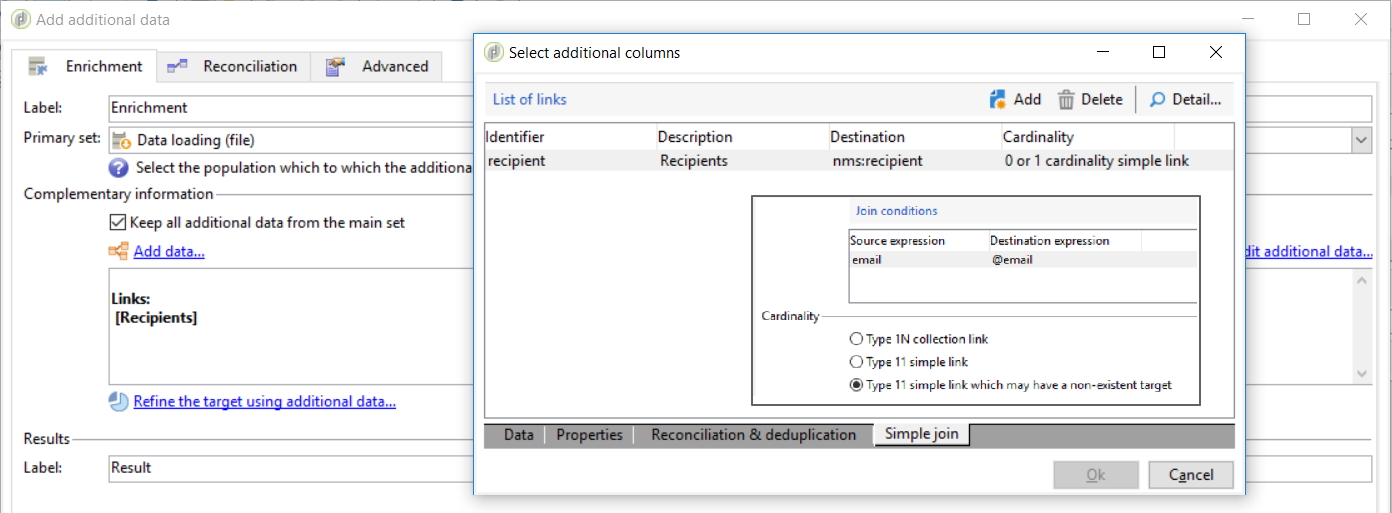
In a workflow, chain these activities: Data Loading File (or query from staging) → Enrichment (Simple Join 1-1 on @email) → Change dimension → Update data:
Related
- Build the recipient form UI for your custom
couponCodefield with the Adobe Campaign input form helper.