Insert raw data from any source (CSV, XML, HTTP web calls) directly into a workflow temporary table — useful when you need to process custom data without creating permanent schemas.
Using SQL statements in JavaScript activities, you can alter temporary tables, add columns, and insert records dynamically within a workflow.
Preparation
- Workflow with at least one Query activity to initialize the temporary table
- JavaScript activity for data manipulation
- Understanding of SQL syntax for PostgreSQL (Adobe Campaign database)
Walkthrough
Workflow temporary tables may be altered from custom Javascript (or SQL) activities to manage columns & records. This trick works from a data perspective as the records are saved in SQL. However, this goes beyond standard features and causes surprising display results.
The Setup section covers how to manage columns & records, and the Analysis section gives more details.
Setup
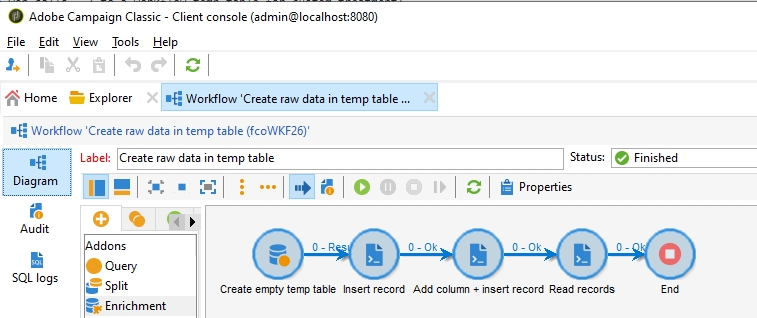
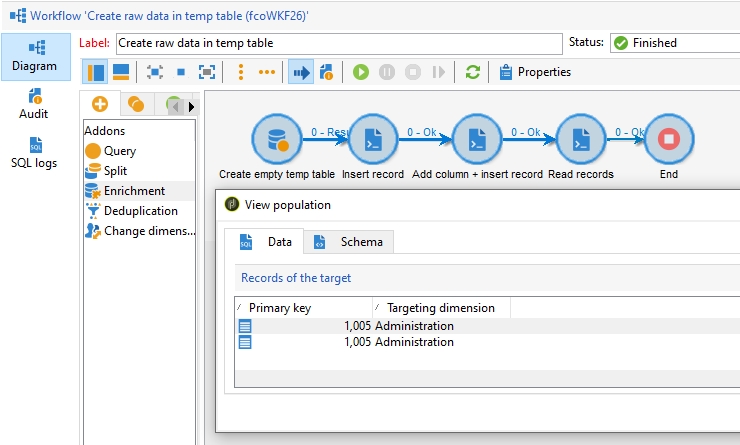
- Workflow content: 1 Query, 3 Javascript
- Analysis:
- Data is saved with success in
vars.tableName - Workflow transitions show 0 records
- “Display target” show records
- “Display target” doesn’t show the new column
- Must create 1 Query to init temporary table
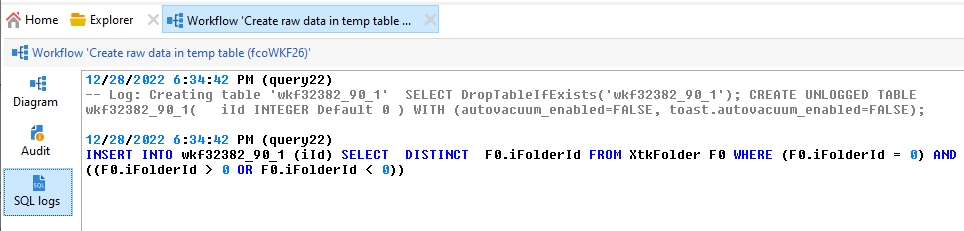
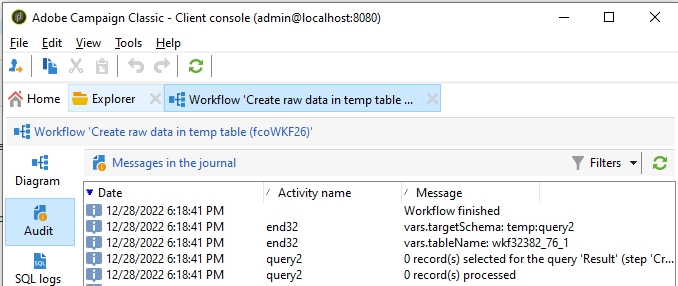
- Only SQL queries from standard “Query” activity are logged
- Data is saved with success in
Details:
- 1 Query: on any object, with a query returning 0 records, such as
xtk:folder WHERE @id=0 - Javascript “Insert”:
sqlExec('INSERT INTO '+vars.tableName+' (iId) VALUES (1005)');`
- Javascript “Create a column & insert a record”
sqlExec("ALTER TABLE " + vars.tableName + " ADD COLUMN sMyColumn VARCHAR(64)");
sqlExec("INSERT INTO " + vars.tableName + " (iId, sMyColumn) VALUES (1005, 'hello world')");
- Javascript “Read”
var xml = sqlSelect(
  "collection,@id,@myColumn",
  "SELECT iId, sMycolumn as id FROM " + vars.tableName
);
logInfo(xml.toXMLString());
Workflow activities:
Workflow SQL logs:
Workflow records:

Workflow “Display target”:
Analysis
Adobe Campaign adds custom SQL queries depending on workflow content:
- Empty workflow –> no SQL query
- Workflow with 1 Query –> SQL query for 1 temporary table
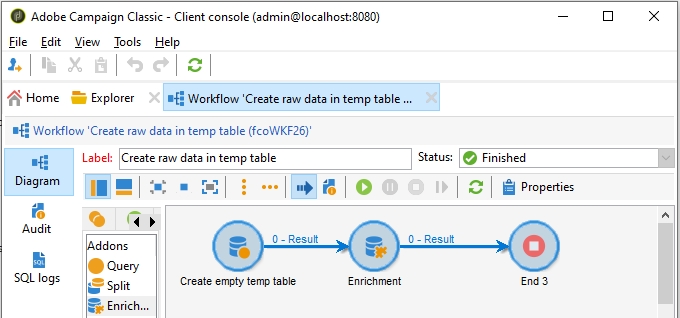
- Workflow with 1 Query and 1 Enrichment –> SQL queries for 2 temporary tables
Notes:
- Allow transitions content with “Diagram>Properties>General>”
Keep the result of interim population - Allow SQL logging with “Diagram>Properties>Execution>”
Log SQL queries in the journal
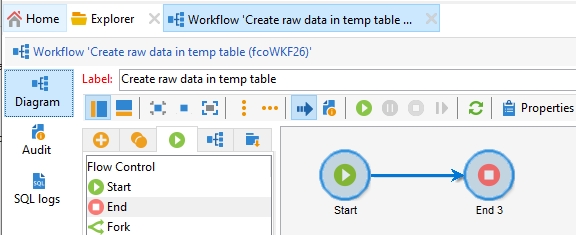
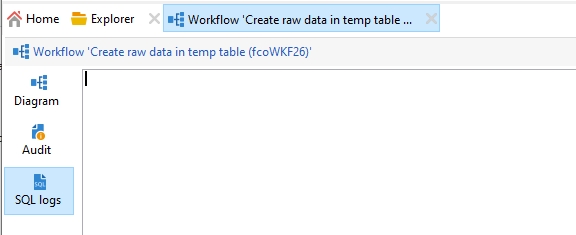
Empty workflow
- Setup: 1 Start, 1 End
- Analysis: no SQL query
Workflow with Query
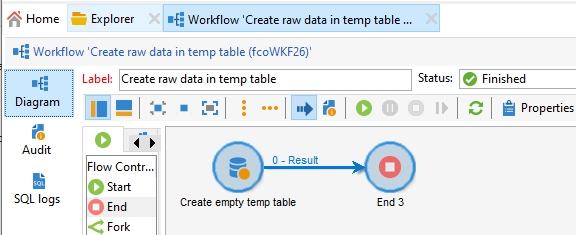
- Setup: 1 Query (on xtk:folder WHERE @id=0), 1 End
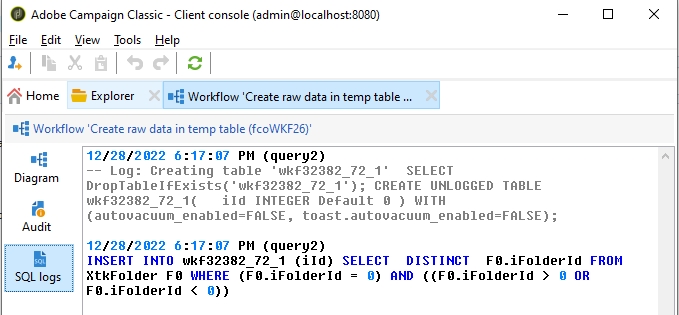
- Analysis: 2 SQL queries on 1 SQL temporary table
CREATE UNLOGGED TABLE wkf32382_72_1(iId INTEGER Default 0) WITH (autovacuum_enabled=FALSE, toast.autovacuum_enabled=FALSE);
INSERT INTO wkf32382_72_1 (iId) SELECT  DISTINCT  F0.iFolderId FROM XtkFolder F0 WHERE (F0.iFolderId = 0) AND ((F0.iFolderId > 0 OR F0.iFolderId < 0))
Workflow with Query + Enrichment
- Setup: 1 Query (on xtk:folder WHERE @id=0), 1 Enrichment (add @name), 1 End
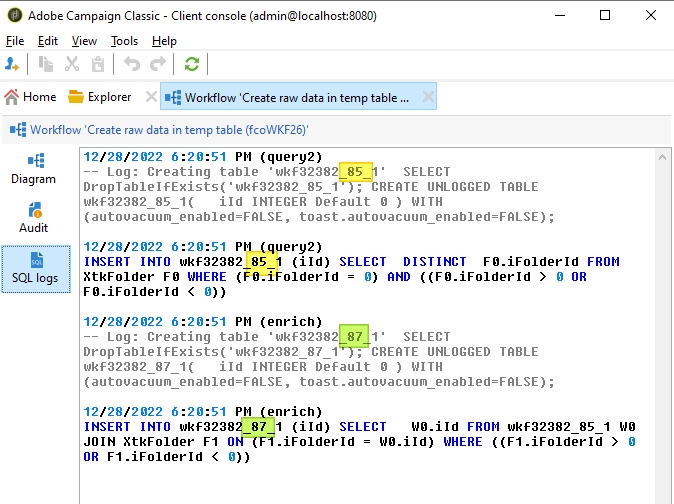
- Analysis: 4 SQL queries on 2 SQL temporary table
CREATE UNLOGGED TABLE wkf32382_85_1(iId INTEGER Default 0) WITH (autovacuum_enabled=FALSE, toast.autovacuum_enabled=FALSE);
INSERT INTO wkf32382_85_1 (iId) SELECT DISTINCT  F0.iFolderId FROM XtkFolder F0 WHERE (F0.iFolderId = 0) AND ((F0.iFolderId > 0 OR F0.iFolderId < 0))


CREATE UNLOGGED TABLE wkf32382_87_1(iId INTEGER Default 0) WITH (autovacuum_enabled=FALSE, toast.autovacuum_enabled=FALSE);
INSERT INTO wkf32382_87_1 (iId) SELECT W0.iId FROM wkf32382_85_1 W0 JOIN XtkFolder F1 ON (F1.iFolderId = W0.iId) WHERE ((F1.iFolderId > 0 OR F1.iFolderId < 0))