
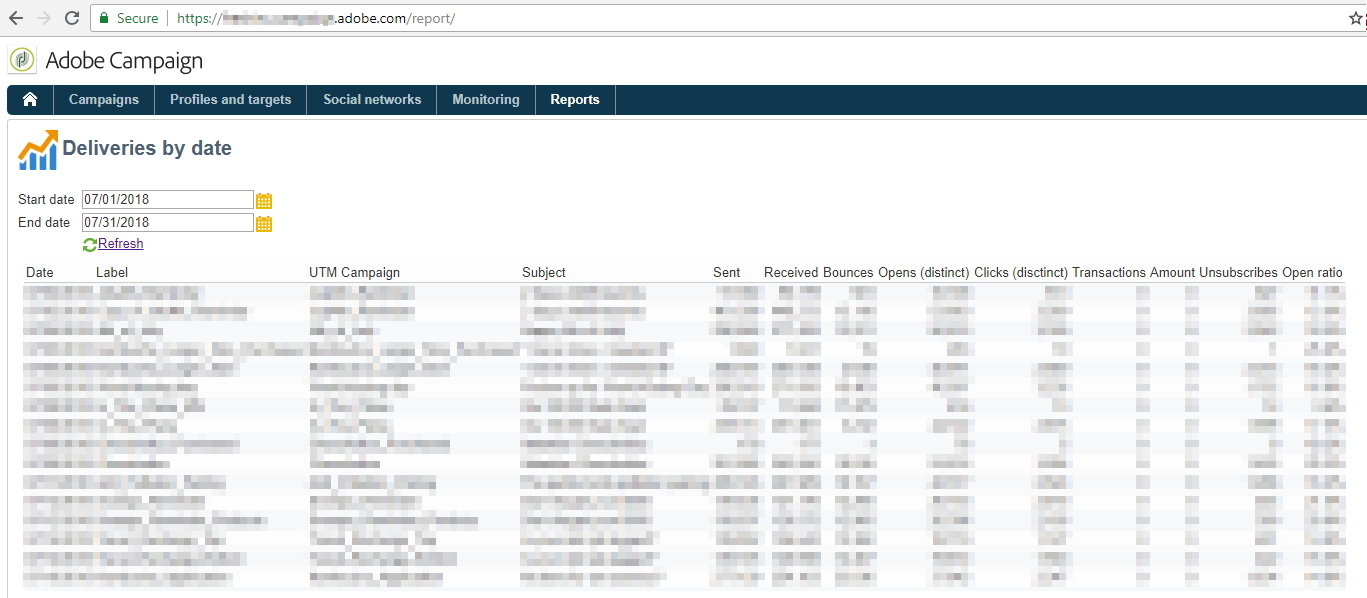
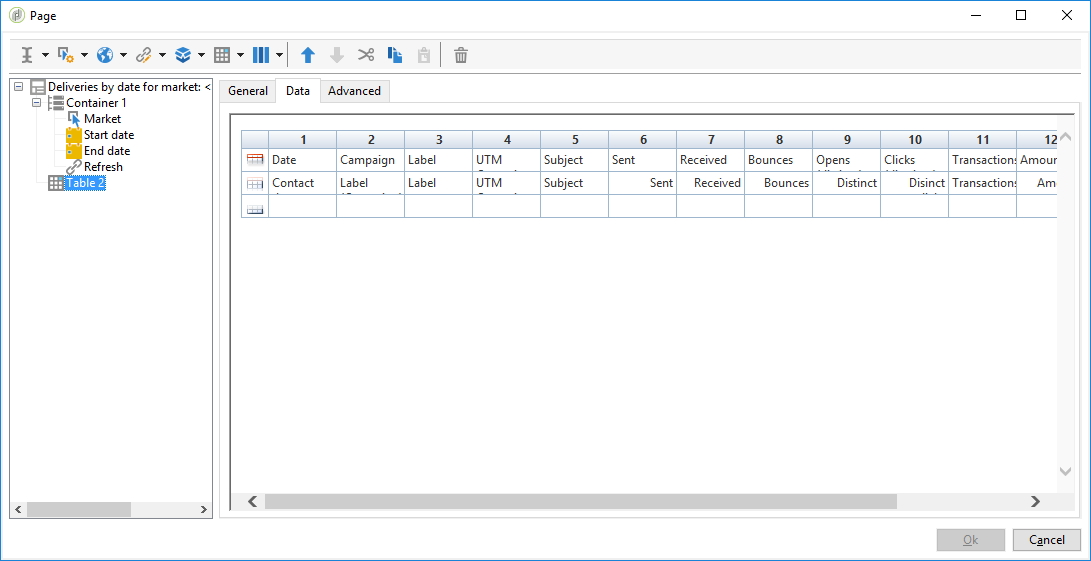
Create a date-filterable report in Adobe Campaign for business teams to analyze deliveries. Display Label, Subject, UTM Codes, delivery indicators (sent/received/failed) and tracking indicators (open/click/transactions).
This solution uses workflow variables and a dynamic query to filter deliveries by date range.
Preparation
We will be achieving the following:
Walkthrough
Workflow setup
Create a Report Workflow like below:
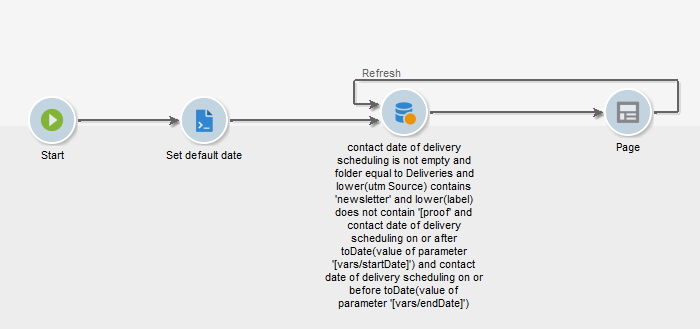
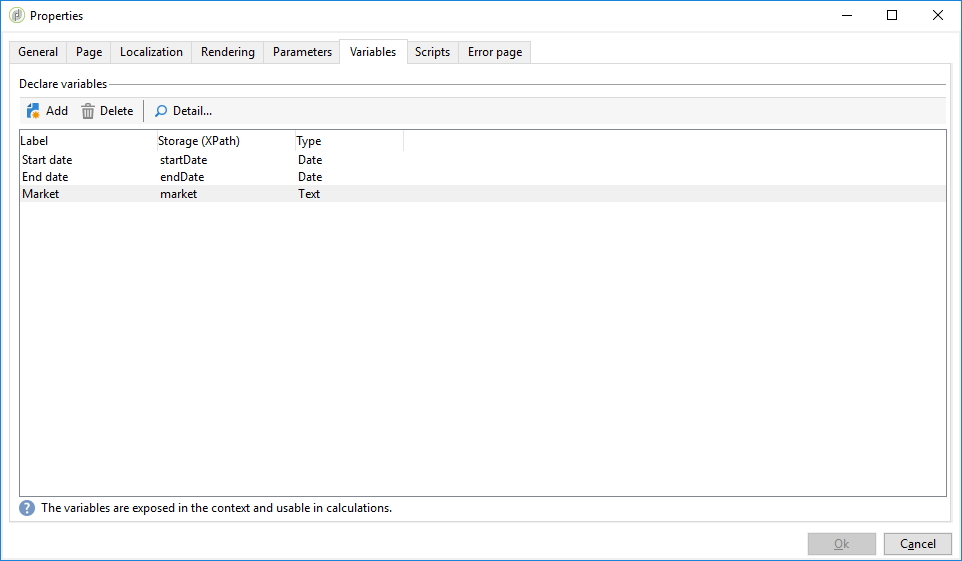
Also, create 2 workflow variables in Workflow Properties > Variables:
-
startDate(Datetime) -
endDate(Datetime)
The JS activity
Rely on the context variables with ctx.vars:
loadLibrary("vendor:moment");
// set default date
ctx.vars.startDate = moment().startOf("month").format("YYYY-MM-DD");
ctx.vars.endDate = moment().endOf("month").format("YYYY-MM-DD");
See this tutorial to install the library. The vendor:moment library can be installed for date manipulation.
The Query
In the query, remove proofs via @FCP = No, ensure you have a contact date is not empty and Contact date should be:
-
on or afterToDate($([vars/startDate]))iflength($([vars/startDate])) > 0AND -
on or beforeToDate($([vars/endDate]))iflength($([vars/endDate])) > 0
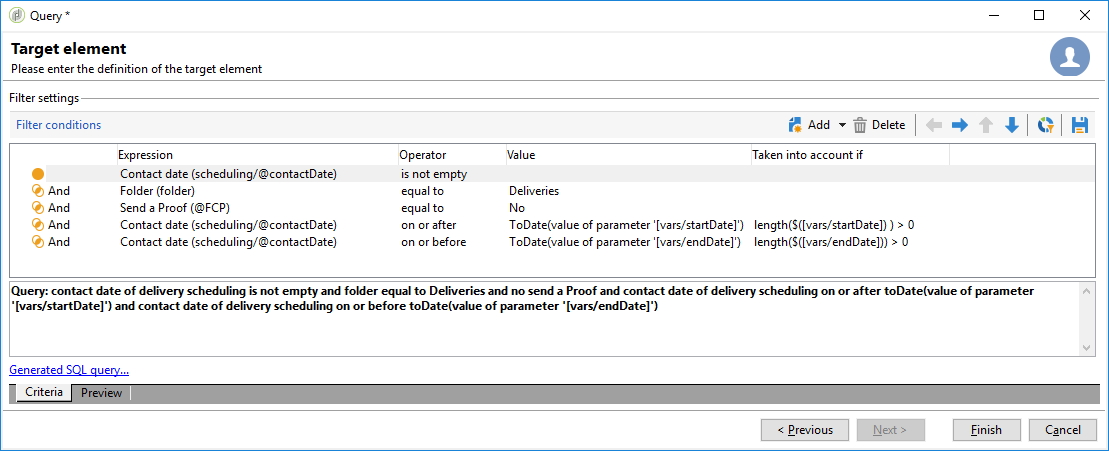
Also, order by Contact Date ASC.
The Page
Create a container with 2 Date input fields and a Link Refresh:
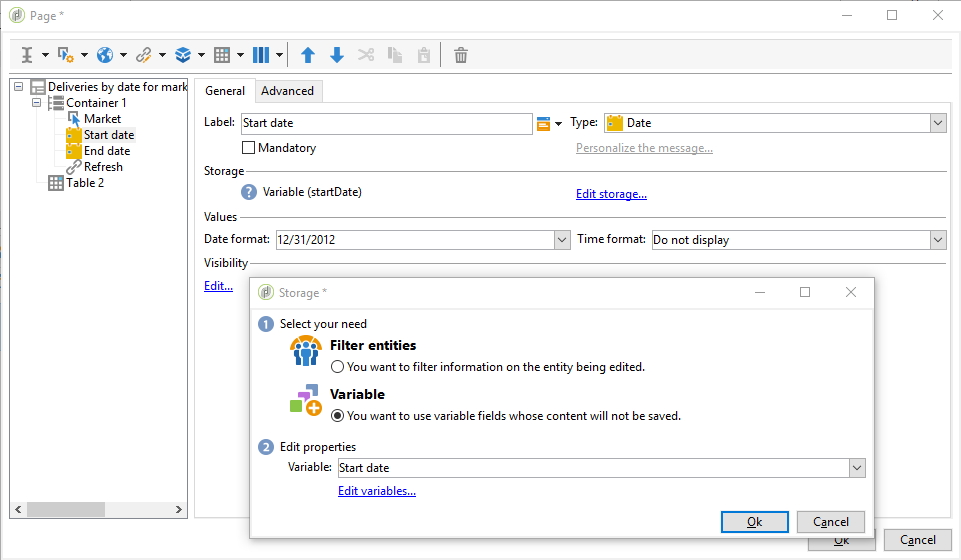
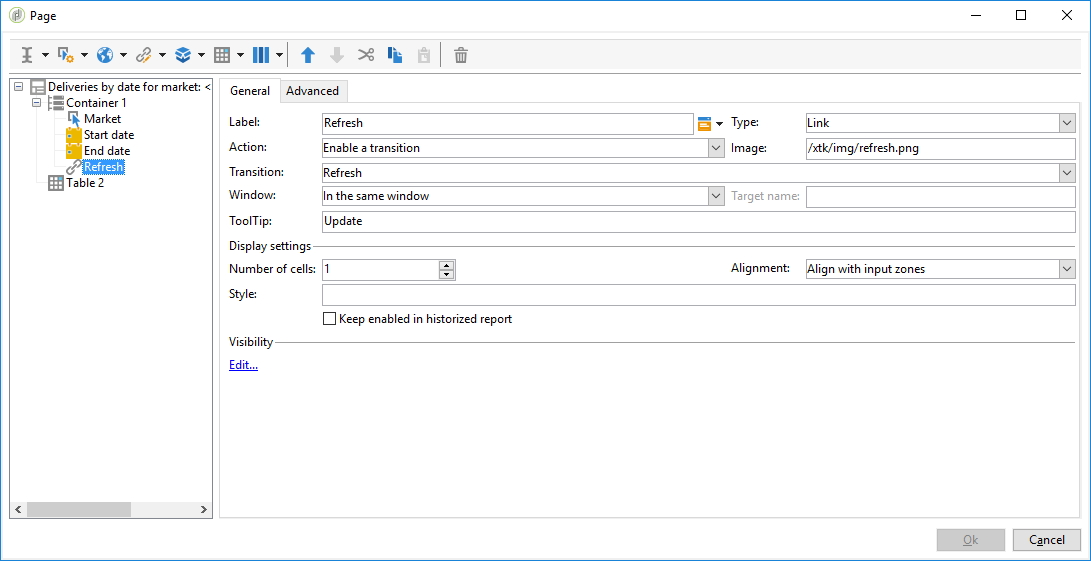
The table should look as follows:
Fix timezone
Add a new JS activity before the Query to handle timezone issues:
loadLibrary("vendor:moment");
// set default start/end date to first/last day of today's month
// we have to set 10AM to be sure for the timezone
ctx.vars.startDate = moment(ctx.vars.startDate.toString()).hour(10).format("YYYY-MM-DD HH:mm:ss");
ctx.vars.endDate = moment(ctx.vars.endDate.toString()).hour(10).format("YYYY-MM-DD HH:mm:ss");