
Simplify complex workflows using sub-workflows in Adobe Campaign. Break down large workflows into smaller, more maintainable child workflows.
This approach improves readability and makes debugging easier by modularizing workflow logic into reusable components.
Preparation
This Master workflow (with some init variables):

will call the child workflow (which will edit these variables):
Walkthrough
Setup the Master workflow
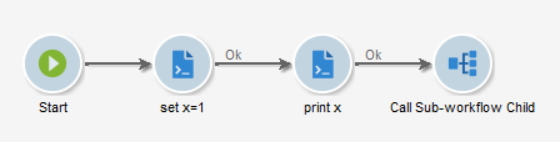
Where set x=1 contains:
instance.vars.x = 1;
And print x has the following JavaScript code:
logInfo("x: " + instance.vars.x);
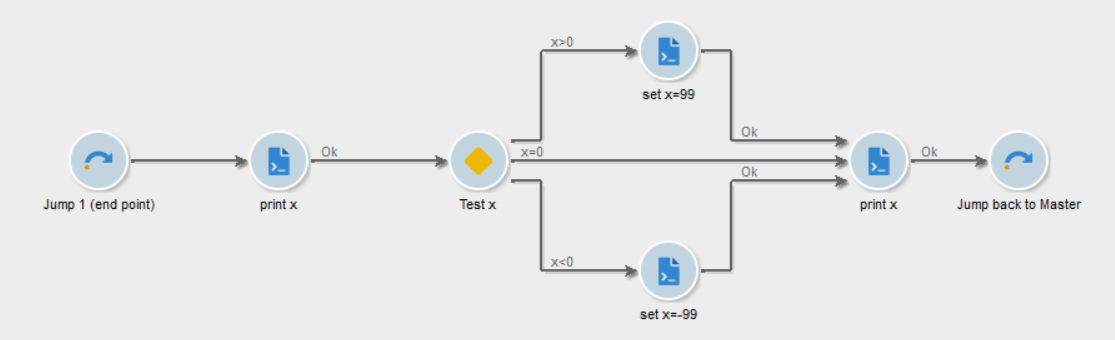
Create the Child sub-workflow
There are 2 important things here: the 2 Jumps:
- The Arrival Jump (on the left) has a priority of 1. If you have multiple Arrival Jumps, Adobe Campaign will use the Arrival Jump with the lowest number.
- The Starting Jump (on the right) has a priority of 2. If you have multiple Starting Jumps, Adobe Campaign will use the Starting Jump with the highest number.
For the sub-workflow to work correctly, you have to have only ONE Arrival Jump with the lowest number, and only ONE Starting Jump with the highest number.
For example, if you have Starting Jumps 1, 50 and 100, you should have only ONE Starting Jump with a priority of 100!
See https://docs.campaign.adobe.com/doc/AC/en/WKF_Repository_of_activities_Order_activities.html#Sub-workflow for reference
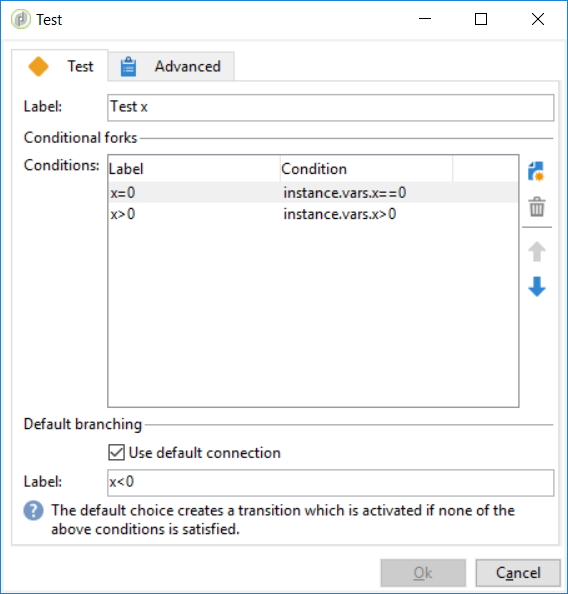
The test Activity is standard, included just for this example:
Complete the Master Activity
Open the Sub-workflow Activity, and Select the Child Sub-workflow, it will automatically create an outbound transition with the label of the Starting Jump in the Child Sub-Workflow.
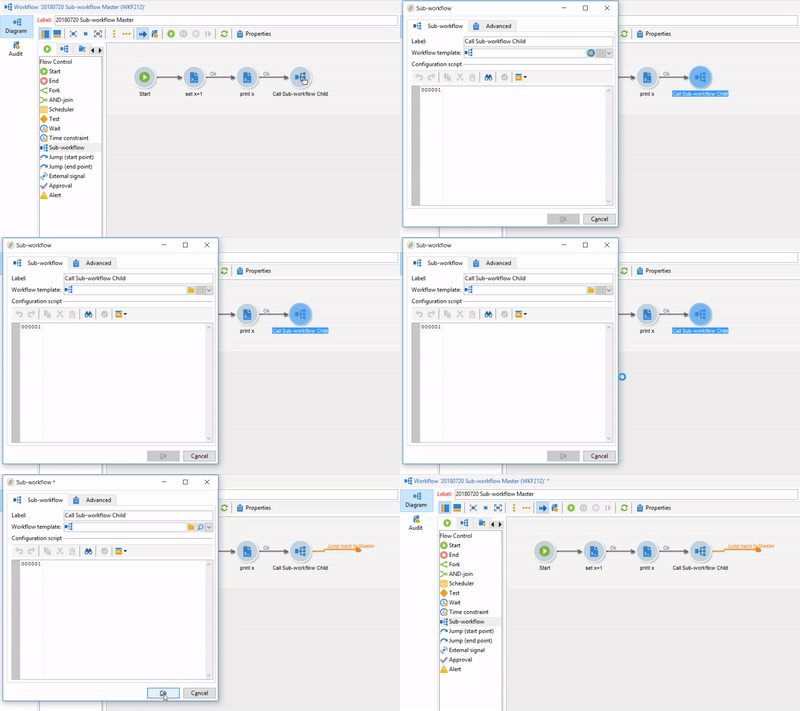
Finish the workflow by adding what you need. Here, we’re just gonna print the value of x:

Validation and Troubleshooting
Go ahead and run the Master workflow. You can see the transition arrows getting blue until they hit the End Activity. Well done! Go back to the Child sub-workflow, and refresh it.
What?? It stays in Being Edited mode, no transition has been executed and the logs are empty. What is going on?
Refresh your folder, and you can see that Adobe Campaign created a third workflow, with the Child WF being a template.
Ok. But what happened? x has a value of 1, so in the Child workflow, its value will be updated to 99. Here’s the log:
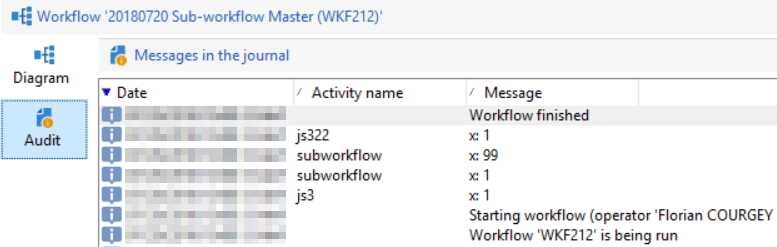
But look closely, a couple of things happens:
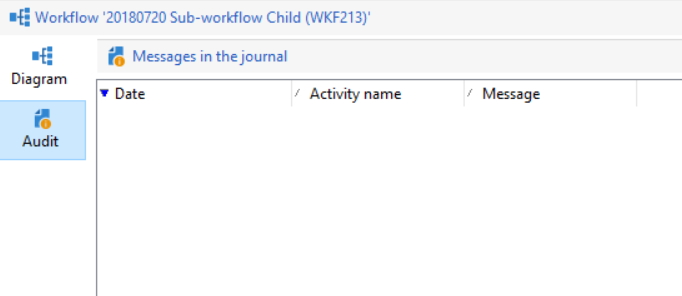
- Child logs are empty:
- Child logs are in the Master logs, labelled by
subworkflow - The Child has modified
xto99, and sent it back to the Master, but the modification is not persisted.xis still equal to1: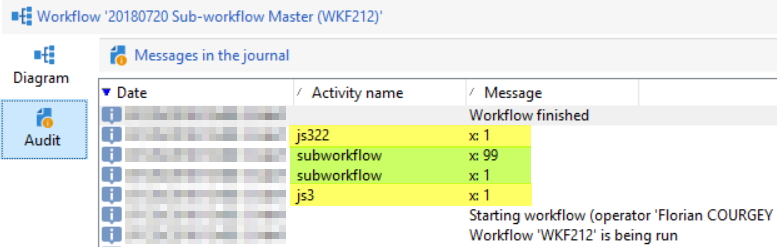
- Child sub-workflow is still in
Being Editedstatus, and its transition arrows are untouched: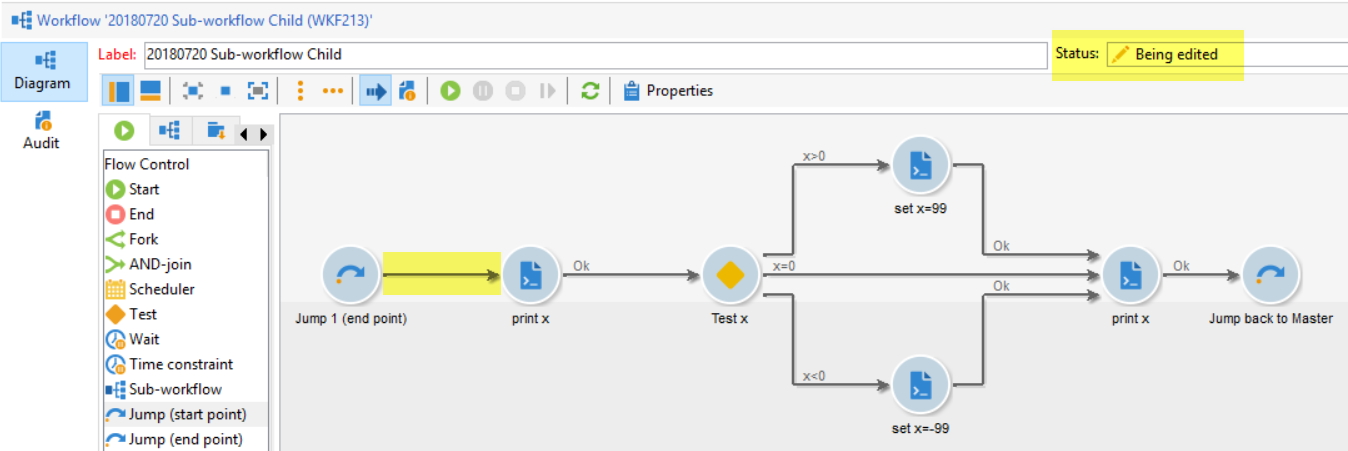 This means you cannot
 Right click > Display the target. Which is a real pain in case of debugging! This is a major disadvantage of this method (see below for Pros & Cons)
Going further
Pros & Cons
✅ Pros:
- Improve readability and maintainability
- Executed synchronously, so you can wait until the sub-workflow is done
❌ Cons:
- Unable to Display the target
- Unable to see the count of intermediate populations
- Logs are aggregated in the Master workflow
- Child logs are labelled “sub-workflow” so we don’t know the activity it’s been called from
Parallel processing
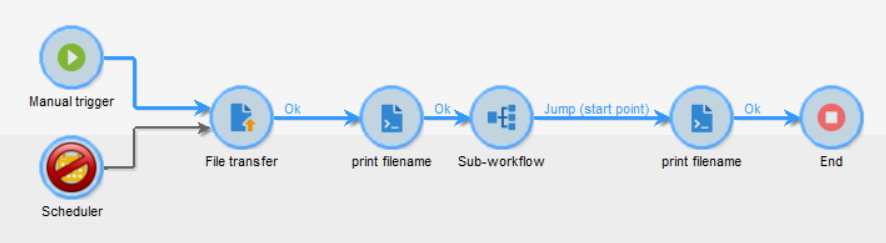
A typical application of this method would be to have a File Collector in the Master, and for each file, call the Child Workflow. Let’s do it and check if there’s any flaw in the process!
Use this Master:
This child

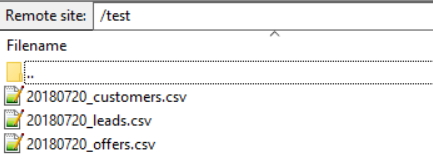
And for example those 3 CSV files:
Start the master, and here’s what happens:
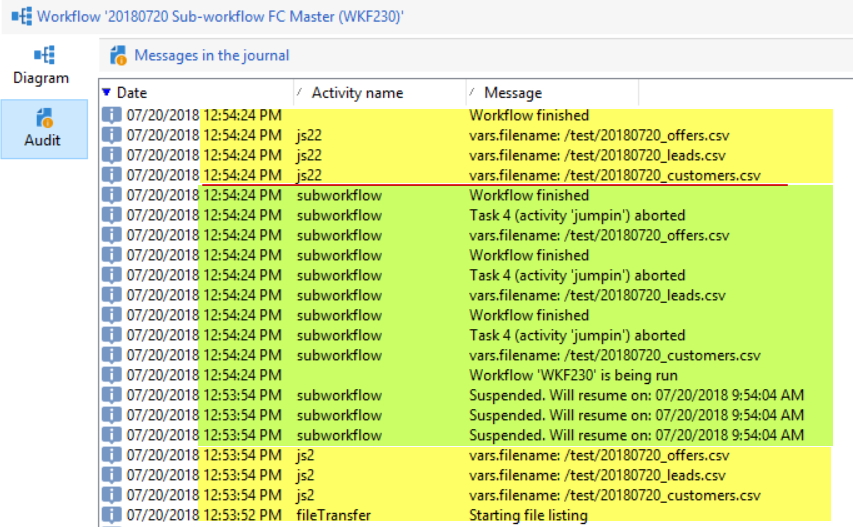
- The Child is executed 3 times as we have 3 files in the folder
- The Master waits for all Children to be processed before resuming
-
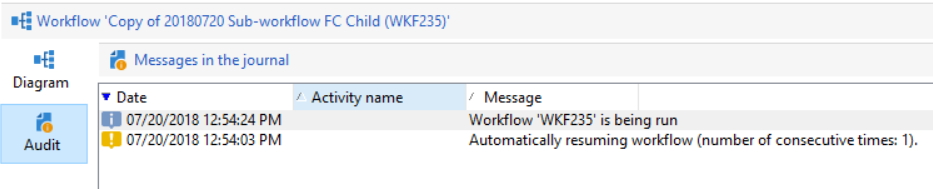
vars.filenameis shared between workflows - Adobe Campaign created 3 copies of the Child sub-workflow:

- But they all have empty logs
As an alternative method, you can directly call another workflow with this JavaScript code:
NLWS.xtkWorkflow.PostEvent(
  "myWorkflowInternalName",
  "signalActivityName",
  "",
  <variables var1={vars.var2} />,
  false
);
Find more details about this on the tutorial to call another workflow in Adobe Campaign.