
SOAP calls are not really handy when it comes to deploy to external vendors. For example, when integrating Adobe Campaign with a third-party system that only accepts HTTP Post requests. Luckily, we can use a classic HTTP Post as we would do for a REST API.
Preparation
Before making HTTP Post calls to Adobe Campaign SOAP endpoints, ensure your external system can send HTTP Post requests with custom headers and XML payloads.
Walkthrough
Example with xtk:queryDef#ExecuteQuery to get a list of recipients by email
Use the following settings:
- The soap router as the endpoint
https://your-instance.campaign.adobe.com/nl/jsp/soaprouter.jsp - HTTP Headers:
- Set
SOAPActionto the method you’re calling, e.g.xtk:queryDef#ExecuteQuery. - Set
Content-Typetoapplication/xml
- Set
<soapenv:Envelope xmlns:soapenv="http://schemas.xmlsoap.org/soap/envelope/" xmlns:urn="urn:xtk:queryDef">
  <soapenv:Header/>
    <soapenv:Body>
      <urn:ExecuteQuery>
      	<urn:sessiontoken>login/password</urn:sessiontoken>
        <urn:entity>
          <queryDef operation="select" schema="nms:recipient">
            <select>
              <node expr="@email"/>
              <node expr="@lastName"/>
              <node expr="@firstName"/>
            </select>
            <where>
              <condition expr="@email = '[email protected]'"/>
            </where>
          </queryDef>
        </urn:entity>
      </urn:ExecuteQuery>
  </soapenv:Body>
</soapenv:Envelope>
To use <urn:sessiontoken> with a login and a password, it must be enabled on your instance. See Adobe Campaign SOAP connectivity
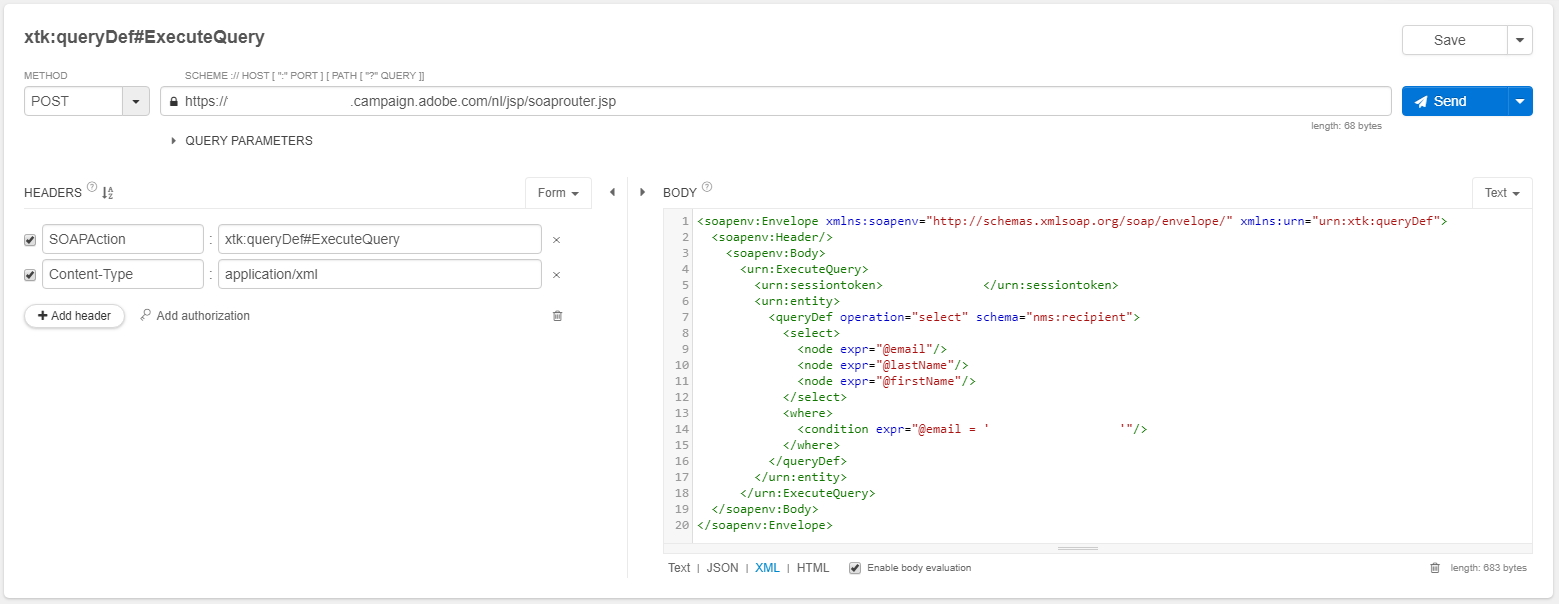
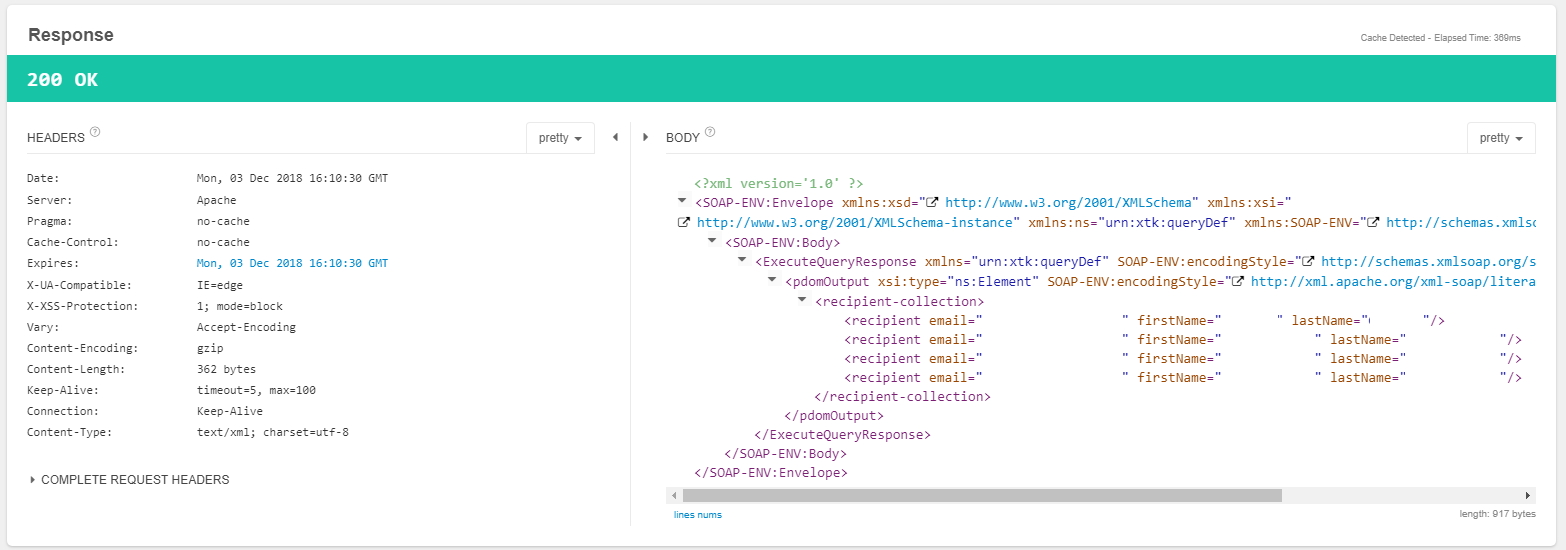
Gives the following response with <recipient-collection>:
<?xml version='1.0' ?>
<SOAP-ENV:Envelope xmlns:xsd="http://www.w3.org/2001/XMLSchema" xmlns:xsi="http://www.w3.org/2001/XMLSchema-instance" xmlns:ns="urn:xtk:queryDef" xmlns:SOAP-ENV="http://schemas.xmlsoap.org/soap/envelope/">
  <SOAP-ENV:Body>
    <ExecuteQueryResponse xmlns="urn:xtk:queryDef" SOAP-ENV:encodingStyle="http://schemas.xmlsoap.org/soap/encoding/">
      <pdomOutput xsi:type="ns:Element" SOAP-ENV:encodingStyle="http://xml.apache.org/xml-soap/literalxml">
        <recipient-collection>
          <recipient email="[email protected]" firstName="..." lastName="..."/>
          <recipient email="[email protected]" firstName="..." lastName="..."/>
          <recipient email="[email protected]" firstName="..." lastName="..."/>
        </recipient-collection>
      </pdomOutput>
    </ExecuteQueryResponse>
  </SOAP-ENV:Body>
</SOAP-ENV:Envelope>
See Adobe Campaign SOAP calls for details.
Example with xtk:persist#WriteCollection to bulk update any object
SOAPAction:xtk:persist#WriteCollection
Request:
<soapenv:Envelope xmlns:soapenv="http://schemas.xmlsoap.org/soap/envelope/" xmlns:urn="urn:xtk:session">
   <soapenv:Header/>
   <soapenv:Body>
      <urn:WriteCollection>
         <urn:sessiontoken>login/password</urn:sessiontoken>
         <urn:domDoc>
            <broadLogRcp-collection xtkschema="nms:broadLogRcp">
              <broadLogRcp id="129106000" status="5" _operation="update" _key="@id" eventDate="2018-12-25 11:05:59"/>
              <broadLogRcp id="129117000" status="4" _operation="update" _key="@id"/>
            </broadLogRcp-collection>
         </urn:domDoc>
      </urn:WriteCollection>
   </soapenv:Body>
</soapenv:Envelope>
Response
<SOAP-ENV:Envelope xmlns:xsd="http://www.w3.org/2001/XMLSchema" xmlns:xsi="http://www.w3.org/2001/XMLSchema-instance" xmlns:ns="urn:wpp:default" xmlns:SOAP-ENV="http://schemas.xmlsoap.org/soap/envelope/">
   <SOAP-ENV:Body>
      <WriteCollectionResponse SOAP-ENV:encodingStyle="http://schemas.xmlsoap.org/soap/encoding/" xmlns="urn:wpp:default"/>
   </SOAP-ENV:Body>
</SOAP-ENV:Envelope>
Don’t use xtk:session#WriteCollection as you’ll get a SOP-330024 error:
<?xml version='1.0'?>
<SOAP-ENV:Envelope xmlns:xsd='http://www.w3.org/2001/XMLSchema' xmlns:xsi='http://www.w3.org/2001/XMLSchema-instance' xmlns:SOAP-ENV='http://schemas.xmlsoap.org/soap/envelope/'>
    <SOAP-ENV:Body>
        <SOAP-ENV:Fault>
            <faultcode>SOAP-ENV:Server</faultcode>
            <faultstring xsi:type='xsd:string'>SOP-330011 Error while executing the method 'WriteCollection' of service 'xtk:session'.</faultstring>
            <detail xsi:type='xsd:string'>SOP-330024 Unspecified function library ('library' attribute) for JavaScript SOAP call 'WriteCollection' in schema 'xtk:session'.</detail>
        </SOAP-ENV:Fault>
    </SOAP-ENV:Body>
</SOAP-ENV:Envelope>
Example with a custom Javascript method
1. Data schema
In the data schema myNamespace:myObject:
<method library="myNamespace:myJsCode" name="method1" static="true">
  <parameters>
    <param desc="param1" inout="in" name="param1" type="string"/>
    <param desc="return1" inout="out" name="return1" type="long"/>
  </parameters>
</method>
2. Javascript Code
In the Javascript code myNamespace:myJsCode:
function myNamespace_myObject_method1(vParam1) {
  // do things
  return 0;
}
3. HTTP Post call with SOAP envelope
Keep the same settings as previous section but change the SOAP Action to myNamespace:myObject#method1, and use the following Envelope:
<soapenv:Envelope xmlns:soapenv="http://schemas.xmlsoap.org/soap/envelope/" xmlns:urn="urn:myNamespace:myObject">
   <soapenv:Header/>
   <soapenv:Body>
      <urn:method1>
         <urn:sessiontoken>login/password</urn:sessiontoken>
         <urn:param1>value of parameter 1</urn:param1>
      </urn:method1>
   </soapenv:Body>
</soapenv:Envelope>
Displays the following response:
<?xml version='1.0' ?>
<SOAP-ENV:Envelope xmlns:xsd="http://www.w3.org/2001/XMLSchema" xmlns:xsi="http://www.w3.org/2001/XMLSchema-instance" xmlns:ns="urn:myNamespace:myObject" xmlns:SOAP-ENV="http://schemas.xmlsoap.org/soap/envelope/">
  <SOAP-ENV:Body>
    <method1Response xmlns="urn:myNamespace:myObject" SOAP-ENV:encodingStyle="http://schemas.xmlsoap.org/soap/encoding/">
      <return1 xsi:type="xsd:int">0</return1>
    </method1Response>
  </SOAP-ENV:Body>
</SOAP-ENV:Envelope>
Client-side calls from client browser
The following code must be run from a client-side Javascript environment, e.g. browser console, Chrome dev tools
Client-side wrapper to get as JSON with NL.DataSource.QueryDef.get()
Get 15 workflows with NL.DataSource.QueryDef:
var callbacks = {
  onComplete: function () {
    console.log("onComplete");
  },
  onError: function (a) {
    console.warning("onError", a);
  },
  onSuccess: function (objects, needPagination) {
    console.log("onSuccess", objects, needPagination);
  },
};
var q = new NL.DataSource.QueryDef({
  schema: "xtk:workflow",
  select: {
    node: [
      { expr: "@id" },
      { expr: "@label" },
      { expr: "data" }, // get all fields
    ],
  },
  where: { condition: [{ expr: "@label NOT LIKE '%don\\'t use%'" }] },
});
var start = 0,
  lineCount = 15;
q.get(start, lineCount, callbacks);
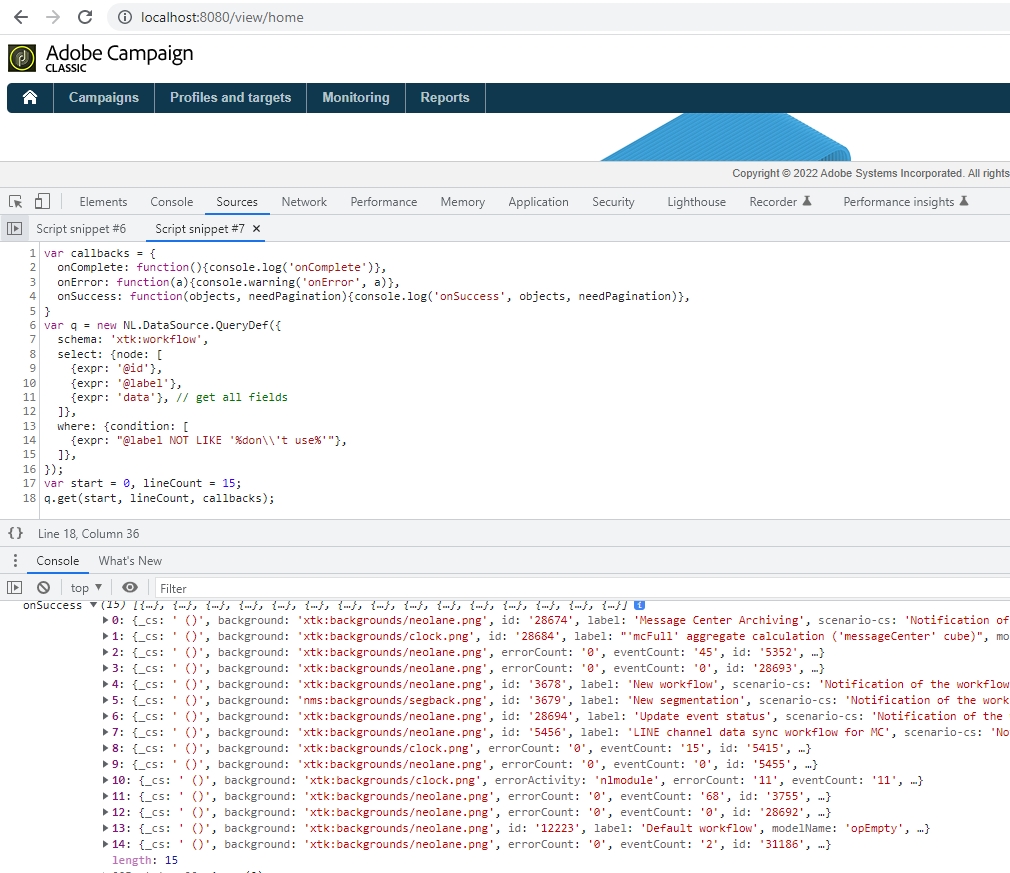
Client-side wrapper to get as XML with NL.QueryDef.execute()
Get 15 deliveries with NL.QueryDef:
var a = new NL.QueryDef("nms:delivery", "select");
a.setLineCount(15);
a.addSelectExpr("@id");
a.asyncTarget.onXtkQueryCompleted = function (queryDef, resultXml, f) {
  console.log("Success!", resultXML);
}; // <delivery-collection><delivery id="111"></delivery-collection>
a.execute(NL.session.soapRouterURL, "", this);
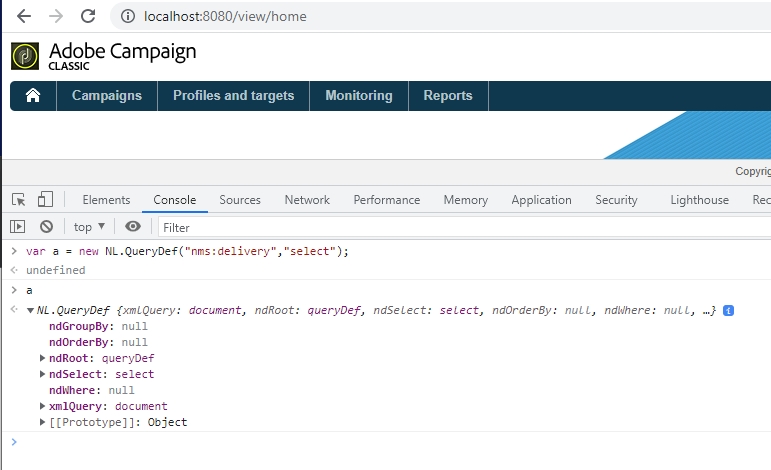
Going further
- Understand the full SOAP request/response sequence in HTTP flows: Requests and Responses.
- Capture and debug live SOAP traffic with Fiddler.
- Run many calls without blocking the workflow with asynchronous API calls.