
Email deliveries in Adobe Campaign are stored in the database — inaccessible to external tools and invisible to AI agents without extraction.
Use acc instance pull to download all delivery HTML and text files locally, then run acc instance exec to mass update their html & text sources, but also subject, folders and more.
Preparation
Requirements: acc instance pull executed from Mass Read.
What will be uploaded:
- Email data:
htmlsource,textsource,subject
Walkthrough
1. Update the label of a delivery
acc can execute JavaScript on the server, such as NLWS.nmsDelivery.load and .save, to get then update a record.
Let’s update the label of the delivery 12766 to Updated from CLI with acc instance exec and the flag -s for inline JavaScript execution:
acc instance exec -s "var d = NLWS.nmsDelivery.load('12766');d.label = 'Updated from CLI';d.save();"
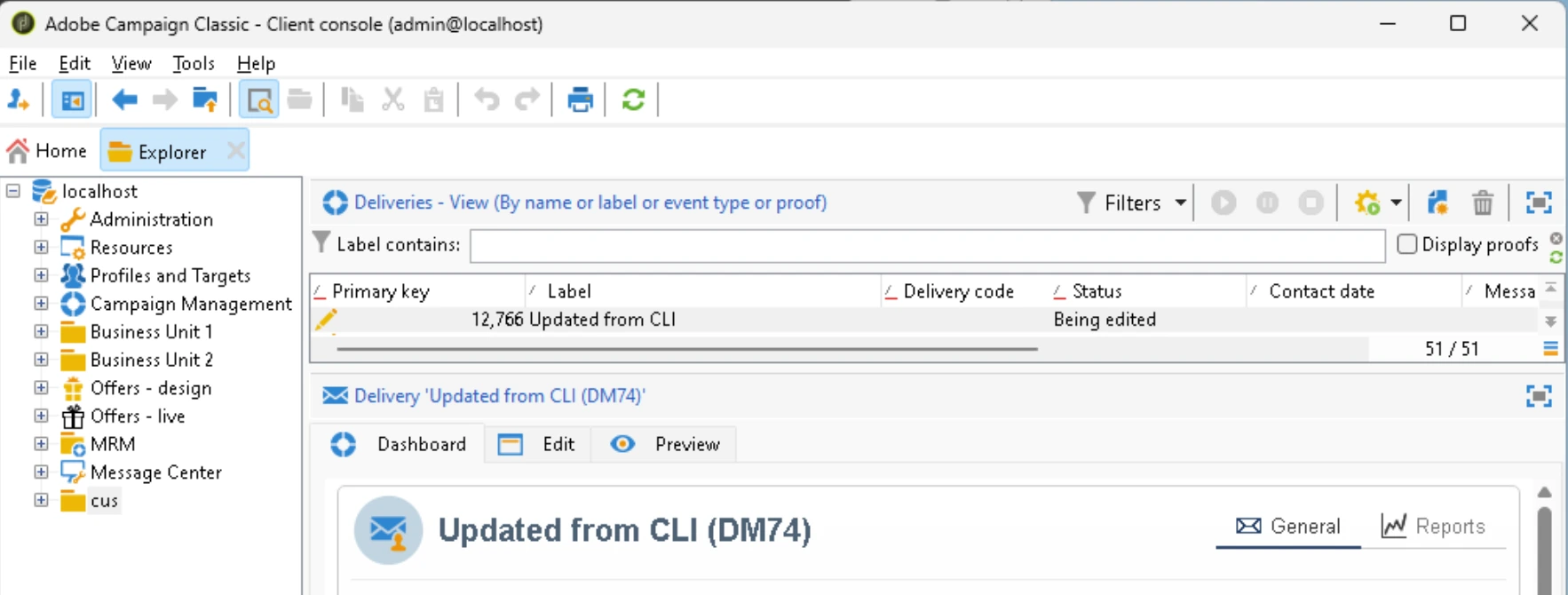
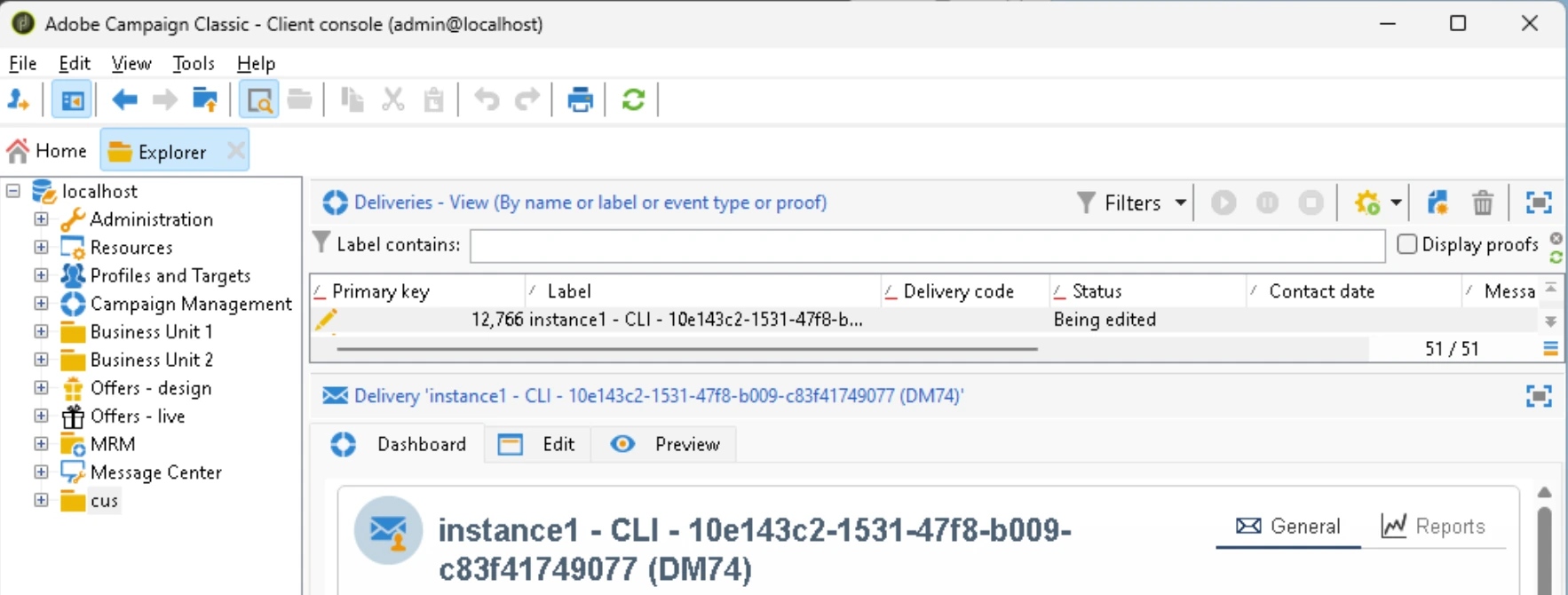
All Adobe Campaign JavaScript functions are available, such as application.instanceName and getUUID():
acc instance exec -s "var d = NLWS.nmsDelivery.load('12766');d.label = application.instanceName+' - CLI - '+getUUID();d.save();"
2. Update the HTML of a delivery
All fields are available, including the HTML delivery source as content.html.source, the text source as .content.text.source and the subject as mailParameters.subject.
As a note, the HTML must be encoded, as it cannot be directly read by the server-side JavaScript. The following example encodes using jq.
On Windows:
todo [uri]::EscapeDataString
On Mac/Linux:
ENCODED = $(jq -sRr @uri < "updated-source.html")
acc instance exec -s "var d=NLWS.nmsDelivery.load(12766);e.content.html.source=decodeURIComponent('$ENCODED');e.save();context.res='saved '+e.id;"
3. Update many HTML at once
To update many deliveries in a folder, replicate previous examples in a loop : Windows Get-ChildItem/ForEach-Object, Mac/Linux ls |.
Validation & Troubleshooting
To see what the before/after difference, run the previous commands in a git repository:
acc instance pull --metadata nms:delivery  # pull current deliveries
git add .                                  # add them to the git tracking
git commit -m "current state"              # name the changes
acc instance exec -s [...]                 # update their HTML
acc instance pull --metadata nms:delivery  # pull updated deliveries
git status                                 # list updated HTML files
git diff                                   # show differences
Going further
AI authoring HTML with AGENTS.md
This approach allows AI agents to preview, build and proof deliveries at scale. Example of AGENTS.md/SKILL.md:
---
name: proof
description: Author, preview, proof-send and verify an Adobe Campaign Classic delivery via the `acc` CLI (server-side JS over xtk:builder#EvaluateJavaScript)
---

# ACC campaign ops process: Content > Preview > Update > Proof

- Content
  - Goal: Download the current content
  - How: `acc instance pull --metadata nms:delivery`
  - Knowledge: `acc` decomposes delivery in `.meta.xml`, `.html`, `.txt`. Metadata files contain the Content Model
- Preview
  - Goal: Preview the HTML rendered for a specific recipient
  - How: `acc instance exec -f scripts/preview.js`
  - `scripts/preview.js`
    - Uses`NLWS.nmsDelivery.BuildPreviewFromId(id, params)` — **static, `const`**. `params` is an XML
      element: **`@filter` is required**, `@content` in `html|text|sms|outputFile|…`,
      optional `@targetPart`. Returns an **array `[preview, queryResult]`**.
    - Build `params` with `DOMDocument.fromXMLString('<params filter="@id=1000" content="html"/>').root`.
    - A render/compile failure comes back as `<preview><errors><log message="…"/></errors></preview>`
- Update
  - Goal: Author local HTML files and push them to the server
  - How: Local runner, such as shell, that uses `acc` with JavaScript `Entity API` (`.load`, `.save`)
    - ENCODED = $(jq -sRr @uri < "updated-source.html")
    - acc instance exec -s "var d=NLWS.nmsDelivery.load(12766);e.content.html.source=decodeURIComponent('$ENCODED');e.save();context.res='saved '+e.id;"
  - Knowledge: Content in dedicated files, never inlined in JS (Must inject via `jq` or equivalent)
- Proof
  - `NLWS.nmsDelivery.LaunchFCP(deliveryId)` — **static**; "Starts a Proof copy" (drives
    `PrepareProof(bStart=true)` through the job framework). This is the only reliable proof send
    server-side.
  - ⚠️ **`LaunchFCP` always makes `acc instance exec` report
    `INSTANCE_EXEC_SDK_EVALUATE_FAILED` — even when the proof succeeds.** Treat the exec result as
    meaningless; **verify out-of-band**.
  - A proof spawns a **child delivery** named `FCP_<childId>_<parentInternalName>`, label
    `[Proof N] <parent label>`. Success ⇒ child `status=5`; failure ⇒ `status=6`.
  - `fcpParameters/@fcpMode`: `substituteAddress` (render main target, swap every address to a
    literal proof address) or `specificTarget` (the console default — proof to a specific
    recipient + `seedList`).

## Content model

### nms:delivery

- `mailParameters/subject` — CDATA.
- `content/html` & `content/text` — each a `contentDef` whose `source` (CDATA) holds the body.
- Empty content ⇒ `DLV-490015 No content (HTML or text) has been specified.`
- Personalization: `<%= recipient.firstName %>`, `<%= recipient.email %>`. **`now()` is NOT
  defined** in the perso context (`JST-310000`). Accents render fine (UTF-8 CDATA).

### xtk:jobLog

`xtk:jobLog` fields: `@logType` (0=error,1=warn,2=info,3=status,4=verbose), `@logDate`,
`@object`, `@message`, `@job-id`. **Filter by `[@job-id]=<id>` with brackets** (hyphen needs
them; bare `@job-id` ⇒ `16384`). The _detailed_ proof error is logged under the **child**
proof-delivery's job-id, not the parent's.

### nms:broadLog

`nms:broadLog`: link field is `@deliveryId` (not `@delivery`); an empty `get` can return null.

## Safety gates

- ✅ Read-only & CI-safe: `BuildPreviewFromId`, all `select`/`count`/`get`, target validation.
- ⚠️ Side-effecting (confirm first): `Entity.save`, `xtkSession.Write`, `setOption`,
  `LaunchFCP`. Proofs must target controlled addresses (proof address / seed / local MTA at
  `localhost` → smtp4dev). Never proof-render against, or send to, real consumer targets without
  intent.
- 🚫 Per AGENTS: never delete files, `git push`, or `npm publish`. The server engine can run OS
  commands (`execCommand` = RCE) and arbitrary SQL — restrict who may run `instance exec`.
Learn more AI use cases with acc in the next tutorial.