
Adobe Campaign stores Deliveries, JavaScript codes, and any record as a single XML: HTML, CSS, JS, and SQL are all merged in a single file.
acc extracts each language into its own file, turning your instance into a proper codebase, ready for VS Code development.
Why decompose?
An Adobe Campaign JavaScript record looks like this:
<javascript name="javascript1" namespace="cus">
  <data>var msg = 'hello';logInfo(msg);</data>
</javascript>
Once decomposed by acc, the same record becomes two files:
<javascript name="javascript1" namespace="cus">
  <data/>
</javascript>
var msg = "hello";
logInfo(msg);
With this decomposition, the project folder can be opened in any IDE, like VS Code, and unlocks development tools: autocompletion, formatters, linters, Git versioning, and AI assistants!
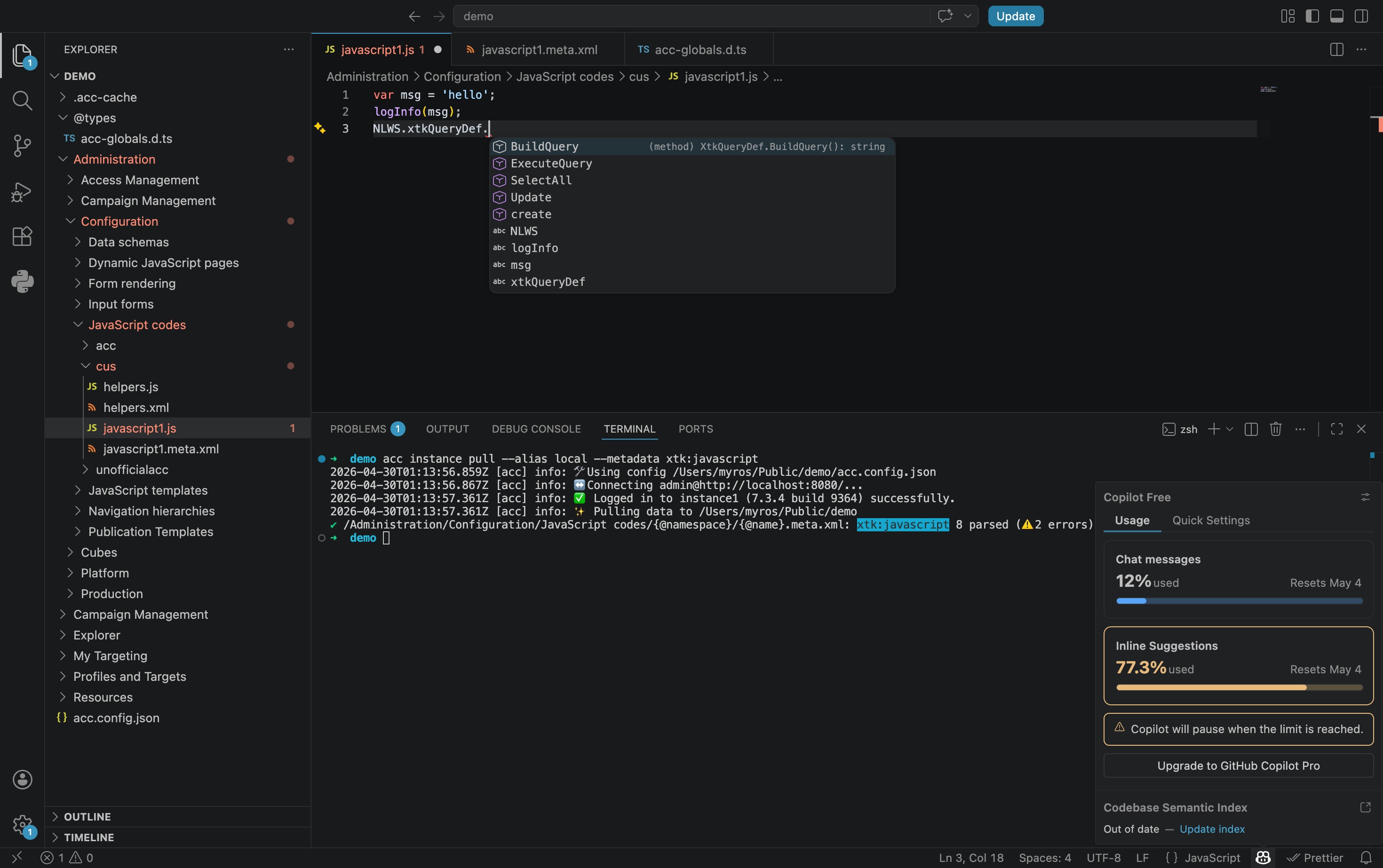
Downloaded with
acc instance pull --metadata xtk:javascript.
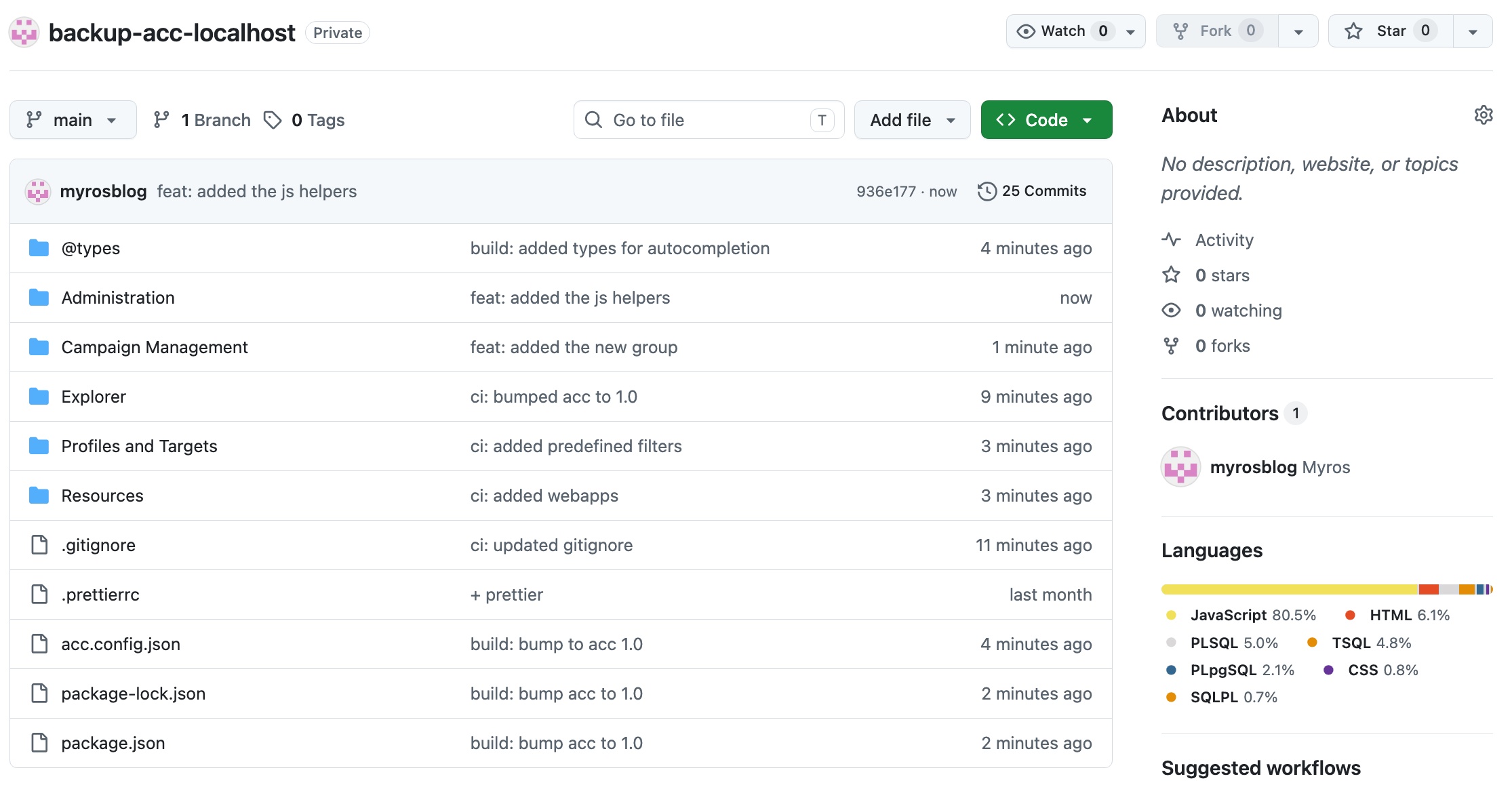
For example, an instance pulled by acc and saved in Github shows the languages ratio made of JS > HTML > SQL > CSS:
What is Metadata?
Metadata are the assets in your instance (assets being records, schemas, input forms, JavaScript classes, etc). These metadata assets are also called metadata components. For each metadata component you reference in the acc.config.json file (such as a Typology), you receive a file.
By convention, all XML metadata use the extension
.meta.xml, while XML sources like Forms and Schemas use the extension “.xml”. This allows filtering with formatter & linter.
Different Types of Metadata
There are two different kinds of metadata components: simple and decomposed. As you work with various kinds of metadata components in your Adobe instance, it’s important to know and understand how each component works with the next.
- Single: A single file. This type of metadata can be retrieved on its own, like a Form
- Decomposed: Files that may contain multiple named components, depending on which components are being pulled. For example, a Delivery may contain three files: the HTML version, Text version and metadata.
Configuration
Delivery - HTML and text
The default configuration shows how the deliveries are decomposed:
{
  "schemaId": "nms:delivery",
  "filename": "/Campaign Management/Deliveries/{@internalName}.meta.xml",
  "decompose": {
    "content/html/source": "/Campaign Management/Deliveries/{@internalName}.html",
    "content/text/source": "/Campaign Management/Deliveries/{@internalName}.txt"
  }
}
The delivery @internalName = confirmation was decomposed into 3 files:
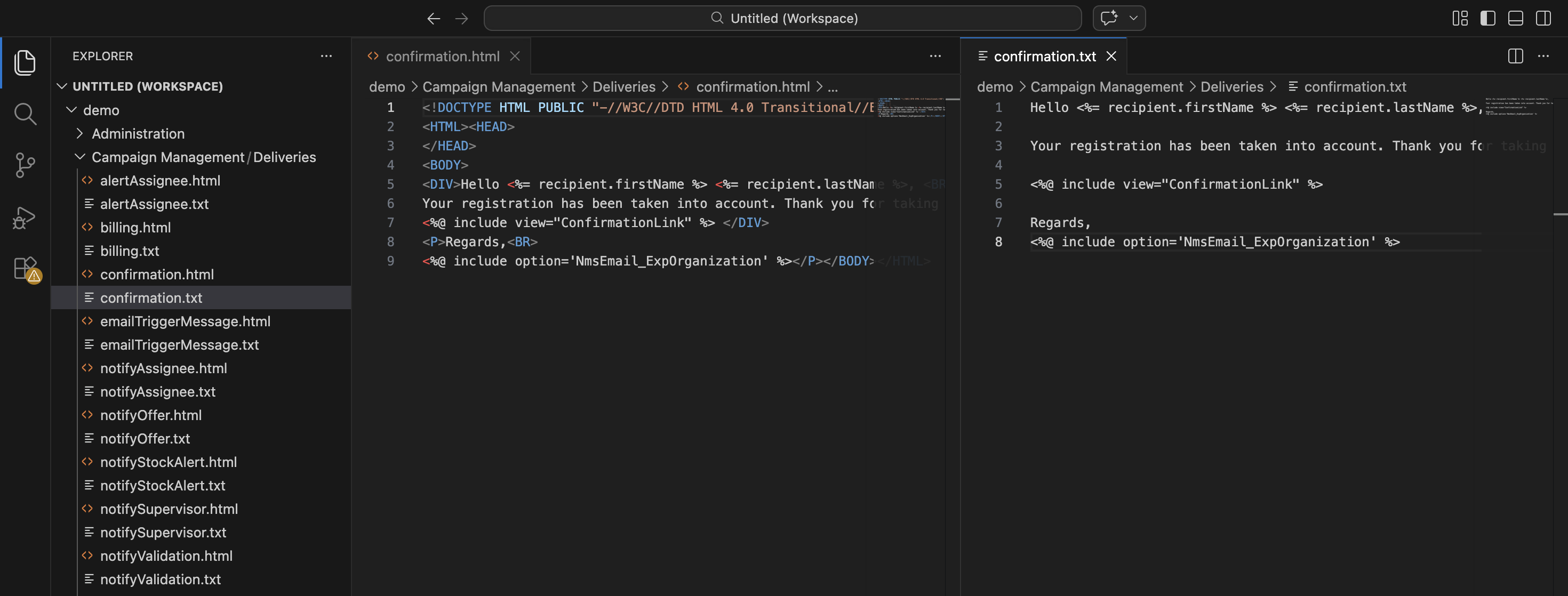
Downloaded with
acc instance pull -metadata nms:delivery.
Form rendering - CSS
The same applies to Form rendering by decomposing its CSS from format/cssOverloading:
{
  "schemaId": "xtk:formRendering",
  "filename": "/Administration/Configuration/Form rendering/{@internalName}.meta.xml",
  "decompose": {
    "format/cssOverloading": "/Administration/Configuration/Form rendering/{@internalName}.css"
  },
  "queryDef": {
    "where": { "condition": [{ "expr": "@internalName LIKE 'cus%'" }] }
  }
}
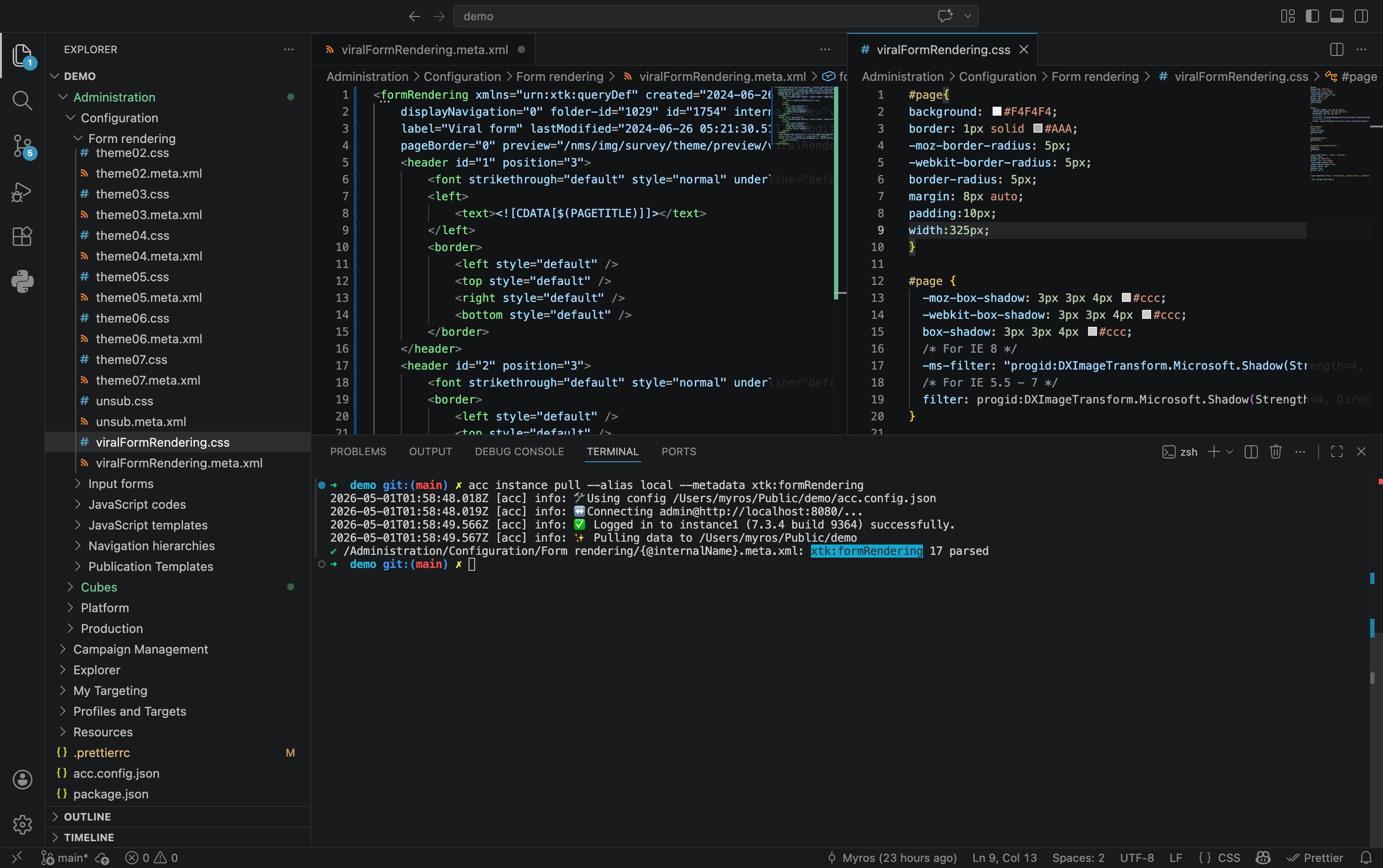
Downloaded with
acc instance pull --metadata xtk:formRendering.
SQL scripts - SQL
Similar example for SQL:
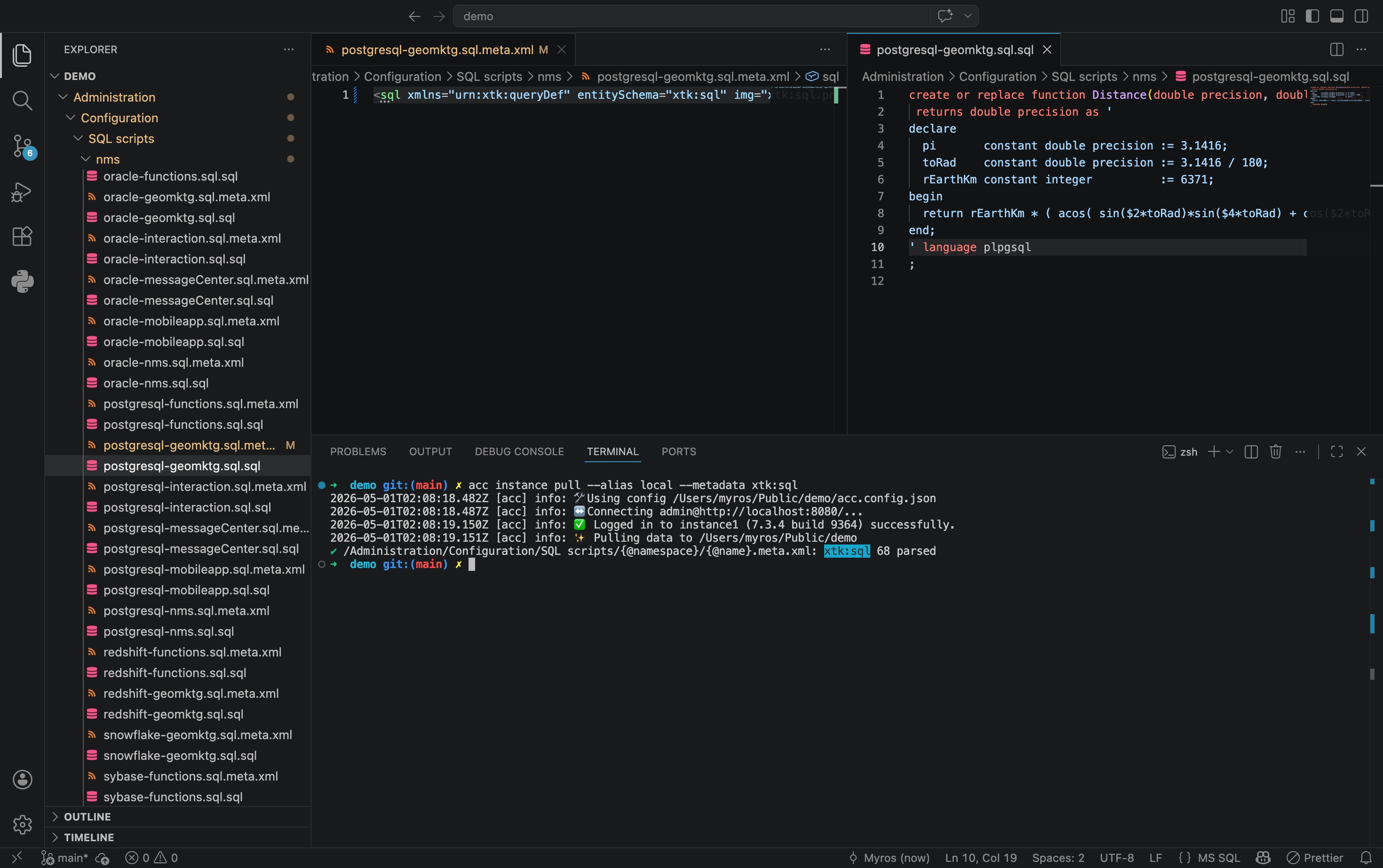
Downloaded with
acc instance pull --metadata xtk:sql.
Next steps
Your setup is complete, time to put it to work!
Or start the DevOps process: