
Track every change in your Adobe Campaign instance by exporting configuration and adding version control.
Using the acc CLI tool, you can download all Adobe Campaign source codes, and commit changes to Git for full traceability including schemas, forms, workflows, and JavaScript libraries.
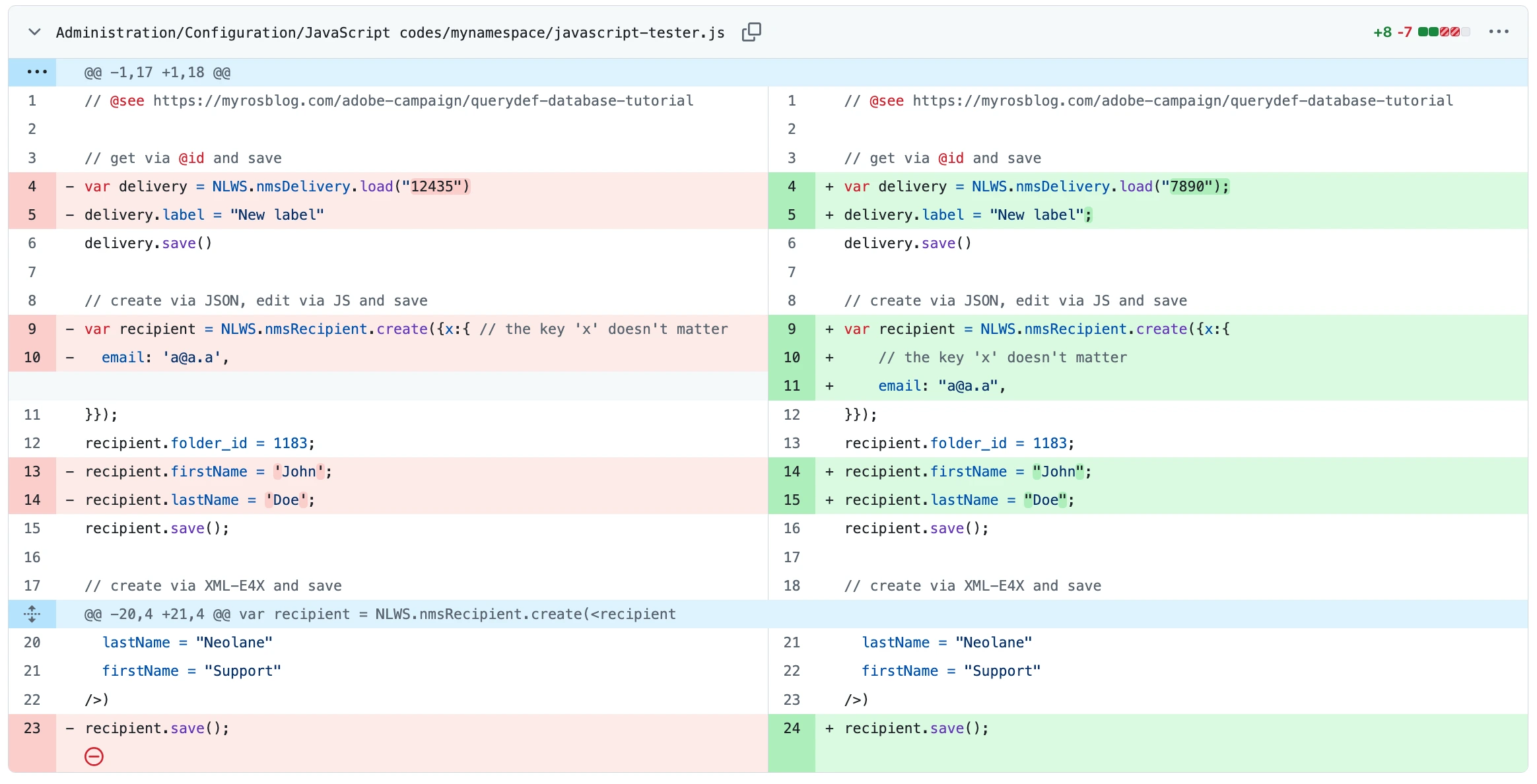
Demo of File difference: after each pull, Git highlights exactly what changed in your schemas and workflows. Green lines were added, red lines were removed (git diff).
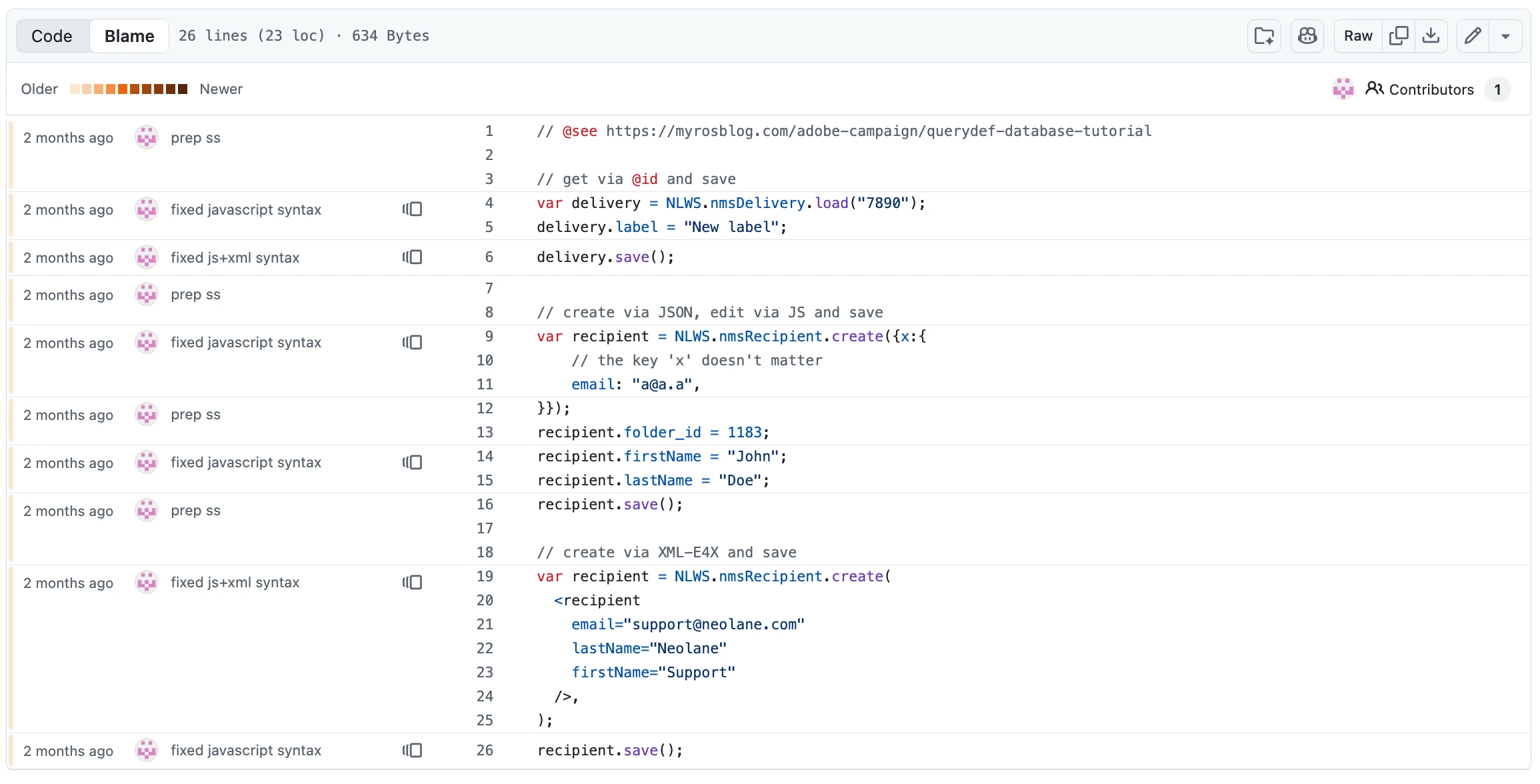
Demo of File history: with each commit, every line of your code is annotated with its author and date (git blame).
Preparation
What will be downloaded:
- Schemas, input forms, and JavaScript codes as
.xmland.jsfiles - Workflows, delivery templates, and typologies as
.xmlfiles - Personalization blocks as
.htmland.txtfiles
Requirements:
-
accinstalled and authenticated. Refer to Getting started. - a Git client, such as Github Desktop
- a folder initiated as a repository with
git init
Walkthrough
First pull & commit
-
Pull configuration from Adobe Campaign instance:
acc instance pull --alias staging -
Commit the first files:
git add .
git commit -m "Init all metadata"
That’s it! Your instance is backed up in two commands.
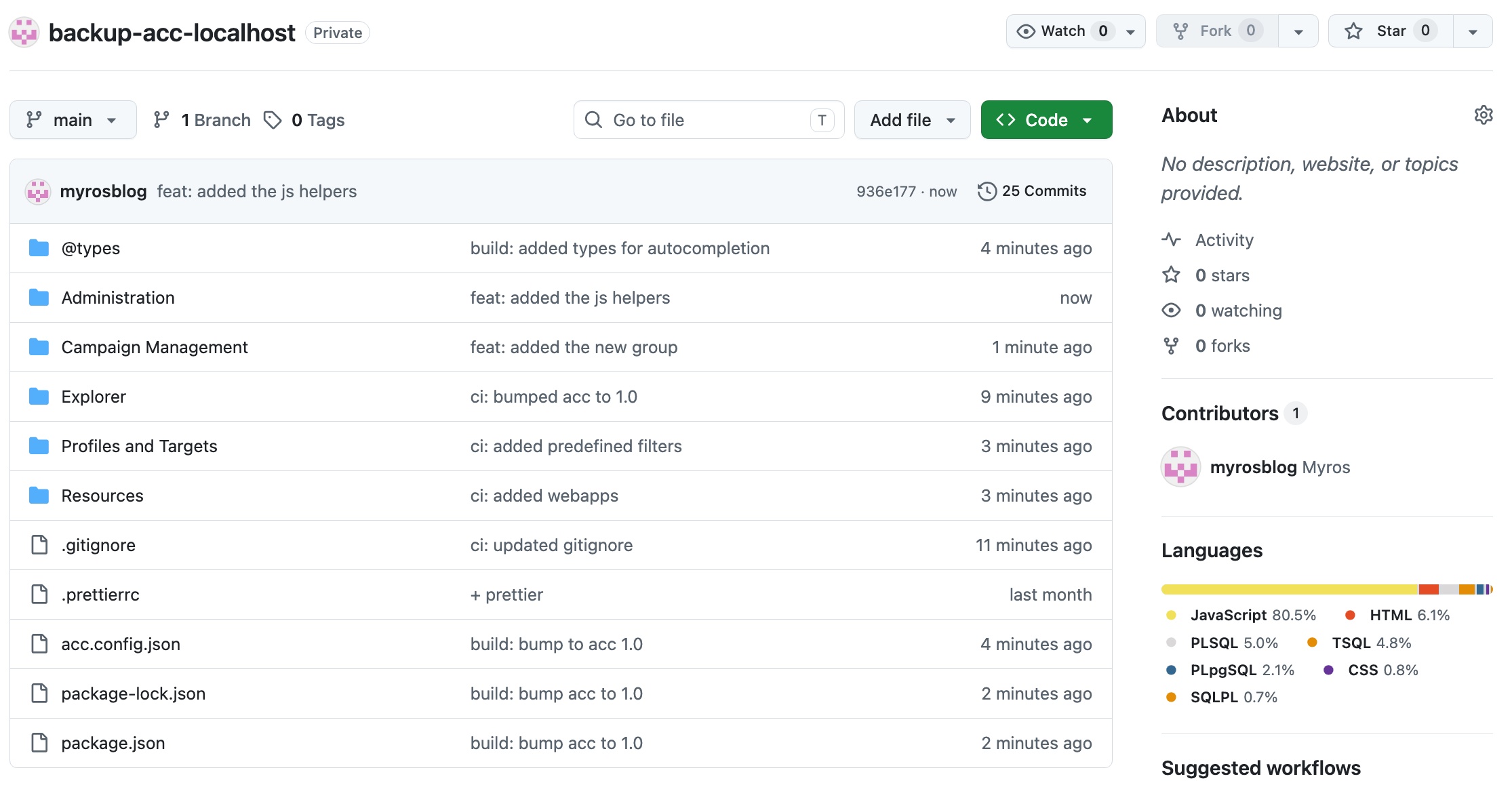
Push it to a private repository on Github to get the Languages distribution: JavaScript for JS/JSSP/Typology Rules, HTML for Deliveries, CSS for Form Rendering, SQL for SQL Scripts…
Daily process
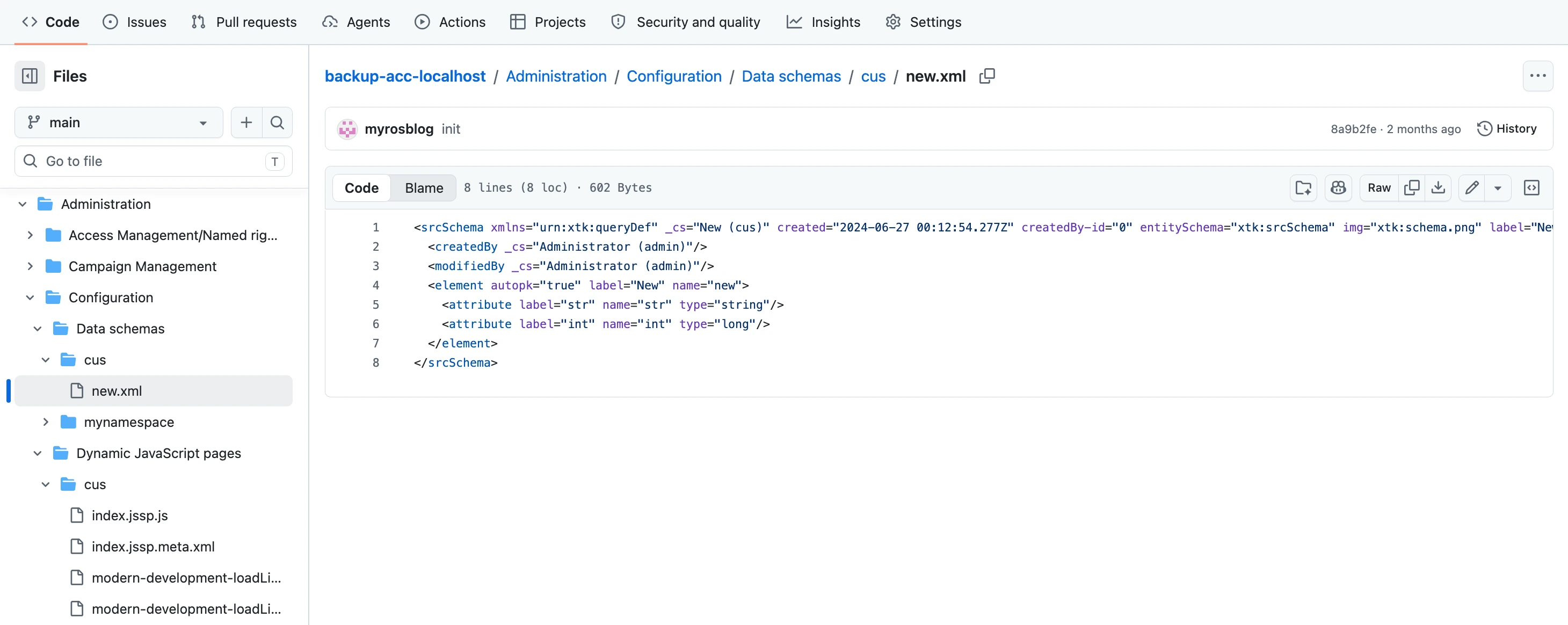
Re-using the same process on a recurring basis will then generate file differences, and have them accessible through the file hierarchy:
Going further
Modern approach: acc CLI + prettier + Git
As Adobe Campaign Classic configuration relies a lot on XML, many files will be pulled as 1-liner, such as:
- Workflows
- Deliveries
- Typologies
- …
Follow the below process to format these files at scale and identify unitary changes:
-
Initialize your project folder with
prettierby following the prettier introduction with acc article. Mandatory files include:package.json .prettierrc -
Format files with prettier for consistent formatting:
npx prettier --write "**/*.meta.xml" -
Track future changes by running the pull and format commands, then committing:
acc instance pull && npx prettier --write "**/*.meta.xml"
git add .
git commit -m "Updated [...]"
Examples of commits you’ll generate:
feat: added promotional code in the broadLogRcp tablerefacto: removed debug logs from the libraryfix: updated the javascript function to search for recipients
Validation & troubleshooting
How do I know if something changed?
Run git status after acc instance pull. Git tracks changes at the file level — no md5 comparison needed. A modified workflow appears as a changed .xml file; a new JavaScript code appears as an untracked .js file.
acc instance pull && npx prettier --write . && git status
Does this scale to large instances?
Use the schemas filter in acc.config.json to scope the pull to specific namespaces or object types. Pulling everything on a large instance is slow and generates noisy diffs — filter to what your team owns. Refer to Configuration How-to and Configuration reference.
Legacy content
acc replaces 2 previous processes created at Myrosblog:
- Data Package + Scheduled Workflow (2018)
- an on-premise
spec.GenerateDoc()in a scheduled AC workflow => as the backup is on the same server as the instance, which if risky. The filesystem can run a cleanup or lose files after an instance upgrade (2019/06/version-control-adobe-campaign) 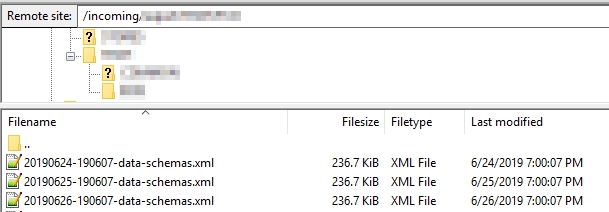
- an on-premise
- Data Package + node CLI tool (2020)
- a remote package download with
adobe-campaign-sync=> 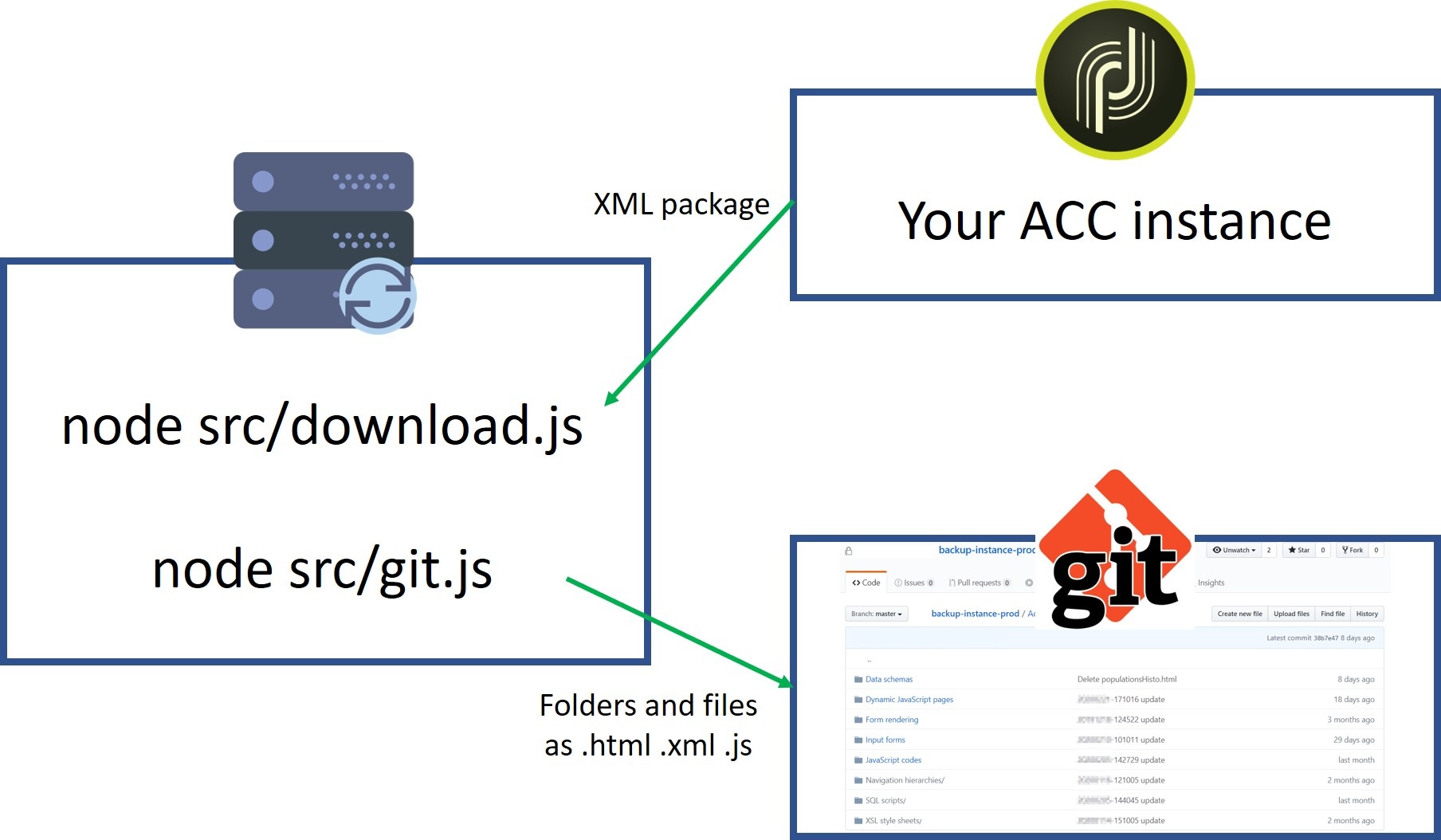
- a remote package download with