
Get up and running in 5 minutes.
acc is built on Node.js, you’ll install it first, then pull your instance in two commands. No admin rights needed.
Prepare
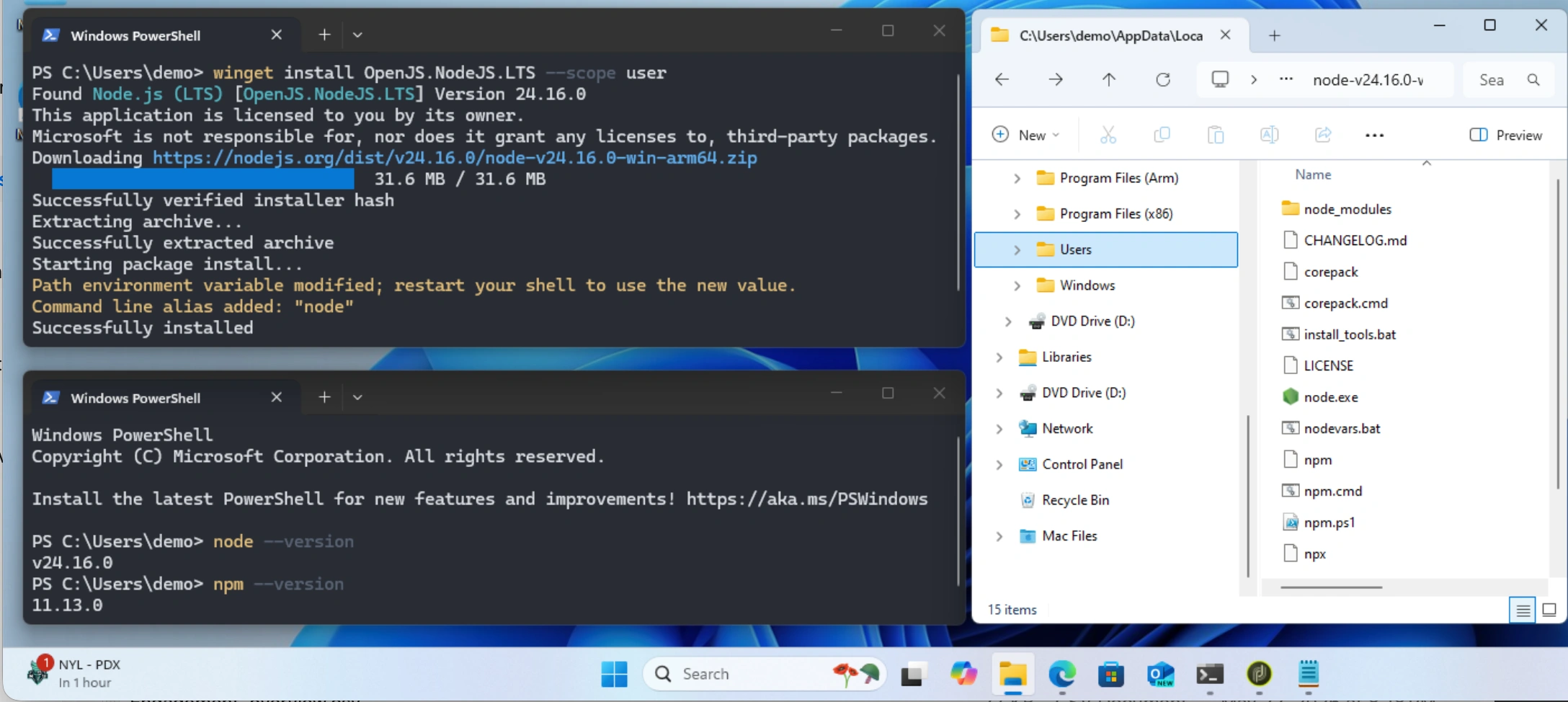
Install Node: open a Terminal (Win+X → Terminal) and run:
winget install OpenJS.NodeJS.LTS --scope user
Close and reopen the Terminal, then verify the installation:
node --version
# v24.x.x
Any error? No winget? Check out the Troubleshooting article
1. Install
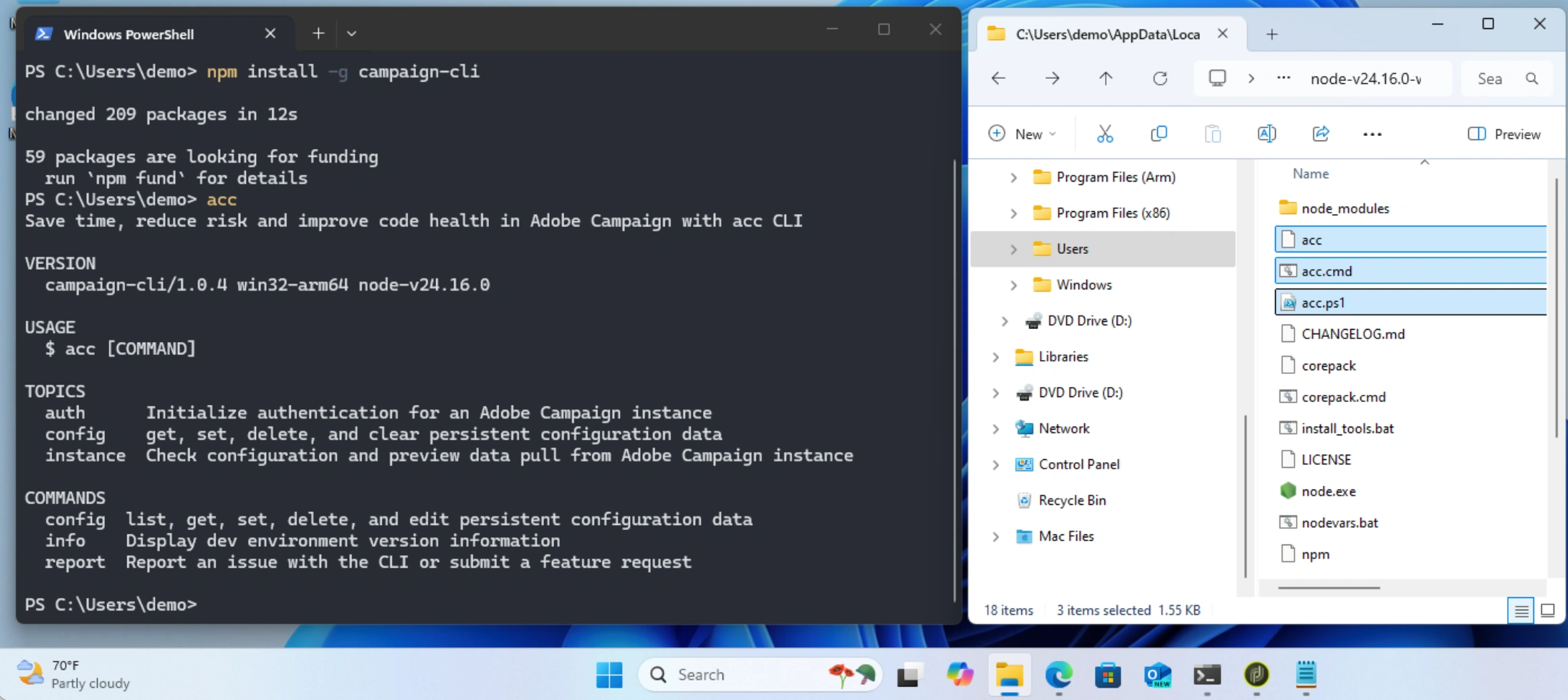
Install the latest version of acc by running:
npm install -g campaign-cli
Verify the installation:
acc
# Save time, reduce risk and improve code health in Adobe Campaign with acc CLI
# USAGE: acc [COMMAND]
2. Connect to your instance
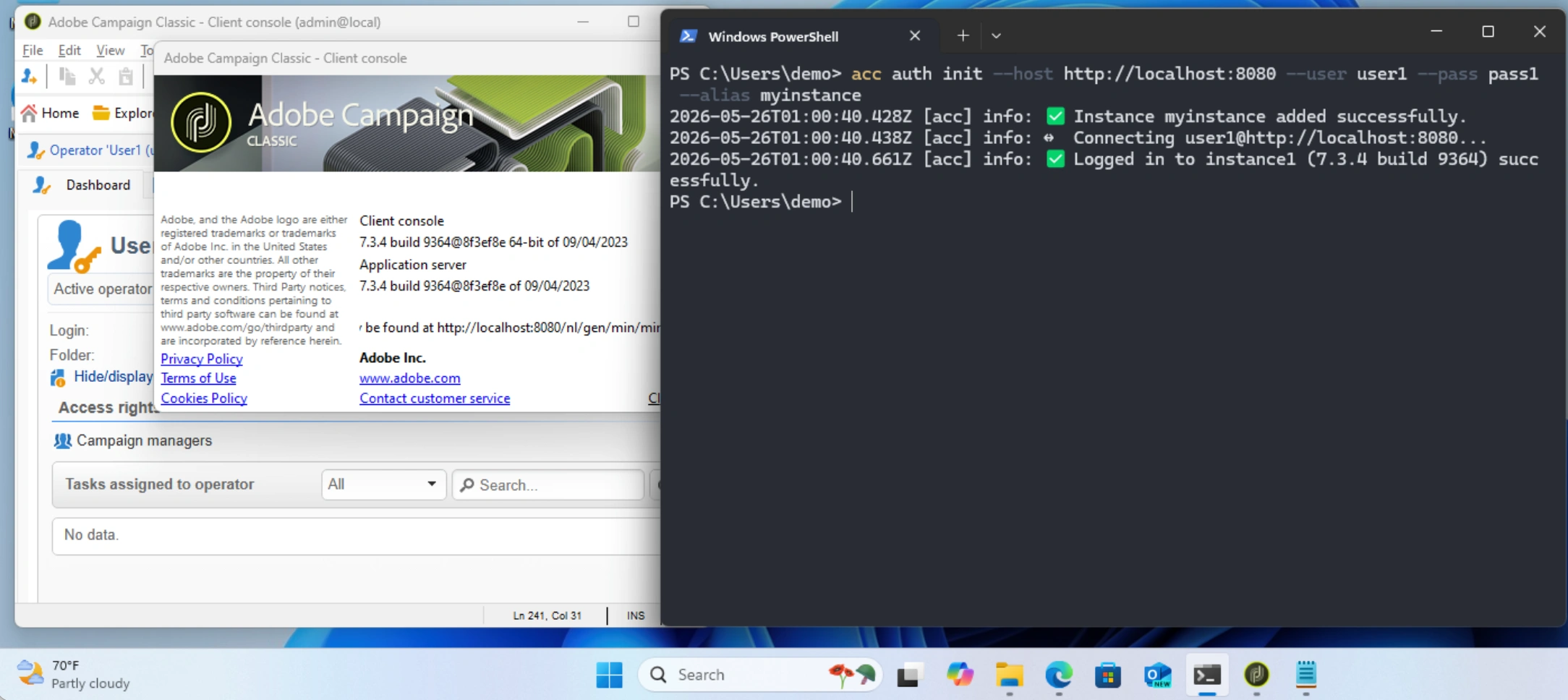
Login to Adobe Campaign with an Access token (IMS for AC v8/v7.3+) or an Operator (user/password for < v7.2):
acc auth init
# Adobe Campaign instance (e.g. https://instance1.campaign.adobe.com):
# Authentication method:
# - IMS OAuth Server-to-Server (Client Id, Secret)
# - IMS Access token (eyJhbG...)
# - Operator (User, password)
# Local alias for this instance (e.g. prod, staging, local):
Choose
--aliasto your own shorthand. Use anything you like (prod,staging,local).
Credentials are stored outside your project folder.
Any login error? HTTP 403? Check out the Troubleshooting article
3. Download your instance
Create a project folder and move into it:
mkdir my-instance-backup
cd my-instance-backup
Then pull your instance:
acc instance pull --alias myinstance
acc reads acc.config.json in the current folder. As none exists, it creates one from the default template. The download takes a minute or two depending on your instance size.
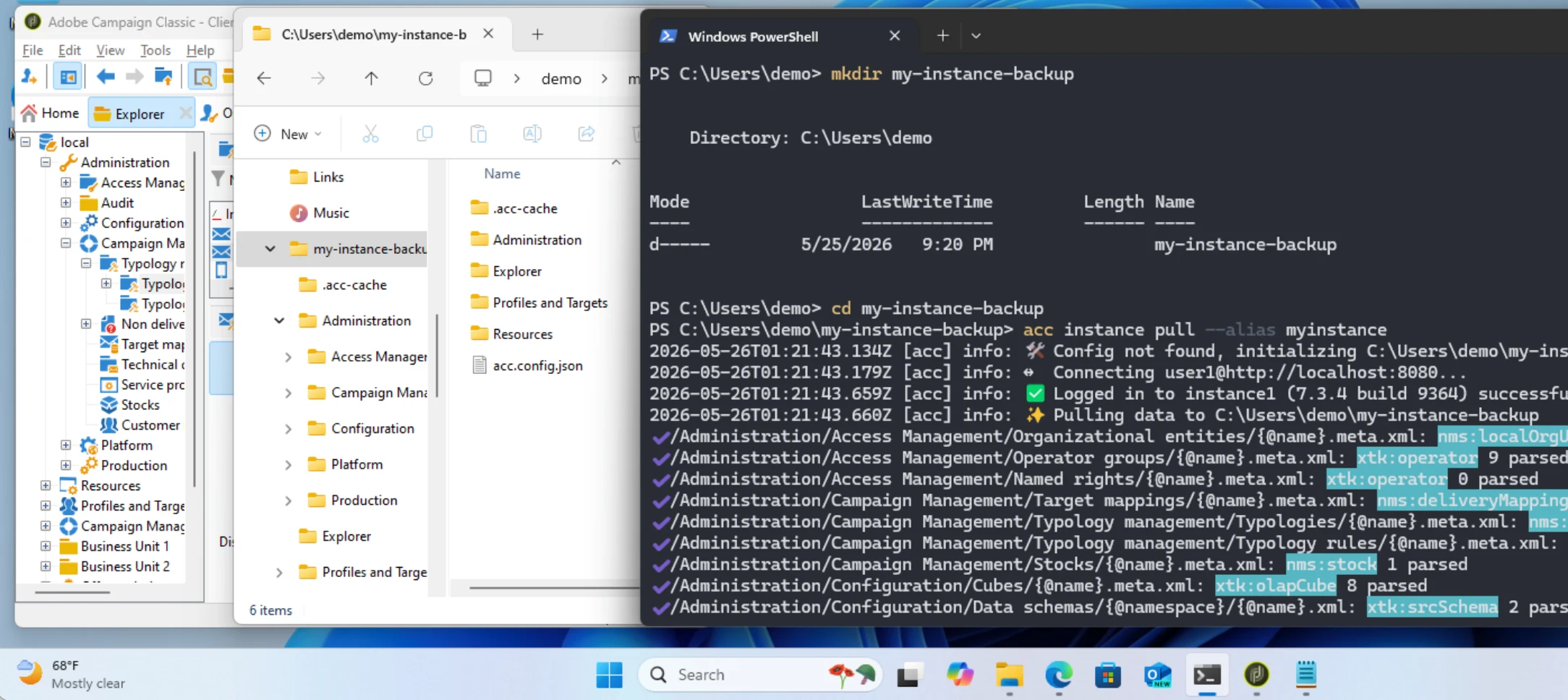
CONGRATS! What you did was pretty amazing: you logged in to your remote Adobe Campaign instance with acc and then retrieved its entire configuration (Deliveries, Typologies, Schemas, Personalization Blocks…) to your own project as local source files. They’re organized by type and namespace and ready for your local work, code review, or AI assistance.
Want to try on before pulling the entire instance?
- Filter on a specific schema with
--metadata <schemaId>:
acc instance pull --alias myinstance --metadata nms:delivery   # only pull Deliveries
acc instance pull --alias myinstance --metadata xtk:srcSchema  # only pull Schemas
acc instance pull --alias myinstance --metadata xtk:javascript # only pull Javascript
- Or check as a dry run without downloading with
acc instance check --alias myinstance
What’s next
Head to the Configure acc article to filter records, customize folder structure, and split by team or brand (using acc.config.json).
Or browse the use cases:
- Marketer: List promo codes across Deliveries in HTML, Text and Title
- Admin: Find any field in Schemas, Workflows and Lists
- DevOps: Format Javascript with VS Code, and at scale with prettier
- DevOps: Version control with Git for traceability