
Promo codes are embedded in delivery HTML and text sources, scattered across campaigns, templates, and folders. When a code needs to be reviewed, there is no native search in the Adobe Campaign console that covers all deliveries at once.
acc lets you download the HTML and text content of all your deliveries as local files. Instead of opening each delivery one by one in the Adobe Campaign console, you run a single search across your entire campaign history in seconds — by promo code, by keyword, or by any string that should or should not be there.
Preparation
Requirements: acc installed and authenticated. See Getting started.
What will be downloaded: delivery HTML and text sources as local .html and .txt files, one file per delivery.
Walkthrough
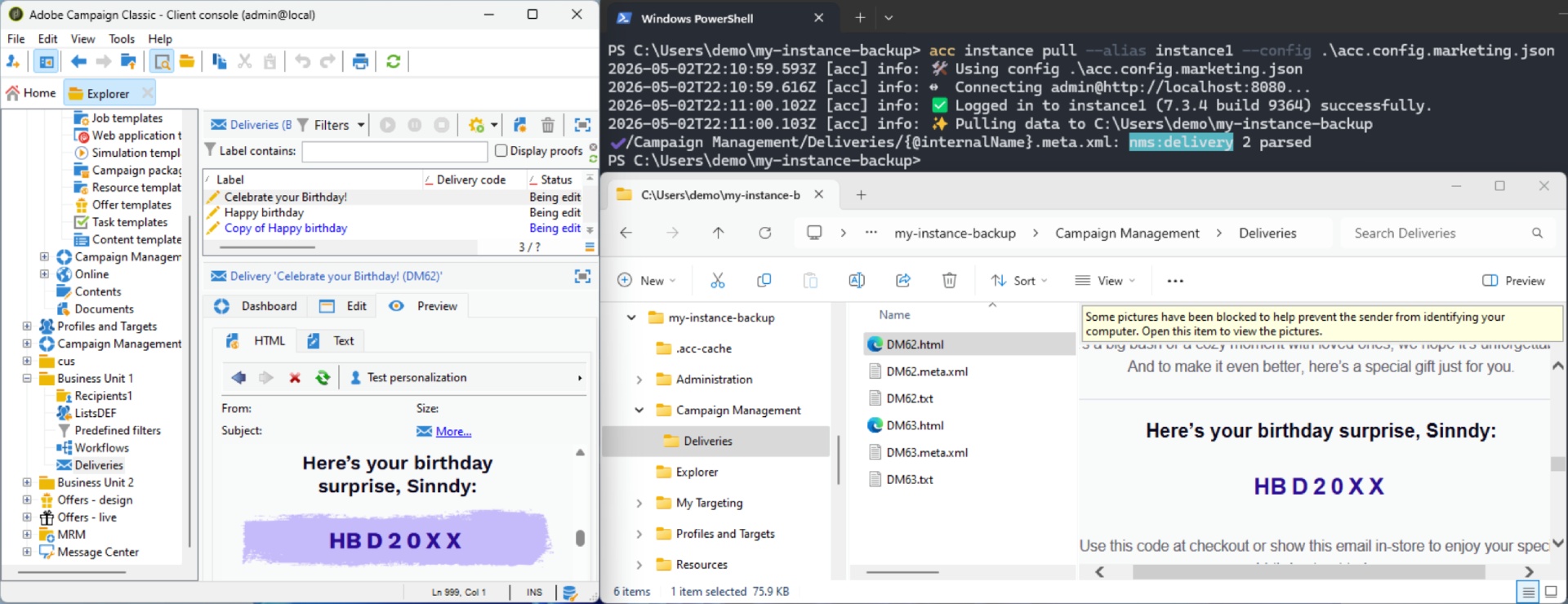
Pull deliveries locally
From your project folder, run acc instance pull or filter on the Deliveries with:
acc instance pull --alias instance1 --metadata nms:delivery
Once complete, your project folder contains one .html file and one .txt file per delivery:
Campaign Management/Deliveries/
  DM554.html
  DM554.txt
  NL_2024_03.html
  NL_2024_03.txt
  ...
Adjust
acc.config.jsonwithDaysAgo(90)to filter on the period you want to audit.
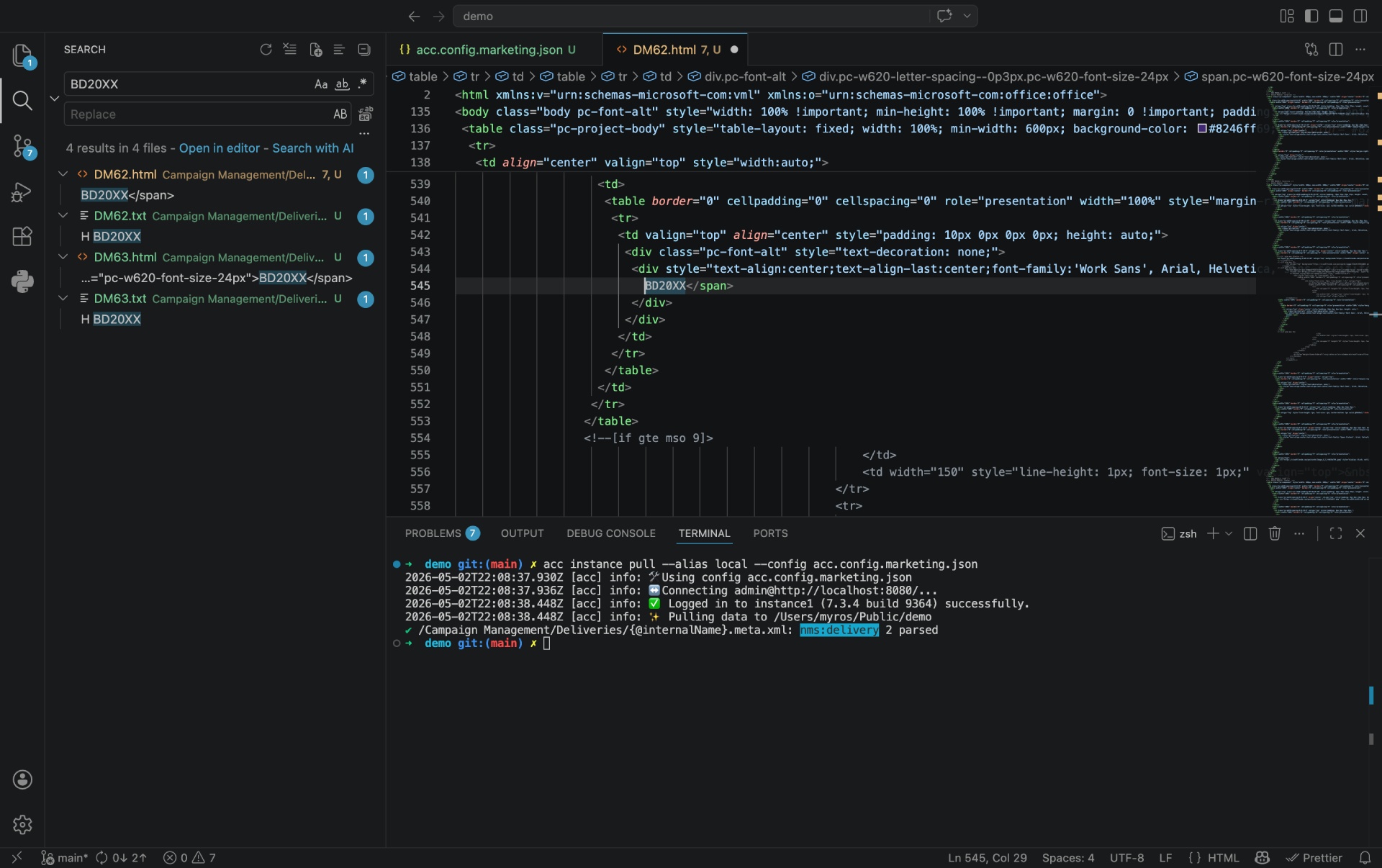
Search for the promo code
For basic search, use the native Windows Explorer.
For advanced searches with case, use Notepad++.
For developer searches, use VS Code.
Validation & troubleshooting
How to test
Search for a string you know exists in a recent delivery (e.g. your brand name). If results appear, the pull was successful.
Common errors
No .html files generated — check that decompose is present in your config and that the content/html/source xpath exists in your deliveries. Some delivery types (SMS, push) have no HTML content.
Too many results?
- Narrow the date range with
DaysAgo(30) - Add a filter on
@internalName LIKE '%myNamespace%' - Search in a folder with
[folder/@fullName] LIKE '/Business Unit 1/Deliveries/%'
Going further
Audit text versions too
Search across .txt files to catch promo codes in plain-text versions, which are often forgotten during QA.
Export results
In VS Code, right-click a search result panel and Copy All to paste into a spreadsheet for reporting.