
Your privacy policy URL just changed. Or legal updated the promotional terms that appear in every marketing email. You now need to know exactly which deliveries are affected — and fix them before the next send.
In the Adobe Campaign console, that means opening deliveries one by one. With acc, you download everything once and search across your entire campaign history in seconds — with Windows Explorer, Notepad, or any text editor you already use.
Preparation
Requirements: acc installed and authenticated. See Getting started.
What will be downloaded:
- Personalization blocks as
.htmland.txtfiles - Options as
.xmlfile - Delivery HTML and text sources as
.htmland.txtfiles
Walkthrough
1. Download everything: options, blocks & deliveries
From your project folder, run the usual acc instance pull or filter on specific metadata:
acc instance pull --alias instance1 --metadata nms:includeView,xtk:option,nms:delivery
This will use your configuration from acc.config.json. Common filters include:
-
nms:delivery:[scheduling/@contactDate] >= DaysAgo(90) -
nms:includeView:@name NOT LIKE 'xtk%'
Personalization blocks are typically few (under 100). Pull them all — no date filter needed.
2. Search for outdated content
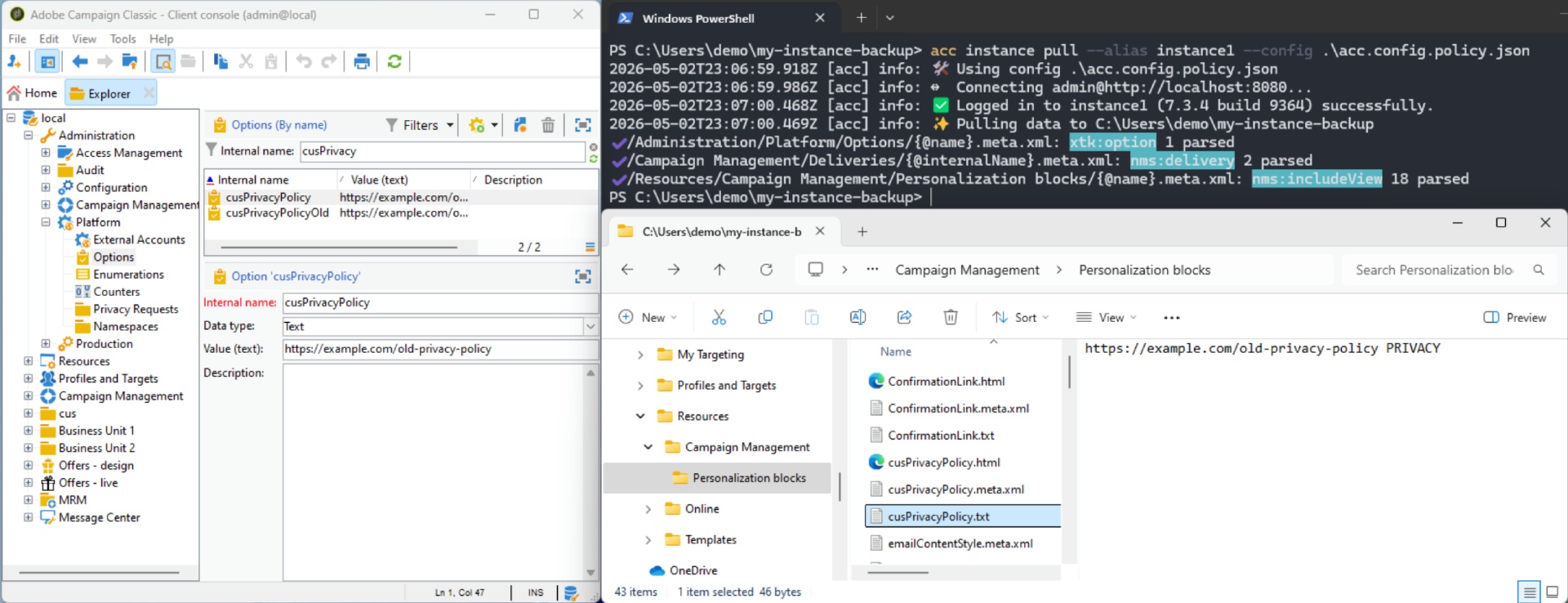
Open your project folder. In the search bar, type the string you are looking for — your privacy policy URL, your unsubscribe wording, or any required legal mention.
Windows Explorer searches inside all files in the folder and returns every delivery that contains that string.
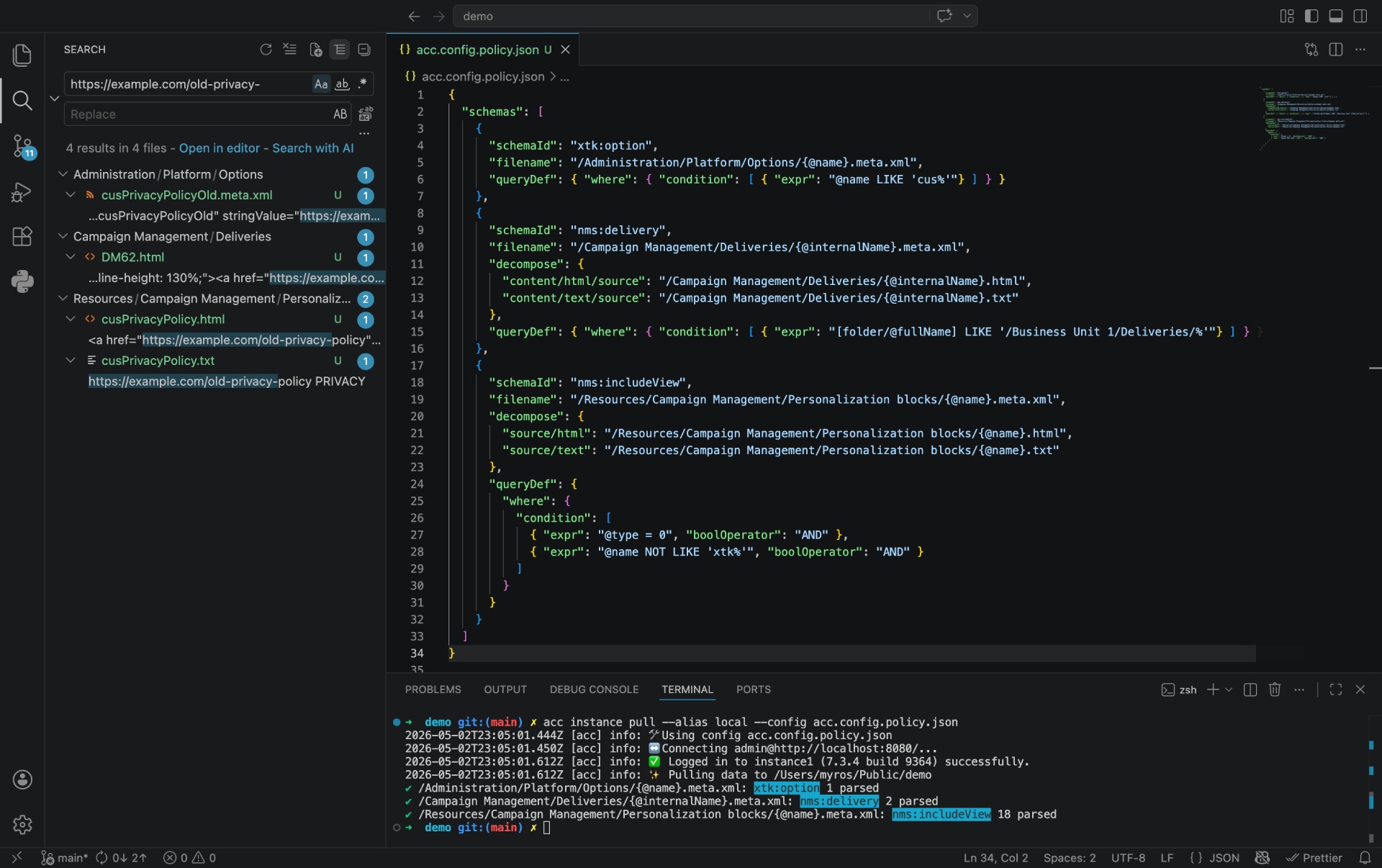
You may also use VS Code, displaying the search results as a Tree.
The below example shows results for https://example.com/old-privacy in xtk:option (@stringValue), nms:includeView (source), and nms:delivery (content).
Going further
Spot hardcoded URLs
If your privacy policy URL appears directly in a delivery file instead of coming from a shared personalization block, that delivery will not update automatically when the URL changes. Search for your privacy URL across all .html files — any match is worth reviewing as you may replace them by getOption("myPrivacyPolicyUrl").
Track changes over time
Run acc instance pull again next month. If your project is under Git, the diff shows exactly what changed in any delivery since the last audit — without opening the Campaign console.