
The acc.config.json file is the heart of your acc project. It tells the CLI what to download and where to save it, so you work from a consistent, version-controlled snapshot of your instance.
This page shows you how to configure it to your needs, from simple filtering to advanced multi-brand setups.
How it works
Each entry in the schemas array describes one type of content to download. For example, Typologies are configured with:
{
  "schemaId": "nms:typology",
  "filename": "/Administration/Campaign Management/Typology management/Typologies/{@name}.meta.xml",
  "queryDef": {
    "where": { "condition": [{ "expr": "@name NOT LIKE 'xtk%'" }] }
  }
}
You can control the structure with these 2 keys:
-
filename: Where to save locally.{@attr}will be replaced by the record attribute’s value -
queryDef: SQL-like filter to limit what is downloaded
Filter what you download
The default configuration pulls everything that is not built-in. In practice you often want a smaller scope: only your namespace, only last month’s deliveries, only your team’s workflows.
Use queryDef to download only your own content. For example, filtering on custom Data Schemas, find “schemaId”: “xtk:srcSchema” and edit its condition:
"queryDef": {
  "where": {
      "condition": [{ "expr": "@namespace IN ('cus', 'myNamespace')" }]
}}
Once the configuration file is updated, pull only the schemas with the --metadata flag. No need to re-download everything:
acc instance pull --alias instance1 --metadata xtk:srcSchema
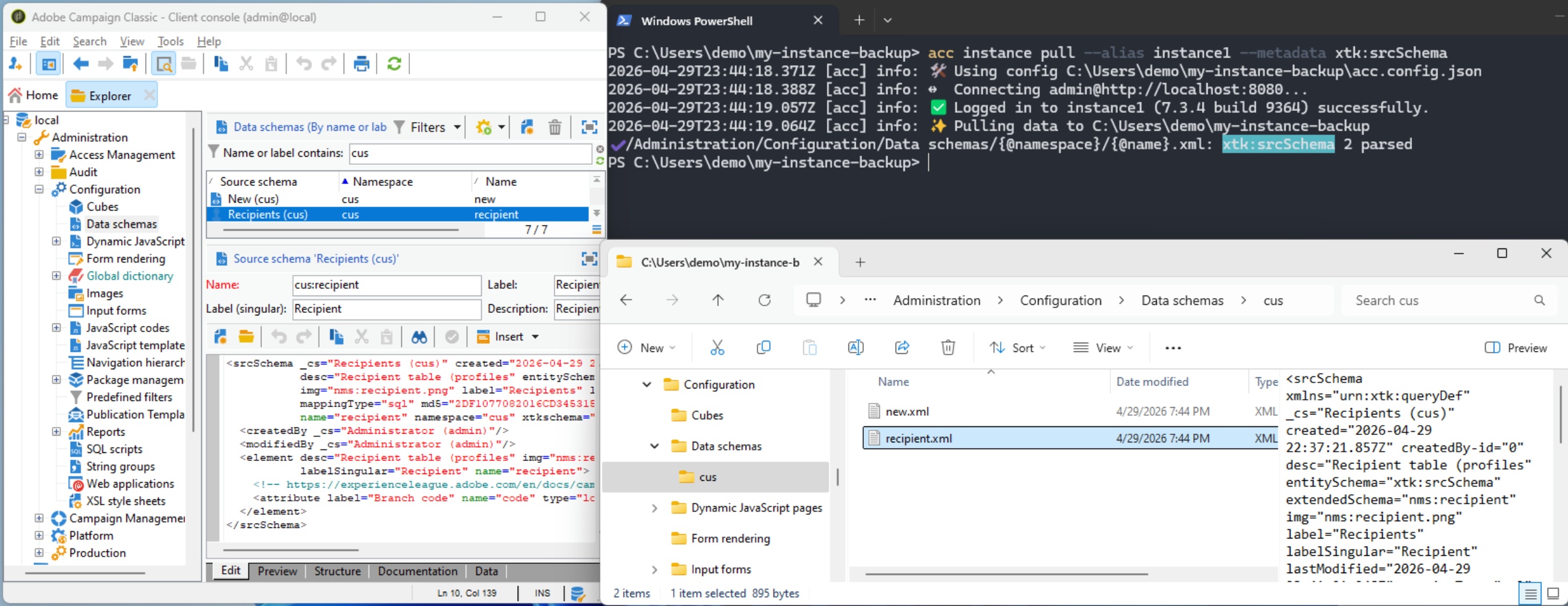
--metadataaccepts a comma-separated list of schema IDs:--metadata xtk:srcSchema,xtk:javascript
Default instance alias
Set the key alias to have it by default when running any acc instance * commands.
With the below configuration, both commands acc instance pull –alias instance2 and acc instance pull yields the same result.
{
  "alias": "instance2"
}
Note: the
aliaskey will be automatically added when your first pull createsacc.config.json
Organize your local folders
The filename key maps each record to a local path. Any attribute wrapped in {@attr} is replaced by the record’s value at download time. Using Lists as an example:
Mirror the AC Explorer hierarchy (default):
"filename": "/Profiles and Targets/Lists/{@name}.meta.xml"
Updated to a custom subfolder:
"filename": "/My Targeting/Subfolder/{@name}.meta.xml"
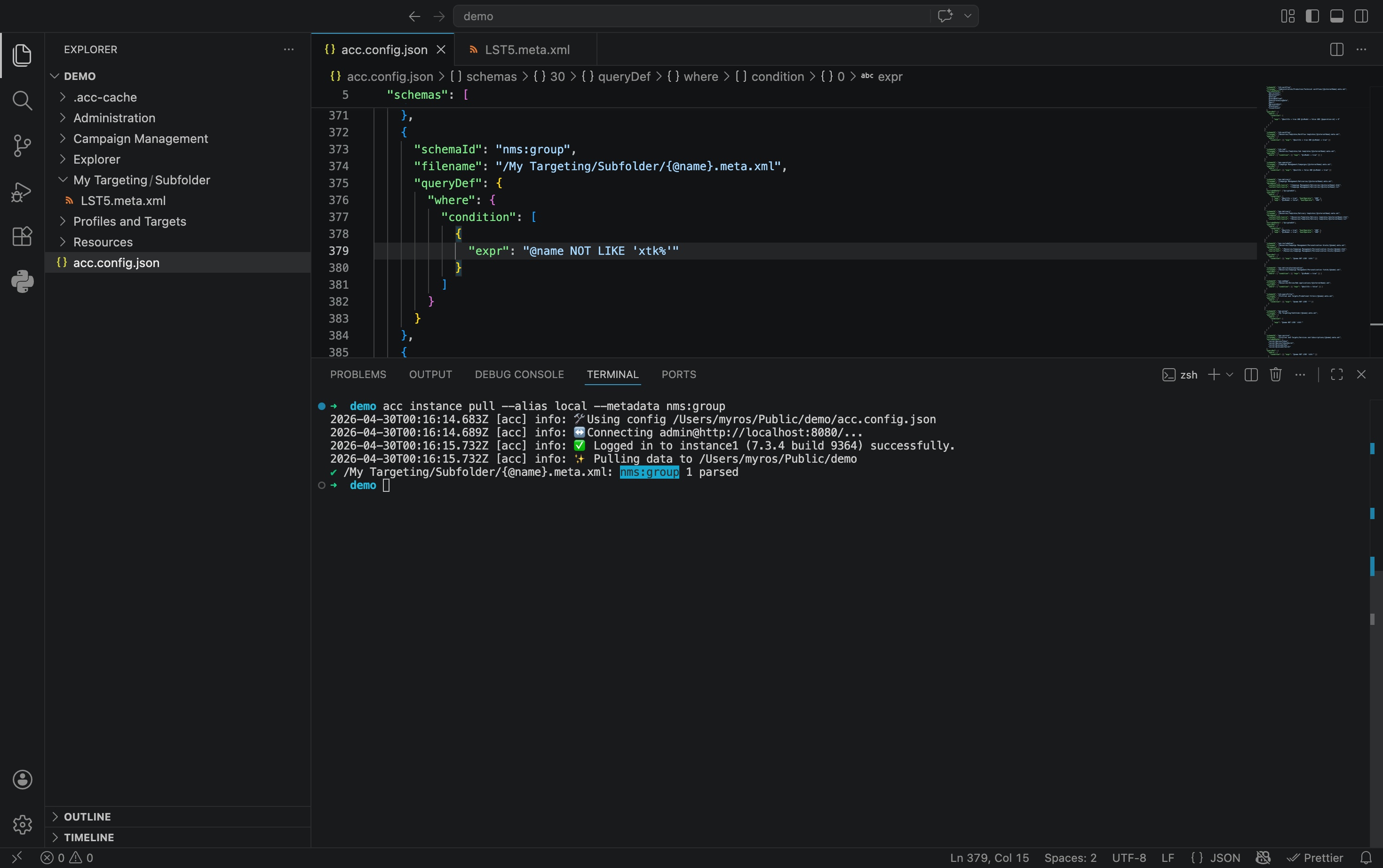
💡 Pro tip: Open the folder from VS Code to benefit from file Hierarchy browsing, Find in Files, and Autocompletion. Use its terminal to run acc.
All subfolders are created automatically when pulling. No manual setup needed.
Split schema in many folders
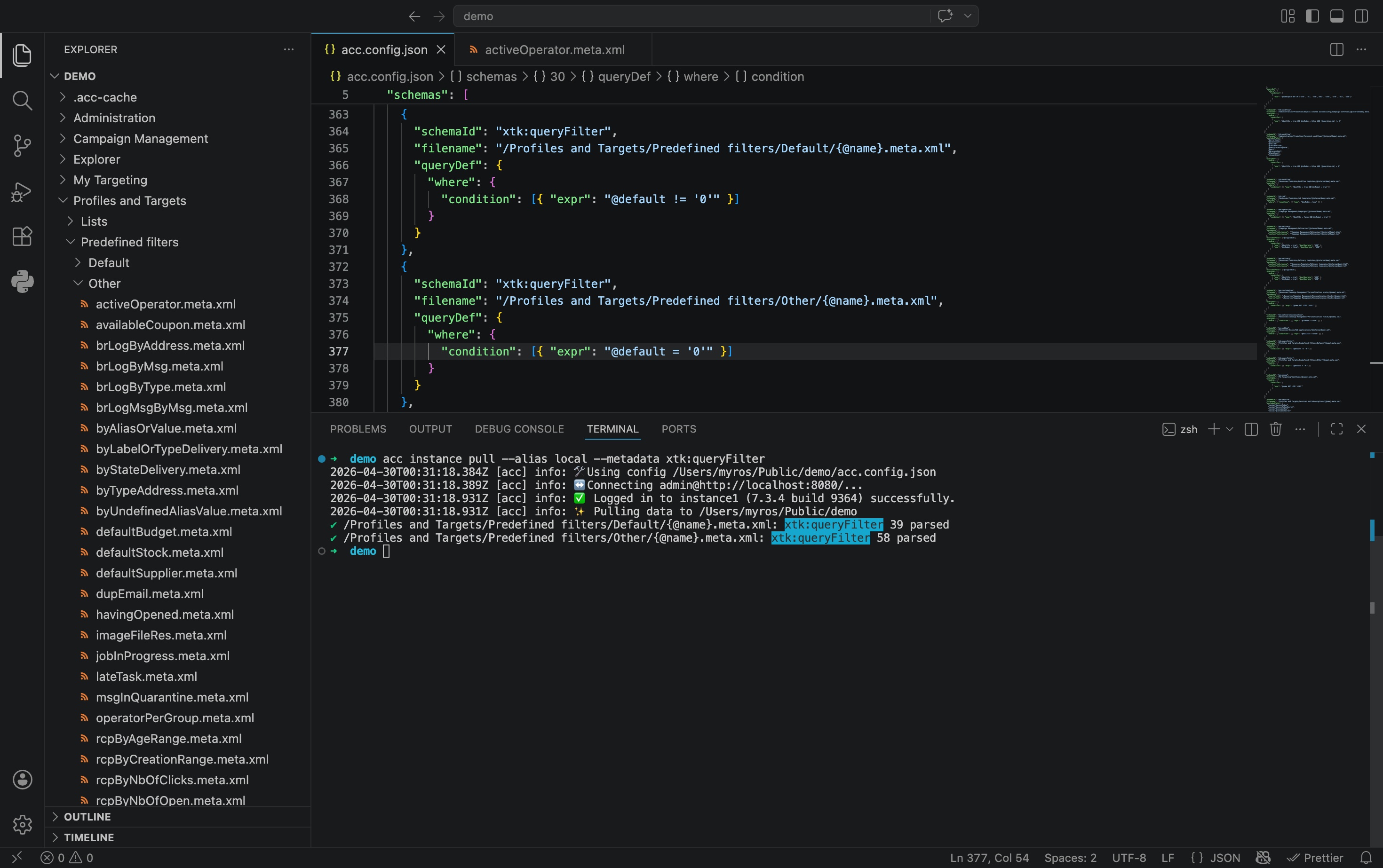
Use multiple entries for the same schema to create a clean split, i.e. by channel, by built-in vs custom, by author… Using Predefined Filters as an example, split between Default and Others:
{
  "schemaId": "xtk:queryFilter",
  "filename": "/Profiles and Targets/Predefined filters/Default/{@name}.meta.xml",
  "queryDef": {
    "where": { "condition": [{ "expr": "@default != '0'" }] }
  }
},
{
  "schemaId": "xtk:queryFilter",
  "filename": "/Profiles and Targets/Predefined filters/Other/{@name}.meta.xml",
  "queryDef": {
    "where": { "condition": [{ "expr": "@default = '0'" }] }
  }
}
Scale with many config files
As your project grows, you may create many acc.config.json files to create a clean split: by channel, territory, or brand.
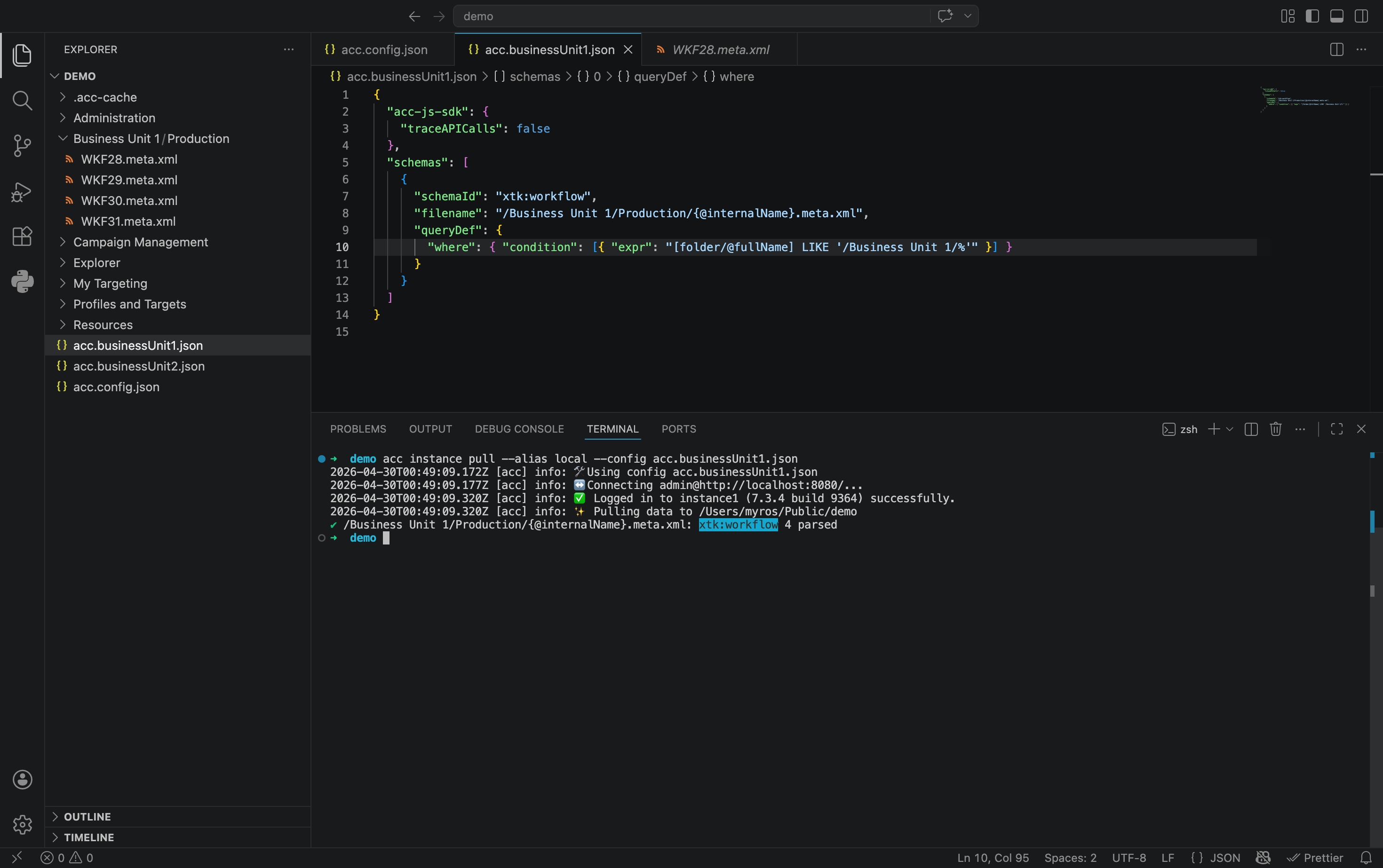
The --config flag comes into play. Using Workflows as an example for a Business Unit 1:
acc instance pull --config acc.businessUnit1.json
Common examples include:
# By team
acc instance pull                                      # Global config (Schemas)
acc instance pull --config acc.production.config.json  # Ops team (Technical Workflows)
acc instance pull --config acc.marketing.config.json   # Marketing team (Deliveries, Campaign Workflows)
# By territory
acc instance pull --config acc.FR.config.json
acc instance pull --config acc.GB.config.json
# By brand
acc instance pull --config acc.brand1.config.json
acc instance pull --config acc.brand2.config.json
Each team owns their file. The general acc.config.json covers shared schemas (data schemas, JavaScript codes). Specialized configs cover what’s specific to each context.
What’s next
Configuration done, time to put it to work!
- Decomposition to extract the JavaScript and HTML from the downloaded XML
- Advanced use cases for linting, formatting, Git integration